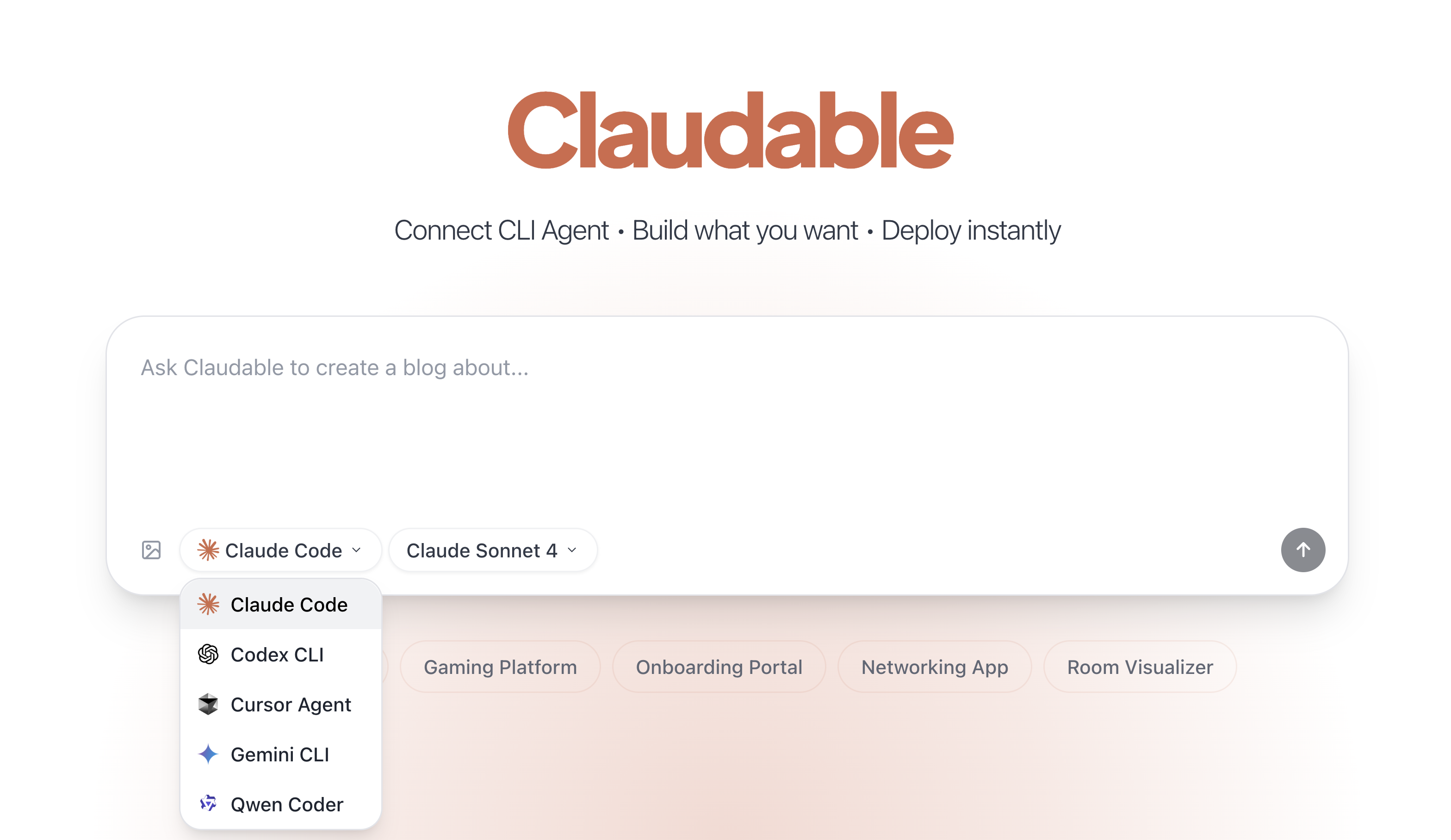






Claudable is an open-source Next.js web app builder that combines local AI coding CLI agents (Claude Code, Codex CLI, Cursor CLI, Qwen Code, Z.AI GLM, and MiniMax) with a fast, Lovable-grade visual app-building workspace.
Describe what you want — "Build a minimalist habit tracker with weekly analytics" — and watch Claudable stream code in real time, spin up an instant Turbopack live preview, inspect and edit elements visually, checkpoint every turn in Git, verify TypeScript diagnostics in one click, and deploy directly to Vercel with Supabase and GitHub.
No extra builder subscription. Use the CLI agents and plans you already own, 100% locally.

- Instant Turbopack Preview & Auto-Dependency Sync: Scaffolded Next.js 15 projects run with
--turbopackfor fast cold starts and HMR (CLAUDABLE_DISABLE_TURBOPACK=1to opt out). SHA-256package.jsontracking automatically installs newly added packages after AI turns. - Visual Element Picker (Select to Edit): Click any element inside the live Desktop / Tablet / Mobile preview to attach its tag, selector, text, and DOM path directly to your next AI prompt.
- Preview Error Detection, Live Logs & Fix with AI: Built-in dev server log drawer, automatic compile/runtime error detection, one-click Fix with AI, and an opt-in Auto-fix loop (capped at 2 attempts per error).
- Real-Time Token Streaming & Instant Stop: Live token-level streaming with an Extended Thinking toggle and immediate generation cancellation at any time.
- Git Checkpoints, Inline Diff & Non-Destructive Restore: Every AI turn automatically saves a Git checkpoint. Inspect unified commit diffs inline inside Version History and restore forward or backward safely without rewriting history.
- Multi-Tab Code Editor &
Cmd+PQuick Search: Open multiple files with preserved unsaved drafts, full file/folder CRUD, project-wide content search, and syntax highlighting. - One-Click TypeScript Check (
tsc --noEmit): Run type checks right inside the Code view, jump straight to anyfile:line:coldiagnostic, or click Fix with AI to resolve all errors. - Project Knowledge (
CLAUDABLE.md/CLAUDE.md/AGENTS.md): Configure per-project custom instructions in Settings → Knowledge or drop aCLAUDABLE.md/CLAUDE.md/AGENTS.mdfile in your repo—automatically injected across all 6 CLI agents. - Project Duplicate / Remix & ZIP Export: Duplicate any project from the sidebar (preserving Git history and Knowledge while skipping
node_modules) or export a clean ZIP archive anytime.
- Sub-3ms Cached CLI Probing: 30s TTL cache with concurrent in-flight deduplication (
?refresh=1to bypass). - Zero-Churn Chat Rendering: Memoized Markdown/Thinking renderer and latest-first message pagination keep long sessions smooth during token streaming.
- SQLite WAL & Single-Request File Tree: SQLite WAL mode with tuned cache/busy timeout, depth-2 workspace tree loading, and on-demand Settings modal lazy-loading.
- GitHub, Vercel & Supabase Integrations: Push to GitHub, connect PostgreSQL/Auth on Supabase, and publish to Vercel directly from the workspace.
- Desktop App (Electron): Build and run natively on macOS, Windows, and Linux.


Claudable supports 6 active AI coding agents out of the box—switch agents or models per project anytime:
| Agent | Featured Models | Notes |
|---|---|---|
| Claude Code (Recommended) | Claude Opus 4.7, Opus 4.6, Sonnet 4.6 (default), Haiku 4.5 | Extended Thinking toggle, multimodal images, token streaming |
| Codex CLI | GPT-5 (default), GPT-4o, GPT-4o Mini, o1 | OpenAI coding agent via ChatGPT subscription or API |
| Cursor CLI | GPT-5 (default), Claude Sonnet 4, Sonnet 4 Thinking | Multi-model Cursor Agent router |
| Qwen Code | Qwen3 Coder Plus (default), Qwen3 Coder Pro, Qwen3 Coder | Apache 2.0 open-source CLI |
| Z.AI GLM | GLM 4.6 | Cost-efficient coding runtime via Claude Code SDK |
| MiniMax CLI | MiniMax M3.1 Flash (default), MiniMax M3 | 1M context, multimodal images, adaptive thinking |
Claude Code — Anthropic's agentic coding CLI supporting Claude Opus 4.7, Opus 4.6, Sonnet 4.6, and Haiku 4.5.
- Pricing: Included with Claude Pro/Max/Team/Enterprise plans, or Anthropic API key
- Installation:
npm install -g @anthropic-ai/claude-code
claude  # then run /login
Codex CLI — OpenAI's coding agent with GPT-5 support.
- Pricing: Included with ChatGPT Plus/Pro/Business/Edu/Enterprise plans (from $20/month)
- Installation:
npm install -g @openai/codex
codex  # sign in with your ChatGPT account
Cursor CLI — Multi-model coding agent powered by Cursor Agent.
- Pricing: Free tier available, Pro from $20/month
- Installation:
curl https://cursor.com/install -fsS | bash
cursor-agent login
Qwen Code — Alibaba's open-source CLI for Qwen3 Coder models.
- Pricing: Free and open-source (Apache 2.0)
- Installation:
npm install -g @qwen-code/qwen-code@latest
qwen --version
Z.AI GLM-4.6 — Zhipu AI's coding agent powered by GLM-4.6.
- Pricing: From $3/month (GLM Coding Lite) to $30/month (GLM Coding Max)
- Installation: See Quick Start Guide
MiniMax — Runs MiniMax M3.1 Flash (1M context, adaptive thinking) and MiniMax M3 via the Anthropic-compatible Claude Agent SDK runtime.
- Setup: Set
MINIMAX_API_KEYin.env.localor Global Settings → AI Agents (optionalMINIMAX_REGION=cn_zhforapi.minimaxi.com; defaults to globalapi.minimax.io).
- Node.js 20+ (
npm >= 10) - Git
- At least one supported AI CLI agent installed and authenticated (e.g. Claude Code, Codex CLI, Cursor CLI, Qwen Code, Z.AI GLM, or MiniMax API key)
# Clone the repository
git clone https://github.com/anymorph-ai/Claudable.git
cd Claudable

# Install dependencies (auto-configures .env and ports)
npm install

# Start the development server
npm run dev
Open http://localhost:3000 (if port 3000 is busy, Claudable automatically picks the next available port).
npm run prisma:generate
npm run build
npm run start# Development mode
npm run dev:desktop
# Build & package for your platform
npm run package:mac # macOS
npm run package:win # Windows
npm run package:linux # Linuxnpm run type-check # Run TypeScript check (tsc --noEmit)
npm run lint # Run ESLint
npm run prisma:push # Push Prisma schema to SQLite (data/cc.db)
npm run prisma:studio # Inspect local SQLite database in Prisma Studio
npm run prisma:reset # Reset local SQLite database (WARNING: deletes local data)
npm run check-cli # Verify installed Claude CLI environment| Shortcut | Action |
|---|---|
Cmd/Ctrl + P |
Switch to Code view and focus Quick File Search |
Cmd/Ctrl + S |
Save current file in the Code Editor |
Cmd/Ctrl + Enter |
Send chat prompt |
ArrowUp / ArrowDown |
Cycle through prompt history on single-line input |
- Get Token: GitHub Personal Access Tokens → Generate new token (classic) → select
reposcope - Connect: Settings → Service Integrations → GitHub → enter token → create or link a repository
- Get Token: Vercel Account Settings → Create Token
- Connect: Settings → Service Integrations → Vercel → enter token → deploy in one click
- Get Credentials: Supabase Dashboard → Your Project → Settings → API
- Connect: Provide your Project URL, Anon Key, and Service Role Key in Settings → Service Integrations
- Database migration conflicts: If you upgraded from an older version and hit Prisma schema errors, reset the local SQLite database (back up
data/cc.dbfirst if needed):npm run prisma:reset
- Port already in use: Claudable automatically detects free ports on startup; check
.env/.env.localfor assigned ports. - Disable Turbopack for a project preview: Set
CLAUDABLE_DISABLE_TURBOPACK=1in your environment if a custom Next.js plugin requires webpack dev mode. - Claude Code permission issues (Windows / WSL): Do not run Claude Code as
rootor withsudo. Ensure directory ownership belongs to your user:sudo chown -R $(whoami):$(whoami) ~/Claudable npm install -g @anthropic-ai/claude-code --unsafe-perm=false
- Native MCP Server Management UI — Configure and attach Model Context Protocol tools per project
- Website Cloning — Bootstrap a new project from a reference URL
- Multi-Agent Workflows — Parallel specialized subagents for design, backend, and QA