---
url: https://nsh.dev/docs
description: "What Native Shell is: a Rust-first native UI framework for iOS, Android, macOS, Windows, Linux and the web, with each platform's own UI and interaction. Apps are written in TSX and extended with Rust where they need it."
---
# Introduction
Native Shell (NSH for short) is a native UI framework for every platform. You build an app once, with one app model — components, signals, styles and the same API everywhere — and NSH runs it on **iOS, Android, macOS, Windows, Linux and the web**, each time as an app of that platform: made of its own views, edited with its own text system, used the way its users expect. Write the app in **TSX**, and extend it with **Rust** through [nshm](https://nsh.dev/docs/nshm.md) where it needs native speed, system access or a crate; an app can also be Rust from start to end, on the same engine. On top of the same engine, apps you have shipped can take new UI at run time — written by your team or generated by a model — as signed modules, in a sandbox the host configures.
> [!IMPORTANT]
> NSH provides native views and interaction; the app owns its visual design. Components, state and APIs are shared across platforms, while colors, typography, spacing and shapes come from the app. Text input, focus and menus follow each device’s interaction conventions. See [Goals and design principles](https://nsh.dev/docs/goals.md).
## What native means
Native in NSH has two layers: the platform's foundations, and the platform's interaction. Apps define their own visual style and can opt into system materials such as Liquid Glass on supported platforms.
**The platform's foundations.** Each platform has a backend of its own, built on the UI that platform already has:
| Platform | Views | Text | Text input |
|---|---|---|---|
| iOS | UIKit | CoreText | The system's text fields and text views |
| Android | Android views | `StaticLayout` | `EditText` |
| macOS | AppKit, Core Animation | CoreText | `NSTextField`, `NSTextView` |
| Windows | Win32 windows drawn with Direct2D | DirectWrite | NSH's editor, with the system's input methods (IMM32) |
| Linux | GTK 4 | Pango | GTK's `Text` and `TextView` |
| Web | HTML elements styled with CSS | The browser's fonts | The browser's inputs |
Text selection and its menu, input methods, accessibility and scrolling come from the platform, and what a new OS release brings to them reaches the app with it. Native components — a map, a web view, a video player, any view the host registers — are one more view in the same hierarchy, laid out, clipped and scrolled with the rest ([Native components](https://nsh.dev/docs/native-components.md)).
**The platform's interaction.** The components NSH provides in [`nsh/base`](https://nsh.dev/modules/nsh-base.md) behave as each device's users expect, so the app writes them once:
| | Desktops (and desktop browsers) | Phones and tablets |
|---|---|---|
| `Menu` | A popup at its trigger; submenus cascade beside their item | A sheet from the bottom; a submenu replaces its menu's items |
| `ContextMenu` | A right click opens it at the pointer | A finger held on the trigger opens it as a sheet |
| `Tooltip` | Shown when the pointer rests on the trigger | Shown when the app opens it |
| `Popover` | A press outside closes it and reaches what is under the pointer | A press outside closes it |
Pages, dialogs, the keyboard and the status bar follow the same idea: navigation stacks push and pop with each platform's motion, and the back button, Escape and swipe-back do what they do there ([Navigation](https://nsh.dev/docs/navigation.md)).
## From phone to desktop to web
Cross-platform in NSH means each device gets the app it expects, not the same screen scaled up or down:
- **One app model.** The app's components, state, business logic and screens are shared; each backend maps them to its platform.
- **Layouts that reshape.** Flexbox and CSS grid are laid out by [Taffy](https://github.com/DioxusLabs/taffy) on every platform, and Tailwind's breakpoints (`md:`, `lg:`) and the window's size (`window()` in Rust) change the structure, not only the size: a chat app shows its sidebar, conversations and messages side by side in a wide window, and one screen at a time on a phone ([Layout](https://nsh.dev/docs/layout.md), [Tailwind](https://nsh.dev/docs/tailwind.md)).
- **The input each device expects.** A pointer, hover, right clicks, shortcuts and focus on the desktop; touches, gestures, the software keyboard and page navigation on phones. Where an app wants something of its own per platform, `desktop={{…}}` props and `platform.select` say so ([Platform-specific code](https://nsh.dev/docs/platform-specific.md)).
- **Checked on every target.** `nsh test` runs the app's tests headless, and the same tests in macOS, Windows, Linux and GPUI windows, an iOS simulator, an Android device or a browser, with the platform's own input ([Testing and tracing](https://nsh.dev/docs/testing-and-trace.md)).
Take an app like a chat client. Its developer builds it on the desktop with `nsh run`, opens it in an iOS simulator with `nsh run --target ios` to check the phone layout, then in a browser with `nsh run --target web` — the same project each time — and `nsh package` makes the installable apps and the website. One engineer can carry what used to take a team per platform, while the backend is built alongside.
## Rust first
NSH is Rust first: the engine, layout, rendering and every platform layer are Rust, compiled to native code. Apps are written on top of it in TSX, with Rust where it pays off:
- **Apps in TSX.** Screens, state, business logic and styles are TSX, with Tailwind classes and signals, and hot updates that keep the app's state on every save. Only the app's own code is JavaScript: the reactive graph, layout, rendering and every module the app imports are Rust ([JSX and components](https://nsh.dev/docs/jsx-and-components.md)). `nsh init` starts here.
- **Rust where the app needs it.** An app's own Rust crate in `ext/`, or an [nshm](https://nsh.dev/docs/nshm.md) from crates.io, gives its TSX components, modules and classes: heavy computation, parsing, large data, system APIs and the crates.io ecosystem, at native speed even when TSX calls them.
- **Whole apps in Rust.** An app whose core is demanding business logic can be Rust from start to end, compiled to native code with Rust's ownership, types and threads, and no JavaScript runtime ([Building with Rust](https://nsh.dev/docs/rust.md)).
- **One toolchain.** A single `nsh` executable creates, builds, type-checks, runs with hot reload, tests, packages and signs apps for every target. It brings its own TSX bundler and TypeScript checker, so a TSX app needs nothing but `nsh`; the Rust toolchain comes in when the app has Rust of its own ([Installation](https://nsh.dev/docs/installation.md), [CLI](https://nsh.dev/docs/cli.md)).
## An app
The same counter, in TSX and in Rust:
```tsx
import { mount, signal, Text, View } from "nsh";
import { Window } from "nsh/desktop";
function Counter() {
const count = signal(0);
return (
{count()}
count.update((n) => n + 1)}
activeStyle={{ opacity: 0.6 }}
class="rounded-lg bg-blue-600 px-5 py-3"
>
Tap
);
}
mount(() => );
```
```rust
use nsh_core::prelude::*;
#[component]
pub fn Counter() -> impl IntoElement {
let count = signal(0);
view()
.flex_1()
.items_center()
.justify_center()
.gap_3()
.child(text(move || count.get().to_string()).text_5xl().font_weight(FontWeight::BOLD))
.child(
view()
.rounded_lg()
.bg(rgb(0x2563eb))
.px_5()
.py_3()
.active(|s| s.opacity(0.6))
.on_press(move || count.update(|n| *n += 1))
.child(text("Tap").text_lg().text_color(white())),
)
}
```
A view (`view()`, ``) becomes a `UIView` on iOS, a `ViewGroup` on Android, an `NSView` on macOS, a GTK widget on Linux, a retained view drawn with Direct2D on Windows and an HTML element on the web; a text becomes a native text view, and the button's press feedback (`.active(..)`, `activeStyle`) runs on the main thread. When you tap, `count.update` changes one signal, and only the text that reads it is updated: the component function does not run again. In the TSX app, only the module's own code is JavaScript; the Rust app is native code from start to end.
## Retained views
NSH is retained: every element is a view the platform keeps, and an update changes only what changed.
- **Fine-grained updates.** [Signals](https://nsh.dev/docs/reactivity.md) like Solid's, implemented natively: components run once, and a change runs again only the expressions that read the changed signal.
- **Only what changed crosses threads.** The changes of one turn are laid out together and handed to the main thread as one batch of view operations per frame; unchanged styles and frames are not sent, and the views nothing touched stay as they are.
- **Animations run natively.** Timing, spring and decay animations, gestures and scroll-linked values are evaluated on the platform's frame clock, without calling into JS per frame ([Animation](https://nsh.dev/docs/animation.md)).
That suits the screens most apps are made of — chats, mail, forms, lists, documents, settings, an AI reply streaming in — where a few views change at a time and the rest wait. Such screens sit near idle between updates, and scrolling and animation hold 120 FPS on ProMotion displays. In the [NSH performance benchmark](https://github.com/longbridge/nsh-perf-bench), a 500-row quote table updated 1,000 times a second uses 18% of a core on Linux in NSH Rust, against 20% for the same screen written directly on [GPUI Fast](https://github.com/longbridge/gpui-fast). Heavy computation belongs in Rust: TSX runs in QuickJS, an interpreter, while a Rust module runs at native speed even when TSX calls it — sorting 100,000 rows takes about 3 ms that way, as in plain Rust ([Performance](https://nsh.dev/docs/performance.md)).
## How it runs
The toolchain is a single `nsh` binary. An app is written in TSX, in Rust, or both, and each takes its own path to the same Rust engine.
### TSX apps
A TSX app (a module) is a set of `.tsx` / `.ts` files with an entry, usually `App.tsx`:
1. **Build.** `nsh` bundles the module's files (with rolldown and Oxc) and compiles the JSX with its own compiler. Imports of `nsh` and `nsh/*` stay imports: the runtime serves them natively, so the bundle holds only your code. The bundle is compiled to QuickJS bytecode.
2. **Run.** The engine thread runs the bytecode in [QuickJS](https://github.com/quickjs-ng/quickjs), one VM per view. Compiled JSX calls the native renderer directly, and JavaScript only describes the UI and handles events; parsing styles, resolving Tailwind classes, diffing, layout and text all happen in Rust.
### Rust apps
A Rust app is a crate, built entirely with Rust and Native, with no JavaScript runtime:
1. **Build.** `nsh` builds the runner of each target — the iOS, Android, macOS, Windows, Linux or web app — with your crate linked in. Components, state, handlers and the engine are compiled together into native code.
2. **Run.** The app's root component runs on the engine thread as Rust. The runner has no JavaScript engine: QuickJS is not part of a Rust app on any platform.
### The difference
| | TSX app | Rust app |
|---|---|---|
| Written in | TSX (TypeScript and JSX) | Rust |
| Built into | QuickJS bytecode, loaded by the runtime | Native code, linked into each target's runner |
| JavaScript engine | QuickJS, one VM per view | None |
| While developing (`nsh run`) | Hot updates on each save | Rebuilt and restarted on each save |
| After release | Ships with the app; also delivered at run time as signed packages, in a sandbox | Ships with the app |
| Suits | Most apps, plugins, UI delivered at run time or generated by a model | Apps whose core is heavy computation or system work |
The two combine: a TSX app imports Rust components, modules and classes from nshm, its own in `ext/` or published ones, and they run as native code ([nshm](https://nsh.dev/docs/nshm.md)); a Rust app can take TSX screens the same way ([Building with Rust](https://nsh.dev/docs/rust.md)).
### The shared engine
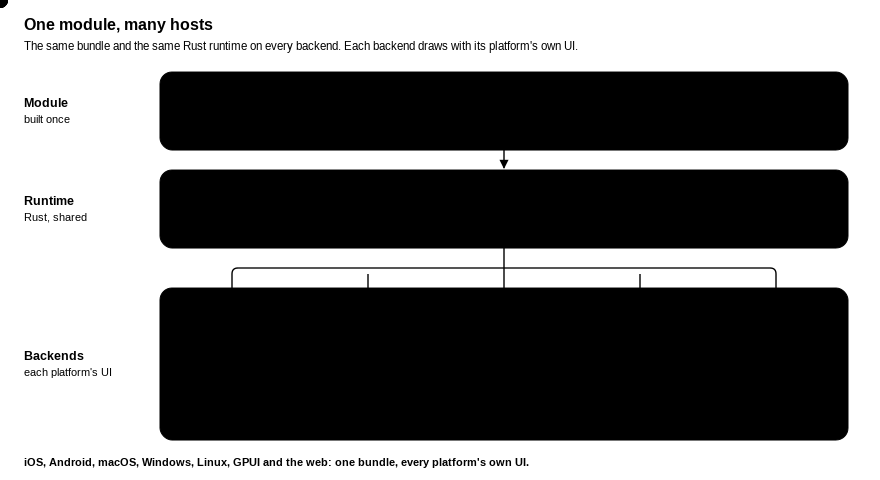
From the engine on, both paths are the same. Changes are collected per turn, laid out with Taffy (flexbox and CSS grid), and handed to the main thread as one batch of view operations per frame; the main thread applies the batch to native views. Text is measured and laid out once on the engine thread (CoreText on Apple platforms, `StaticLayout` on Android, DirectWrite on Windows, Pango on Linux, the browser's font metrics on the web) and only drawn on the main thread.
On the web, the same engine runs in the page: the browser shows HTML elements styled with CSS, scrolls them, selects their text and handles input, and `nsh package --target web` publishes the app as a static site whose files are named by content, ready for any CDN ([Web](https://nsh.dev/docs/web.md)).
> [!NOTE]
> The main thread never waits for the app's code. Questions the system asks synchronously (may this input accept another character, may the user swipe back, may this sheet close) are answered natively from props set beforehand, such as `maxLength`, `popOnBack` or `closeOnSwipe`. Events reach the app's handlers afterwards.
## Dynamic UI and AI-generated UI
NSH began as a way for native apps to take UI after release, and that stays one of its main uses. An app embeds an `NshAppView` (iOS), `NshView` (Android), `AppView` (macOS, Windows, Linux and GPUI apps) or `createPlayer` (a web page) wherever a module should appear, and NSH runs TSX modules inside it:
- **Delivered after release.** A module is a signed package (`.nshpkg`) the app downloads at run time. The app checks its signature against the keys it trusts and against a revocation list before running it ([Signed packages](https://nsh.dev/docs/signed-packages.md)). The host app ships the runtime; teams build modules against its API and deliver them on their own schedule.
- **The host stays in control.** Each module runs in its own QuickJS VM, with memory, call-time and node limits, and reaches only what the host grants: network hosts, web pages, the status bar ([Sandbox and capabilities](https://nsh.dev/docs/sandbox-and-capabilities.md)). Several modules run side by side.
- **Modules can match the rest of the app.** Modules can reuse the app’s component styles, and the host can register its own native views — a map, a player, a design-system component — for modules to use ([Native components](https://nsh.dev/docs/native-components.md)).
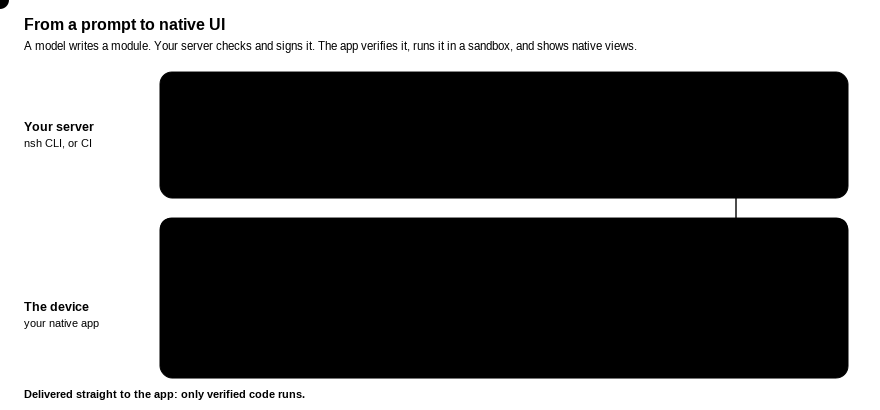
The same mechanism lets an app **answer with an interface**. A model writes a small TSX module (a form, a chart, a booking card), your server checks, builds and signs it, and the app shows it natively:
On iOS, the host's part is a few lines:
```swift
let app = NshAppView() // a UIView: place it anywhere
try app.grantCapabilities(#"{ "network": { "hosts": ["api.example.com"] } }"#)
let info = try await app.loadPackage(at: downloadedFile, trust: trust) // verified, then run
```
## AI-friendly
NSH is designed for software written with AI, whole apps as much as generated screens:
- **One app model for every platform.** A model learns one way to write UI, and the result runs on phones, desktops and the web; NSH adapts the interaction per platform, so nothing is generated six times.
- **TSX, with Rust where it pays.** TSX for apps, screens, plugins and UI generated per request; Rust for performance-critical modules the TSX imports, or for whole apps — on one engine.
- **A precise, generated contract.** Every element, prop, style key and module has TypeScript declarations generated from the Rust sources (`.nsh/types`), and Rust APIs are typed, so generated code is checked by a compiler. These docs are served as plain text for models ([`llms.txt`](/llms.txt), [`llms-full.txt`](/llms-full.txt)), and `npx skills add longbridge/nsh` installs the Coding and Design Guides as skills for coding agents.
- **One command line for the whole loop.** An agent creates the app, builds it, runs it on a target, runs its tests, reads the result, fixes and packages it, all through `nsh`. `nsh test` runs headless, without a device, and reports errors and the views produced; the compiler also runs in-process (`nsh_bundler::compile_module`) and in the browser ([Playground](/playground)).
- **Safe to run when it is not trusted.** Generated code delivered at run time is untrusted code: it arrives signed, runs in a VM with limits and reaches only the capabilities the host grants.
## Where it runs
| Platform | Requires | Backend | Embedded with |
|---|---|---|---|
| [iOS](https://nsh.dev/docs/ios.md) | iOS 15.0+ | UIKit | `NativeShell.xcframework` |
| [Android](https://nsh.dev/docs/android.md) | Android 8+ | Android views | `nsh.aar` |
| [macOS](https://nsh.dev/docs/macos.md) | macOS 14+ | AppKit | `AppView` |
| [Windows](https://nsh.dev/docs/windows.md) | Windows 10 1809+ | Win32, Direct2D | `AppView` |
| [Linux](https://nsh.dev/docs/linux.md) | GTK 4.14+ | GTK 4 | `AppView` |
| [Web](https://nsh.dev/docs/web.md) | Modern browsers | HTML | `createPlayer`, iframe |
| [TUI](https://nsh.dev/docs/tui.md) | Terminals on macOS, Windows and Linux | ratatui | `AppView` (ratatui area) |
| [GPUI](https://nsh.dev/docs/gpui.md) | Desktops | GPUI | `AppView` (GPUI, GPUI Kit apps) |
As a development tool, Mac Catalyst (`--target catalyst`) runs the iOS backend on a Mac for Catalyst-specific work.
## Native Shell and GPUI Shell
[Longbridge](https://longbridge.com) builds NSH for its own clients. The first need was a plugin layer for the mobile client, and [GPUI Shell](https://gpui-kit.com/shell), which makes [GPUI](https://gpui-kit.com) desktop apps extensible in JavaScript, was the starting point. On phones, UI drawn by GPUI itself would have had to rebuild what the platform already does — text selection and its menu (Copy, Share, Translate, Look Up), input methods, accessibility, the visual materials each iOS release brings — and every mobile team would have taken on a new UI stack. NSH therefore renders with each platform's own UI, and it grew from that plugin layer into a framework for whole apps on every platform.
The two are positioned differently. GPUI Shell extends GPUI desktop applications; Native Shell is a framework for native apps on phones, desktops and the web, and its GPUI backend embeds NSH apps in GPUI and GPUI Kit apps ([GPUI](https://nsh.dev/docs/gpui.md)).
## How it compares
For whole apps, NSH sits among cross-platform frameworks such as React Native, Flutter, Qt, GPUI, Slint, Electron and Tauri; for UI delivered after release, among web views, server-driven UI and mini-program containers. Its choice is each platform's own UI and interaction under one app model, written in TSX on an engine built in Rust, with Rust for the parts that need it. [Comparing approaches](https://nsh.dev/docs/comparison.md) goes through each.
## Next steps
- [Installation](https://nsh.dev/docs/installation.md) and [Getting started](https://nsh.dev/docs/getting-started.md): get `nsh`, write a first app and run it on each platform.
- [nshm](https://nsh.dev/docs/nshm.md): extend a TSX app with Rust components, modules and classes, its own or published ones.
- [Building with Rust](https://nsh.dev/docs/rust.md): apps written in Rust from start to end.
- [Platforms](https://nsh.dev/docs/platforms.md): what runs where, and how to run, package and embed on each platform.
- [JSX and components](https://nsh.dev/docs/jsx-and-components.md) and [Reactivity](https://nsh.dev/docs/reactivity.md): the two ideas everything else builds on, in TSX and Rust.
- [Signed packages](https://nsh.dev/docs/signed-packages.md) and [Sandbox and capabilities](https://nsh.dev/docs/sandbox-and-capabilities.md): deliver modules and decide what they may do.