





No folder fatigue
Drop references straight into one flat wall. Skip naming nested folders and surface works later by color, note, or memory.
Linger is a local-first image organizer for Mac that keeps every reference you save, and the reason you saved it.
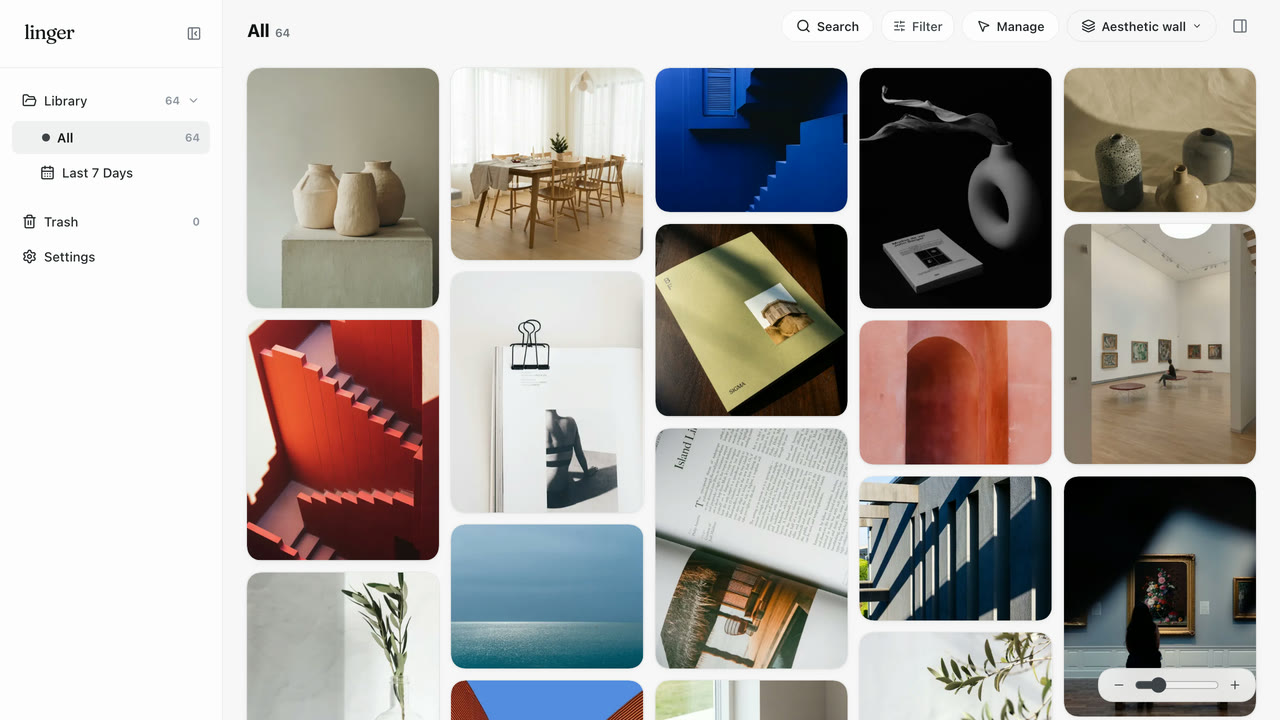
Four moves, one local-first library. Explore each interactive preview to see how Linger keeps context intact.
Start with what catches your eye.
Save images, screenshots, and links with their original source. Switch between handmade stoneware, cobalt architecture, and vermilion steps while Linger extracts the color palette automatically.
Instant capture & palette: keeps the image, source URL, and dominant color strip ready the moment you save.

Keep the reason you saved it.
An image organizer built around why you kept each reference: a curve, a surface, a glaze. Add auto-saved notes and personal words, and follow Connections to related works.
Notes & personal words: your words and visual cues stay linked across the entire local library.

Find it through the clues you remember.
Try geometry, light, rhythm, or serif—or filter by color tone—to see one word bring disparate references back together.
Clue & color recall: filter across your personal impressions, tags, and palettes without cloud indexing.

Put your references to work.
Place a cobalt sea horizon beside matte obsidian dunes on a calm dot-grid board and compare light, form, and color harmony side by side.
Lightweight canvas: arrange references and direction notes side by side to explore ideas, keeping your working space nimble and focused.

No forced folders, no public feed, no quiet cloud uploads. Every detail stays fast, tactile, and private on your Mac.
Drop references straight into one flat wall. Skip naming nested folders and surface works later by color, note, or memory.
Linger extracts color palettes from supported images in the background. Click a swatch to copy its HEX value or filter by similar colors.
Your library lives in a folder on your Mac. Linger keeps its own copy in a managed library so Finder originals stay untouched — fast offline, no cloud lock-in.
Forgot the filename? Search by words from a note, your tags, or a color — and surface it with its source link.
Built-in stdio MCP lets Claude or Codex inspect your references and notes on demand. AI stays off by default and never overwrites your words.
Built for Apple Silicon with native macOS speed: paste any copied image, press Space for full-size focus, or jump straight to search.
Black Friday · Through Dec 1
No subscriptions, no cloud lock-in. Lock in our lowest price of the year — or try Linger free for 7 days first.
$25$39one-time
For everyday personal use on two Macs.
$49$79one-time
Pay once for four Macs and all future desktop updates.
7-day free Mac trial, no card required · Apple Silicon (macOS 14+) · Compare all details & team licensing → · Black Friday FAQ →
On your Mac, in the library folder you choose. Linger keeps its own imported copies; the original files in Finder stay untouched.
No. Local color palettes, OCR, and search across saved text work out of the box without configuration. Optional model connections for automatic image tagging and experimental local image recall stay off by default.
Export image files first, then import them into Linger while keeping your Eagle library as a backup. Eagle folders, tags, notes and source links do not transfer automatically, and there is no Eagle-library or .eaglepack importer. Read the guide for Eagle users.
Each account gets a 7-day full trial from its first successful email sign-in. No card is required and there is no automatic charge. Email sign-in only binds one trial per account and lets you restore your Personal or Lifetime purchase—your library stays on your Mac and works offline after activation. After the trial, existing originals, notes and sources remain accessible, with basic search and safe export. Keep it with a one-time purchase: Personal $39 USD or Lifetime $79 USD. See pricing & licenses.
The native app requires an Apple Silicon Mac with macOS 14 or later.
There is no built-in cloud sync. Each Mac has a separate local library. Personal covers two Macs and Lifetime covers four; those allowances do not create a shared library. To back up or move your library to another Mac, quit Linger, open Reveal in Finder from Settings, and copy the entire library folder.
Use Linger → Check for Updates. If you are on 0.5.3, download and install the native app once to enable in-app updates. Your library and trial remain unchanged. See what’s new.