A native IPTV player for Mac, Windows, iPhone and iPad, Android phones and Android TV.
Xtream Codes and M3U, instant search, a built-in player with subtitles, Picture in Picture, catch-up and downloads.
Completely free and open source. No accounts, no ads, no analytics.

iPhone and iPad: on the App Store, completely free. No ads, no subscription, no paid features. An optional tip through Apple unlocks nothing.



Download for Mac | Download for Windows | iPhone and iPad (App Store) | Android and Android TV (APK) | All downloads
If IPTVMac is useful to you, a ⭐ on GitHub helps others find it, and you can buy me a coffee to support its development.
Website · What's new · Install · Features · FAQ · עברית
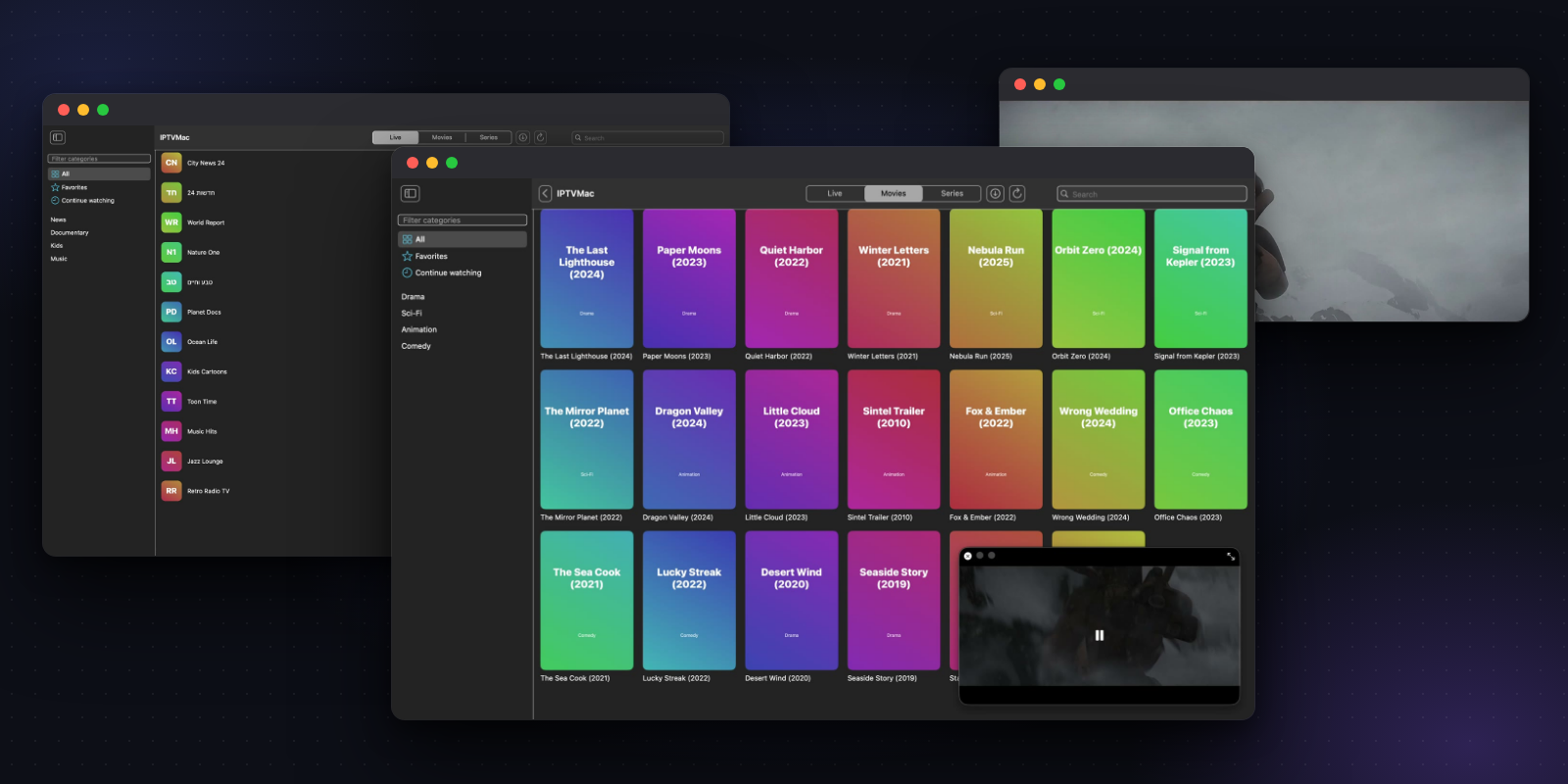
Demo playlist with invented titles, video from the Blender Foundation's "Sintel" (CC-BY 3.0). Watch the 80-second demo.
| Device | Download | Status |
|---|---|---|
| Mac (Apple Silicon, macOS 14+) | DMG or one-line install | Released, signed and notarized, updates itself |
| Windows (Windows 10 and 11, 64-bit) | Installer or portable zip (about 27 MB), unsigned: SmartScreen asks for More info, Run anyway | Keyboard and mouse player, downloads for offline viewing, light on memory and processor |
| Android phones and tablets (Android 8+) | APK on GitHub Releases (arm64-v8a for almost every phone) |
Released; updates from inside the app |
| Android TV, Google TV, Fire TV | 32-bit or 64-bit APK, installed with the Downloader app or a USB stick (see Other platforms) | First version: remote control, no touch screen |
| iPhone and iPad (iOS 17+) | App Store, or build from source | Released (version 1.0.1) |
The same engine, 31 languages and no-account design everywhere.
The iPhone and iPad app is on the App Store, and its full source code is here on GitHub. It is the same app and the same code; these are the differences:
| App Store | Built from GitHub | |
|---|---|---|
| Install | One tap in the App Store. | You build it: a Mac with Xcode, then scripts/ios-setup.sh, then run it on your iPhone or iPad (see docs/PLATFORMS.md). |
| Updates | Automatic, through the App Store, after Apple has reviewed each version. | When you choose: pull the newest source and build again. GitHub is usually a little ahead of the App Store. |
| Signing | The project's own Apple developer account. | Your own Apple ID. With a free Apple account the app runs for 7 days and you install it again; a paid account lasts a year. |
| What is inside | The same code. No ads, no tracking, no paid features; optional tips through Apple. | The same code. No ads, no tracking, no paid features. |
| Price | Free. | Free (GPL-3.0). |
The App Store app also works on Macs with Apple Silicon (search for IPTVMac in the Mac App Store). The Mac app from GitHub Releases is a separate app made for the Mac. The differences:
| App Store app | Mac app from GitHub | |
|---|---|---|
| Devices | iPhone, iPad, and Macs with Apple Silicon (macOS 14 or later). | Macs with Apple Silicon (macOS 14 or later). |
| Made for | Touch screens; on a Mac it runs in a window. | The Mac: menus, keyboard shortcuts, mouse and trackpad. |
| Install | The App Store. | A DMG from GitHub Releases, signed with an Apple Developer ID and notarized by Apple. |
| Updates | Automatic, through the App Store, after Apple has reviewed each version. | The app updates itself from GitHub, usually a little earlier. |
| Catch-up (programs that already aired) | No. | Yes, where your Xtream provider supports it. |
| Downloads for offline viewing | No. | Yes. |
| Picture in Picture | The system window. | Its own floating window that stays on top and follows you across Spaces. |
| Preview on the time bar | While you drag. | When you point at it. |
| Passwords | The Keychain. | The app's private database, or the Keychain if you choose (Settings > Playlists). |
| Search, favorites, continue watching, skip intro and credits, 31 languages | Yes. | Yes. |
| Price | Free. No ads, no tracking, no paid features; optional tips through Apple. | Free (GPL-3.0). No ads, no tracking. |
Windows, Android and Android TV are only on GitHub Releases. The Mac and Android apps update themselves from GitHub.
- Fast. Your whole library lives in a local SQLite database with full-text search. Typing finds a channel among 100,000 items in well under a second, in a category, in a section, or everywhere.
- Stable. Playback runs on mpv (libmpv, bundled). It plays the broken TS and HLS streams that trip up system players, reconnects when the stream drops, and uses hardware decoding.
- Native, in the right language for each platform. Swift and SwiftUI on Mac and iPhone; Dart with Flutter and a Kotlin layer on Android and Android TV. Each app is written for its own platform instead of one shared shell, and on every one the video is decoded by the same compiled libmpv engine; no Electron, no web view. Nothing else to install: the player is inside the app.
- Open. GPL-3.0, no accounts, no analytics. The app talks only to the servers you add, and to GitHub for updates.
On Mac. (Windows, Android and Android TV: see Other platforms.) Requires an Apple Silicon Mac (M1 or later) and macOS 14 or later.
Install in one line. Paste this in Terminal:
curl -fsSL https://raw.githubusercontent.com/Goelir/IPTVMac/main/install.sh | bash
It downloads the latest release, checks its signature and the SHA-256, copies IPTVMac to /Applications and opens it. install.sh is short; read it first if you like. It works for every version, and because nothing is downloaded in a browser, macOS has nothing to flag. After this the app updates itself.
Or download the DMG. Get IPTVMac.dmg from the latest release, open it and drag the IPTVMac icon onto the Applications icon in the window (not the .dmg file itself). From version 0.9.1, releases are signed with an Apple Developer ID and notarized (an automated malware scan by Apple, not a review of the app), so the app opens with a normal double-click. macOS may ask you once to confirm that it was downloaded from the internet.
Older versions are not notarized, and macOS blocks a browser-downloaded copy on first launch. For those:
- macOS 15 and later: try to open the app once, then go to System Settings > Privacy & Security, scroll down and click Open Anyway next to IPTVMac.
- Or in Terminal:
xattr -dr com.apple.quarantine /Applications/IPTVMac.app
Prefer to see it first? Watch the install guide (95 seconds).
The app opens a short three-step guide. You add a playlist from your provider:
- Xtream Codes: server address (for example
http://host:8080), username and password. Your provider gives you these. - M3U: a name and the playlist link.
IPTVMac is only a player. It does not include or host any channels, movies or series: you need a source you are allowed to use.
If you do not have a provider, iptv-org/iptv is a free, independent open source project that publishes M3U playlists of publicly available channels from around the world. In IPTVMac choose M3U, give it a name and paste:
https://iptv-org.github.io/iptv/index.m3u
It holds about 11,000 entries (loading takes a moment); the project's README also lists playlists by country, language and category. IPTVMac is not affiliated with iptv-org. Whether a stream is available, and whether you may watch it, depends on the channel and on your country: use only what you are allowed to.
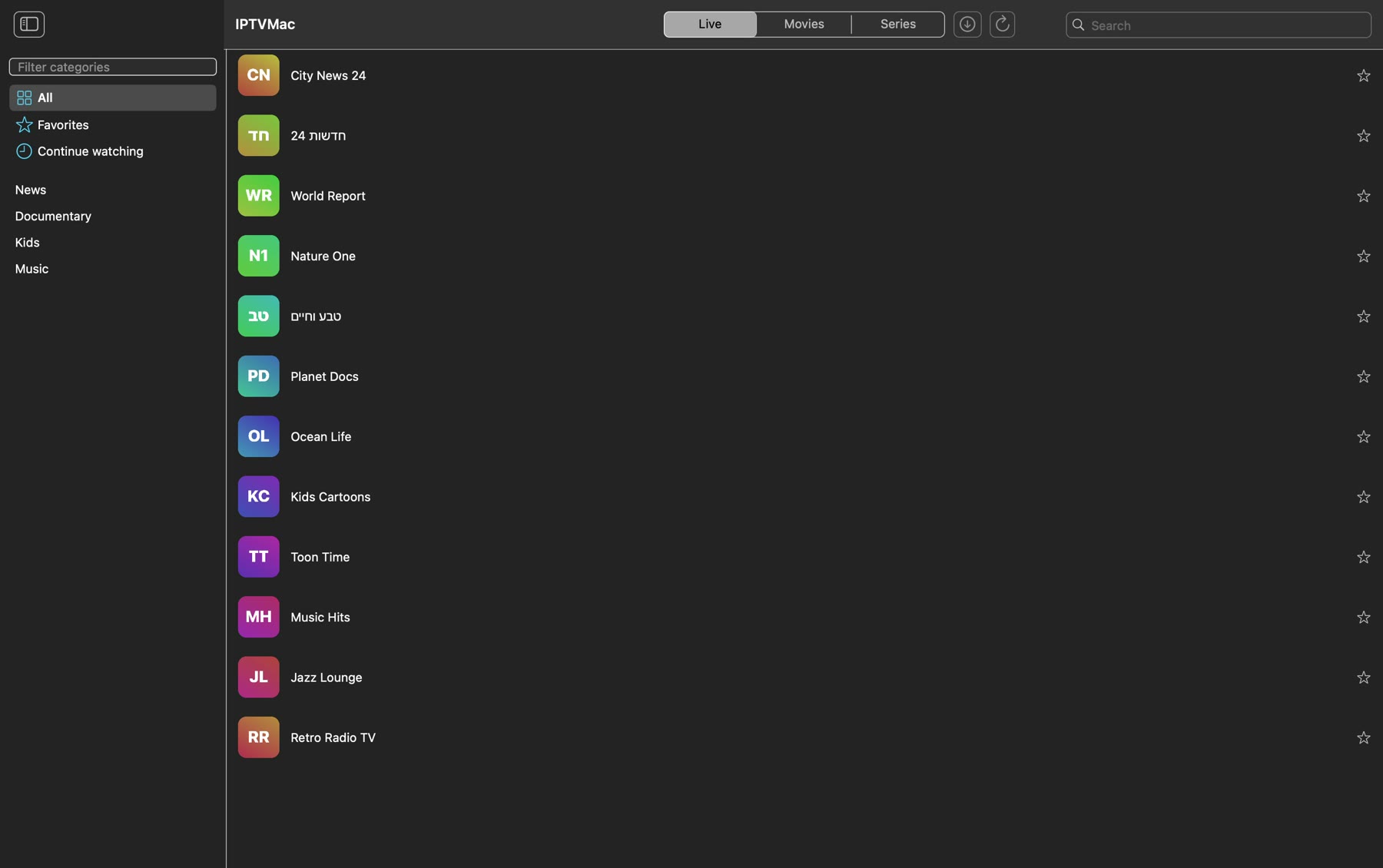 Live channels |
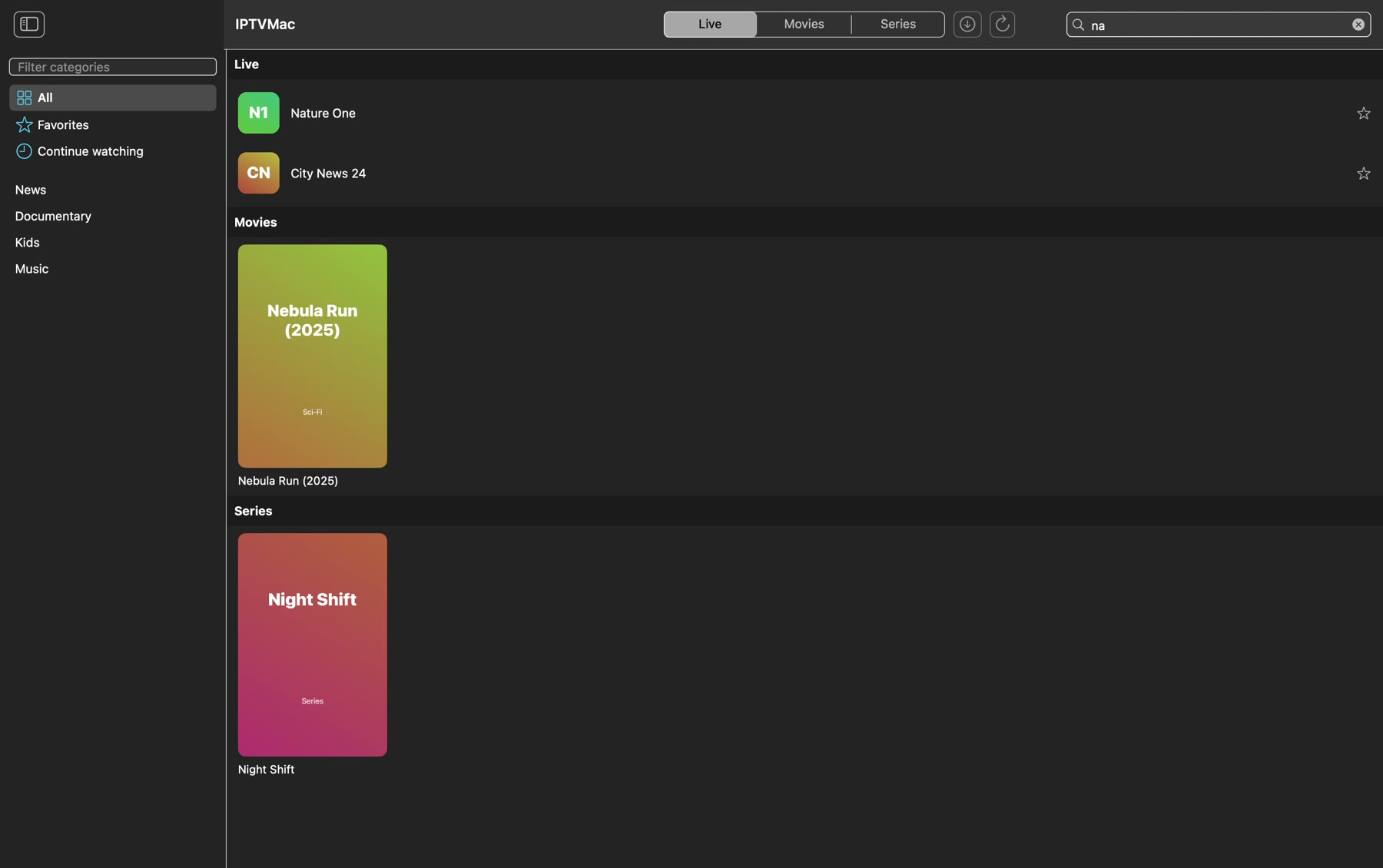 Search everywhere |
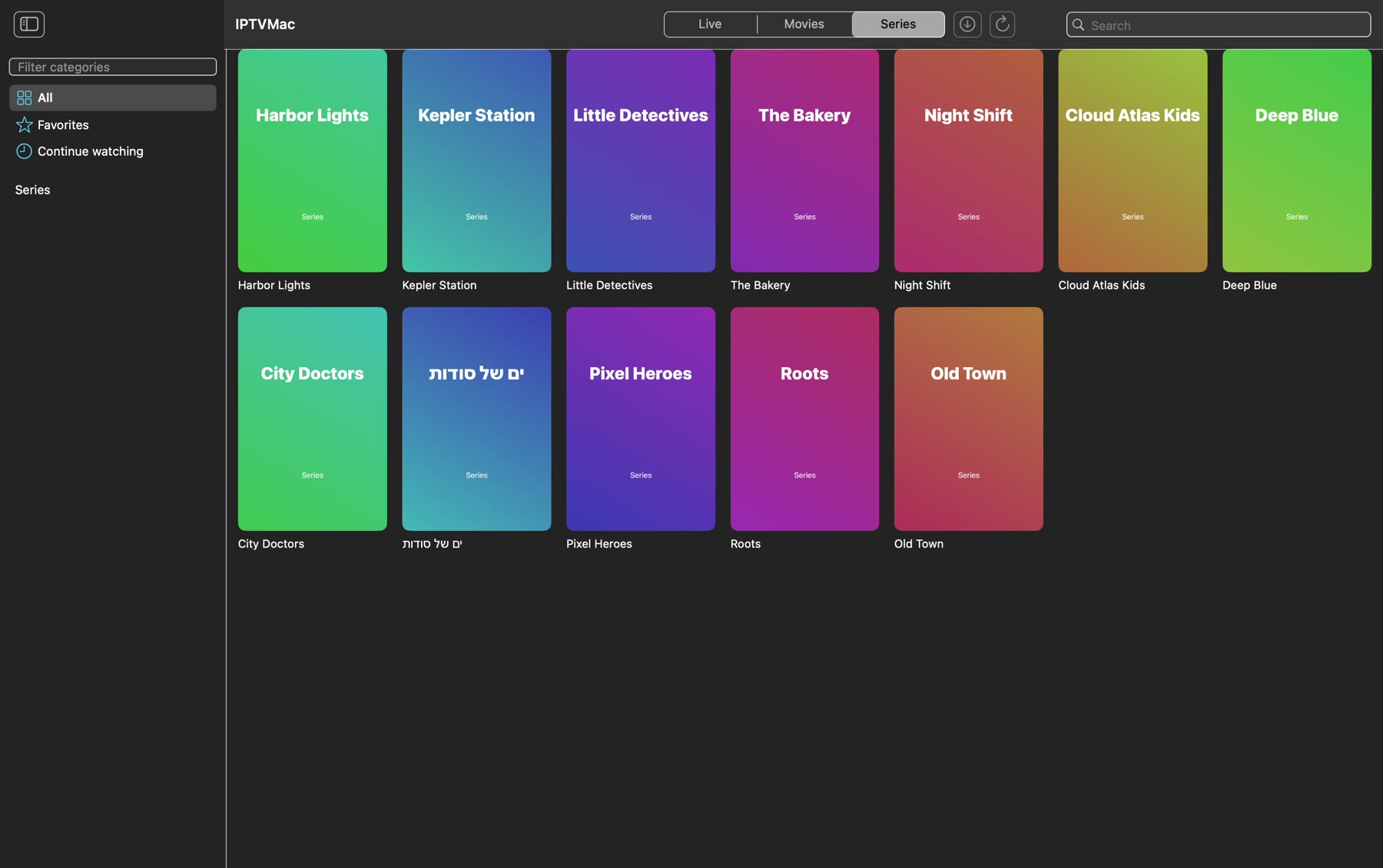 Series |
 Player |
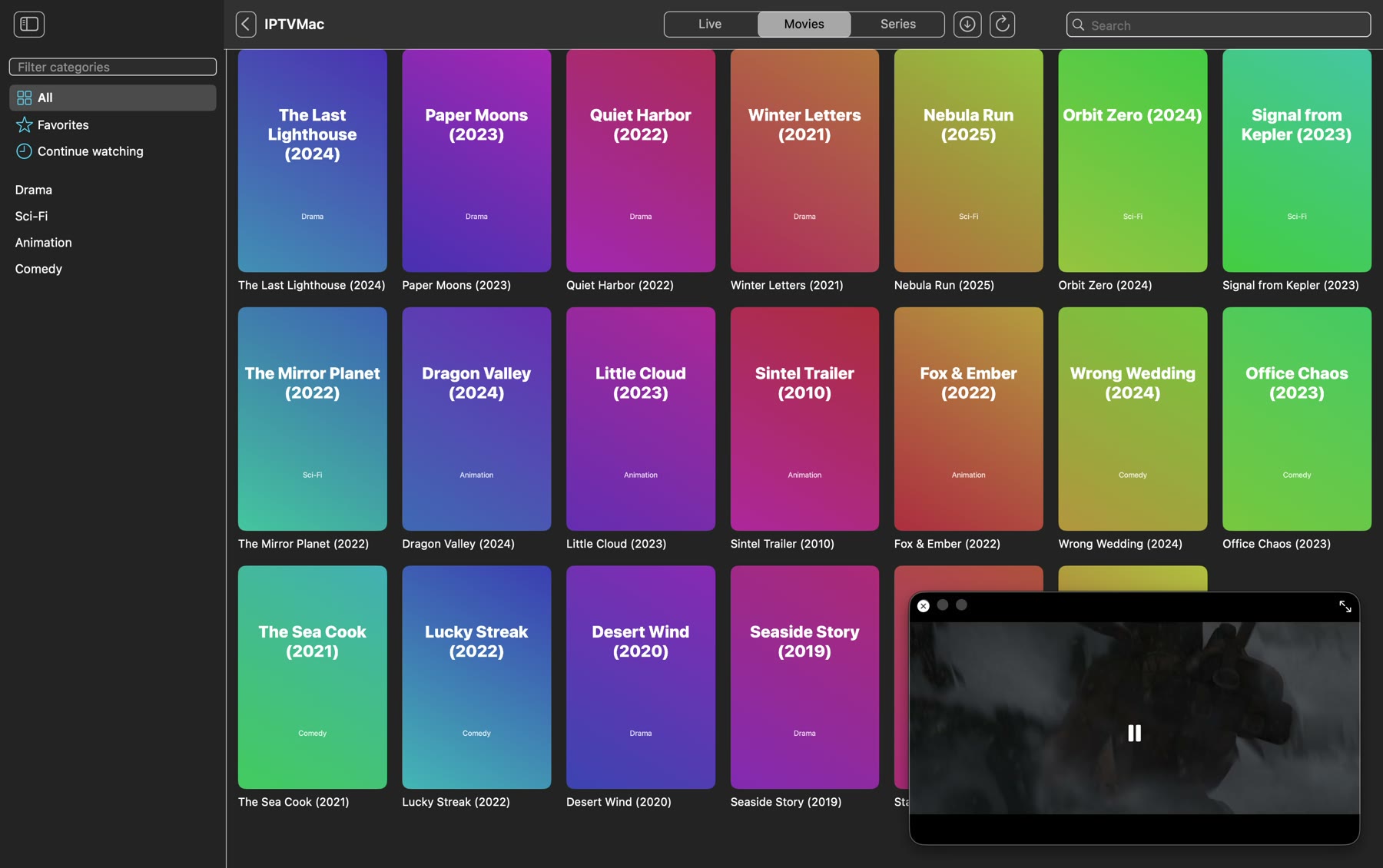 Picture in Picture |
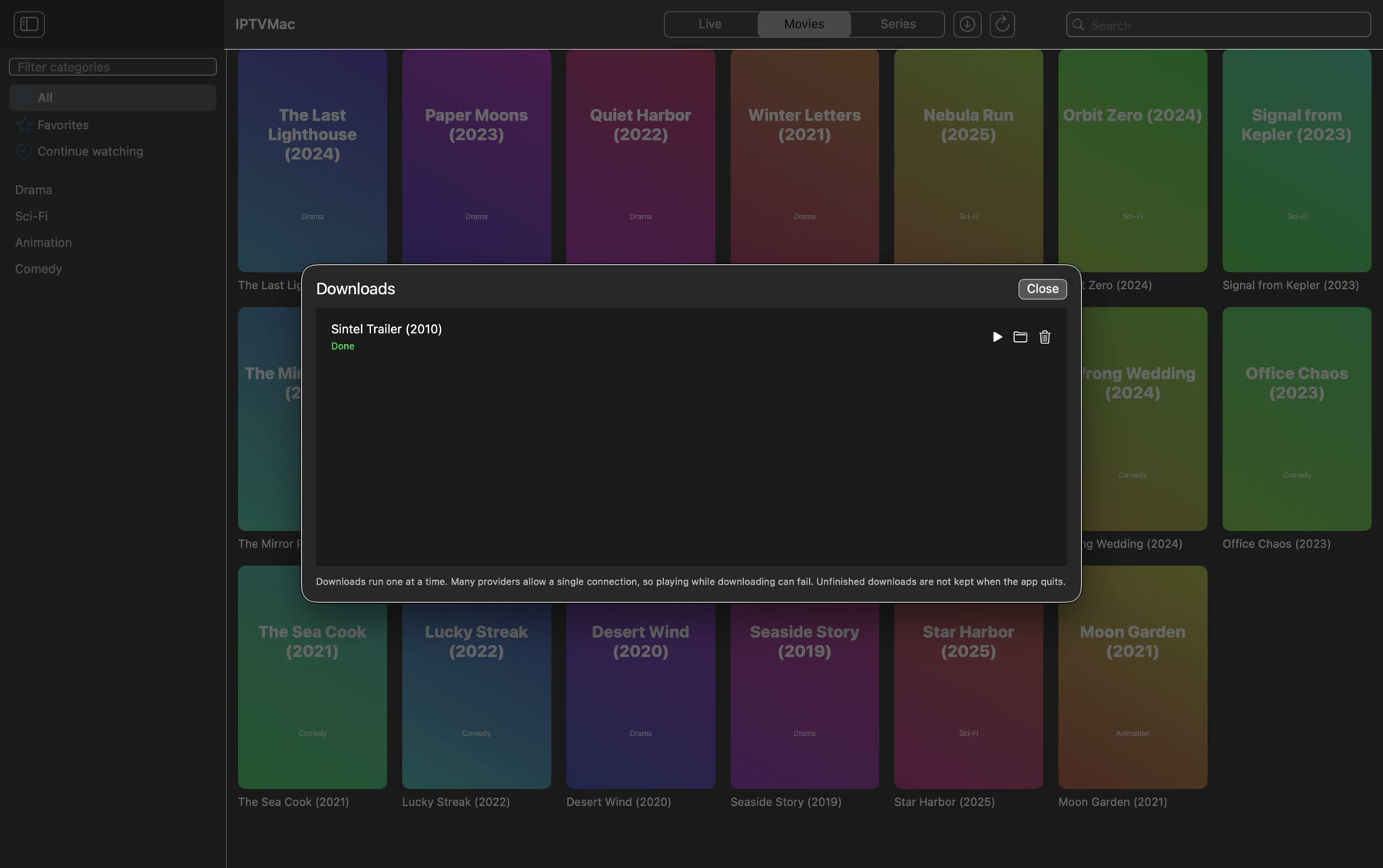 Downloads |
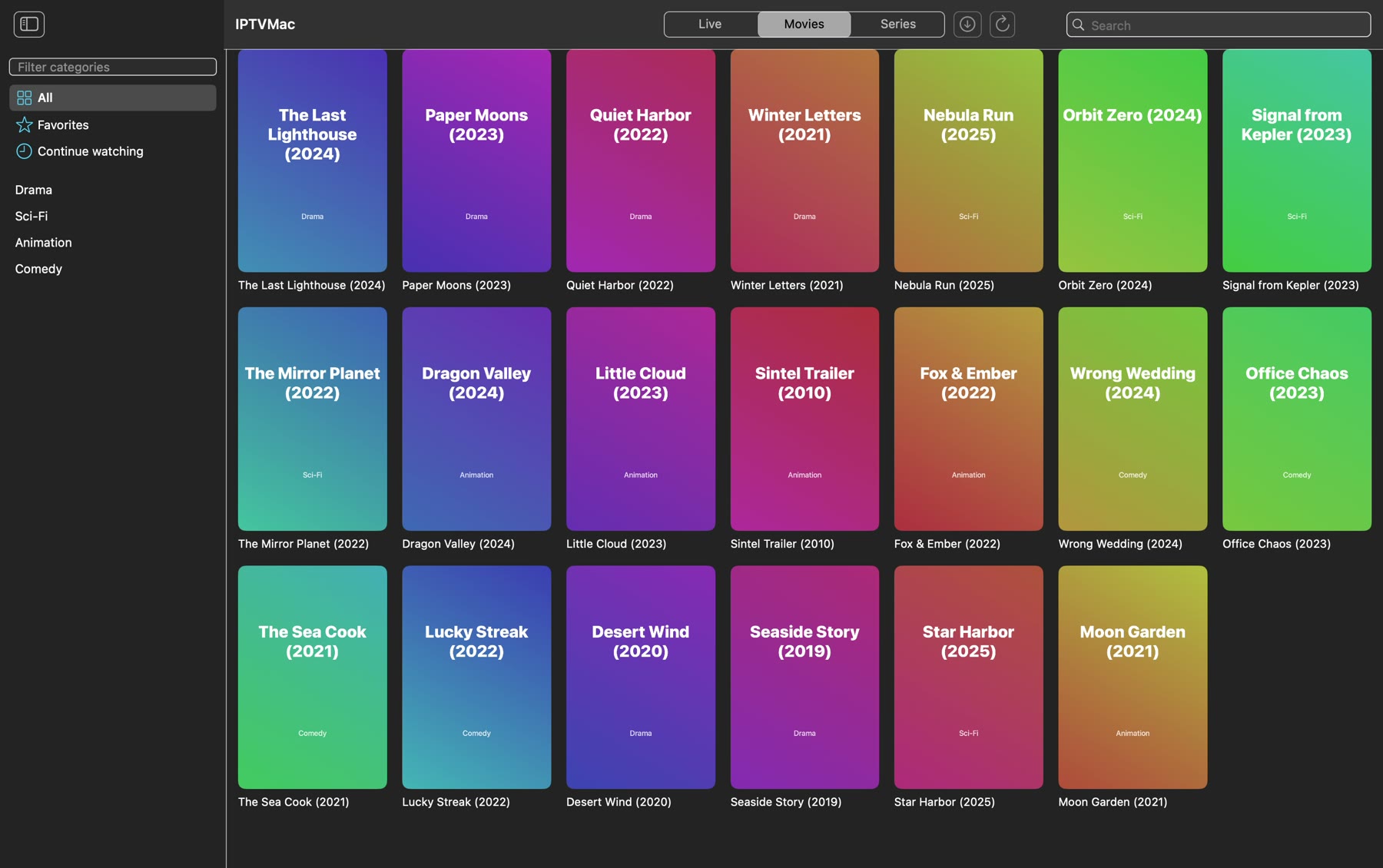
The screenshots use an invented demo playlist; the video is the Blender Foundation's "Sintel" trailer (CC-BY 3.0).
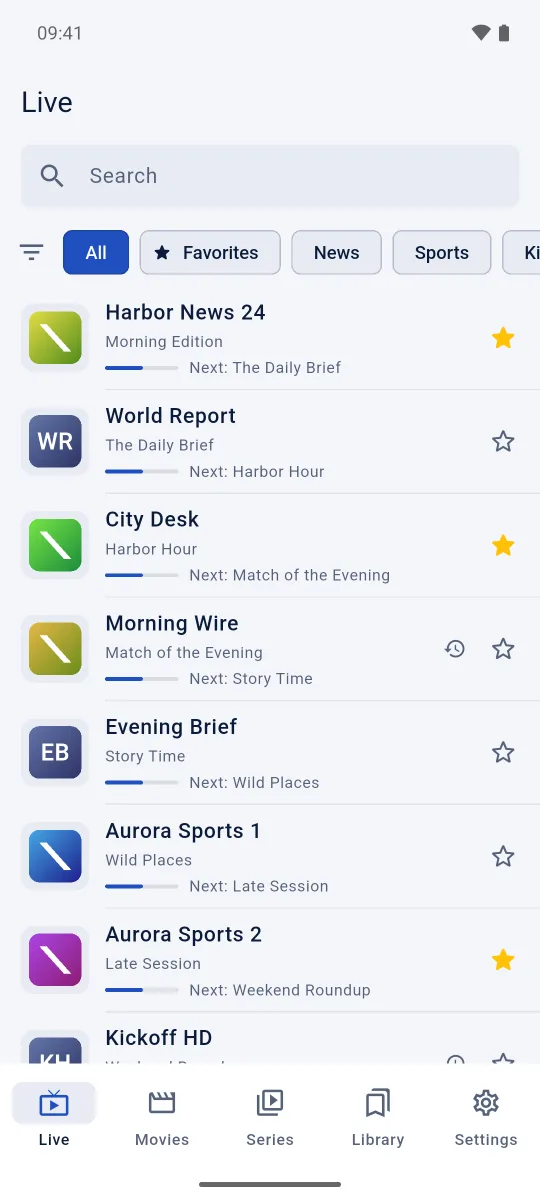
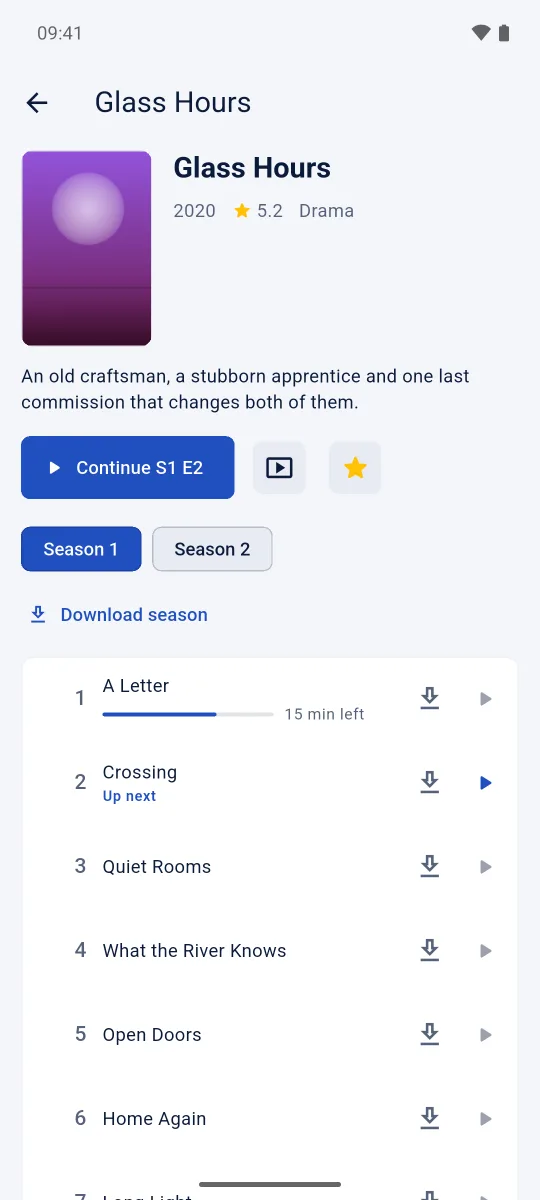
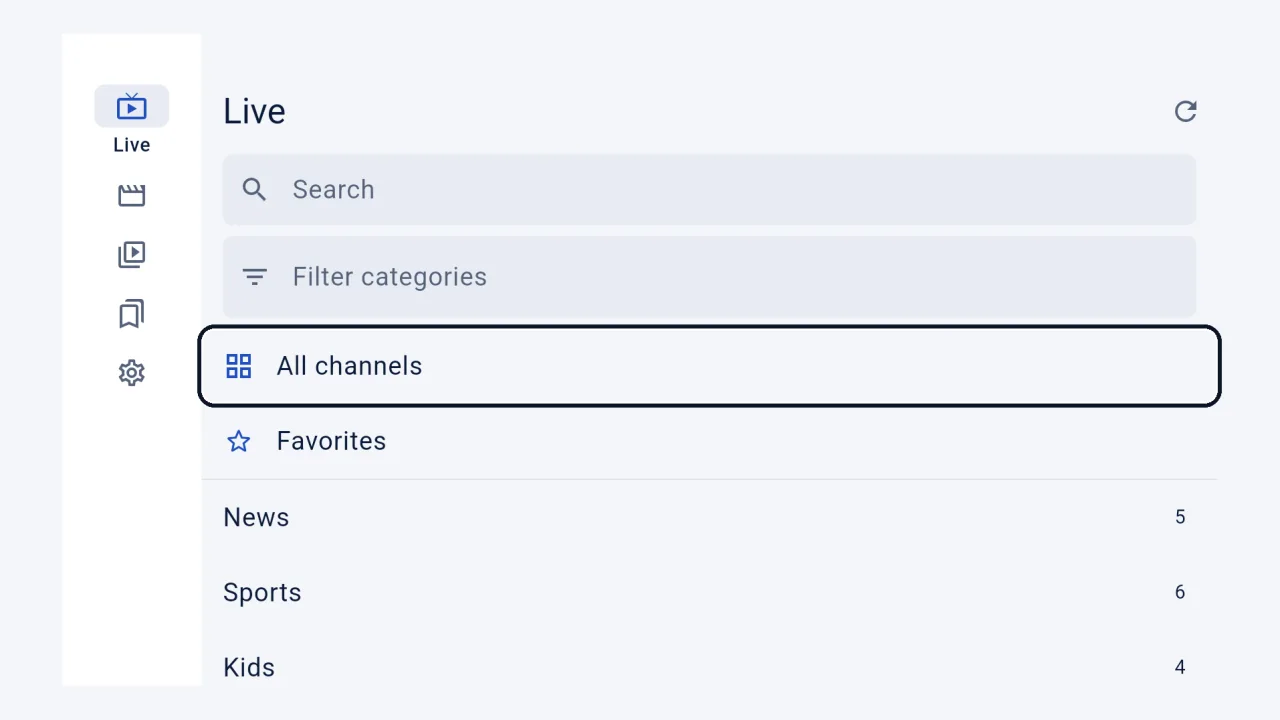
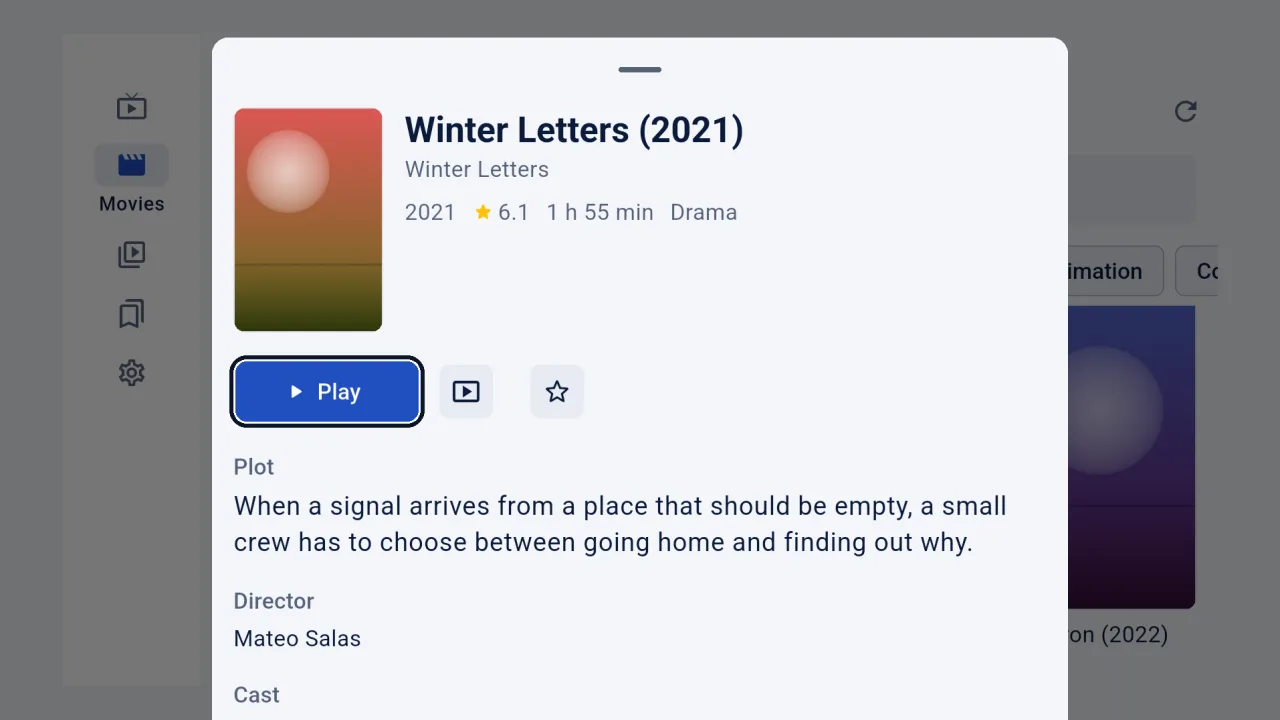
Demo playlist with invented titles. The two TV pictures come from an emulator.
Phone or tablet (Android 8 or later).
- Download IPTVMac-Android-1.0.10-arm64-v8a.apk (it suits almost every phone; the release page lists the other files).
- Open it and allow installs from your browser or Files app when Android asks.
- Add your source. A banner tells you when a newer version is out; on a phone, Update now downloads and installs it from the app (Android asks you to confirm). On a TV installing stays manual.
Android TV, Google TV and Fire TV.
- On the TV install the Downloader app (Fire TV: search "Downloader"; Android TV and Google TV: Google Play) and open it.
- In Downloader type the address of the file: 32-bit (try this first, it runs on almost every TV and box) or 64-bit (if the TV says the app is not compatible). A USB stick with the file works too.
- Allow Downloader to install apps when the TV asks, install, and open IPTVMac. With the remote: arrows move, OK selects, Back goes up one level, hold Back to close the app.
More about every platform: docs/PLATFORMS.md.
| Live, Movies, Series | Three sections with categories, posters, channel logos, "Continue watching" and favorites. |
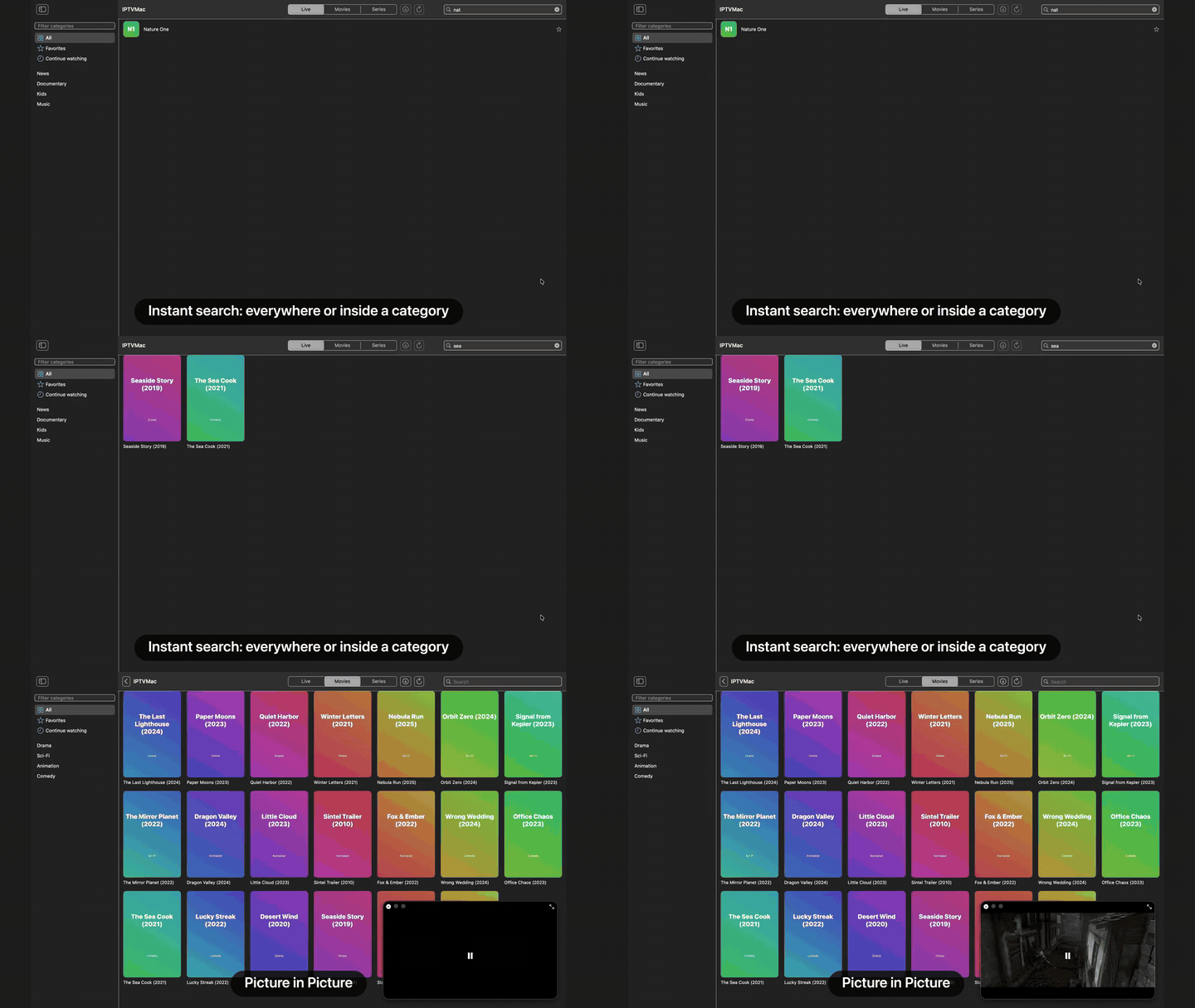
| Search | Type to search inside the current category, inside the section, or everywhere, with results grouped by section. Hebrew, Arabic and Latin text. |
| Player | Full screen by default; controls fade until you move the mouse. Space, arrows to skip (10 s by default, 5 to 60 s in Settings), F full screen, 2 double speed, [ and ] slower and faster, a speed picker from 0.25x to 4x (movies and episodes), A fit, fill or stretch, a sleep timer (moon icon), an optional clock, Esc to go back. |
| Subtitles and audio | Embedded tracks, external .srt and .ass files (menu or drag and drop), size and delay settings, preferred languages. |
| Picture in Picture | A floating mini player, always on top, that follows you across Spaces while you keep browsing. |
| Catch-up | Watch past programs on channels whose provider supports it (Xtream tv_archive), picked from the EPG. |
| EPG | Current and next program in the channel list and in the player (Xtream). |
| Downloads | Save movies and episodes (a whole season at once on Xtream series) to a folder you choose, and play them from the Downloads screen. |
| Playlists | Xtream Codes and M3U. With several playlists, switch from the toolbar, or choose All playlists to search, favorite and continue watching across all of them, with the playlist name on every item. |
| Resume and next episode | Movies and episodes continue where you stopped; the Continue watching page says the episode and the minutes left of each series ("S2 E5 · 23 min left") and a click resumes it. When an episode ends, the next one starts after a 5-second countdown (cancel it, or turn it off). |
| Skip intro and credits | Providers do not publish where an intro ends, so you mark it once per series (player menu "Intro and credits": intro starts here, intro ends here, credits start here). Every episode of the series then shows Skip intro and Skip credits (the next episode starts); the S key takes the button. |
| Settings | System, light or dark appearance, interface language, automatic playlist refresh, hide categories by words, network buffer size, backup and restore of playlists (without passwords), favorites and watch history, and clearing history, favorites or the image cache. |
| 31 languages | Includes right-to-left layout for Hebrew, Arabic, Persian and Urdu. See Languages. |
| Signed self-updates | The app checks for new releases, verifies a signature and a SHA-256, and updates itself. See Updates. |
macOS says the app "cannot be opened" or "is damaged".
This happens with older versions, which are not notarized (see Install). Install the latest release: the DMG, or the install command above, which works for every version. To open an old copy anyway, go to System Settings > Privacy & Security and click Open Anyway, or run xattr -dr com.apple.quarantine /Applications/IPTVMac.app. If you see this message on the latest release, please open an issue.
Nothing plays, or I see "HTTP 4xx/5xx" (for example 403 or 413).
Check the username and password in Settings (Change password). Some providers answer wrong credentials or a blocked connection with unusual HTTP codes, such as 403 or 413, instead of a clear message. A typo in the password is the most common cause. The player also shows the reason mpv reports.
The update fails with a message about GitHub limiting requests, or "HTTP 403".
Versions before 0.7.2 asked the GitHub API for the latest release, and GitHub allows only 60 such requests per hour for each IP address, so a shared network can hit the limit. Version 0.7.2 reads a signed release.txt from github.com instead, which has no such limit, and says clearly when GitHub is limiting a network. If an older version cannot update, download IPTVMac.dmg from the latest release and replace the app in /Applications, or run the install command above. From then on it updates by itself.
Playback fails while a download is running.
Many providers allow a single connection per account (see max_connections in your account). Downloads run one at a time; avoid watching something else while one runs. Using more connections would not make it faster either: the speed is limited by the provider's line.
Why is 2x speed not available on live channels?
A live stream cannot run faster than real time. Speed works on movies, episodes and catch-up.
Intel Macs or older macOS?
Not supported: the bundled player is built for Apple Silicon (arm64) and the app needs macOS 14 or later.
Where is my data?
In ~/Library/Application Support/IPTVMac/ (the folder and database are readable by your user only). See Privacy.
31 interface languages: Hebrew, English, Arabic, Spanish, French, German, Portuguese, Italian, Russian, Ukrainian, Polish, Romanian, Bulgarian, Dutch, Swedish, Czech, Hungarian, Greek, Albanian, Turkish, Persian, Urdu, Hindi, Bengali, Indonesian, Vietnamese, Thai, Chinese (Simplified and Traditional), Japanese and Korean, with right-to-left layout for Hebrew, Arabic, Persian and Urdu. The app follows your Mac's language, or you can pick one in Settings.
Apart from Hebrew, English and Arabic, the translations were written with AI help and no native speaker has reviewed them yet. Corrections are welcome, see below.
- Copy
Sources/IPTVMac/Resources/en.lproj/Localizable.stringsto<lang>.lproj/(an Apple language code such asptorzh-Hans) and translate the values. Keep every key and every%@/%dplaceholder, in the same order. - Add the language, written in its own language, to
InterfaceLanguage.allinSources/IPTVMac/AppPrefs.swift(this fills the language picker in Settings). - Run
python3 scripts/check-strings.py <lang>; it must printOK.
The installed app checks GitHub Releases at launch and every 6 hours. When a newer version exists it downloads it and verifies the release signature (an Ed25519 key that is not stored on GitHub and is pinned in the app) and the SHA-256 published in the release notes. Then it shows a banner: Restart to update (or it installs on the next quit). Automatic checking and automatic download can each be turned off in Settings.
Details for Windows, iPhone and iPad, Android and Android TV (downloads, install steps, how each app is built) are in docs/PLATFORMS.md; building from source and the technical details are in docs/BUILDING.md.
- Windows: installer or portable zip (Windows 10 or 11, 64-bit). Not signed with a paid certificate yet, so SmartScreen may warn: choose More info, then Run anyway.
- iPhone and iPad: on the App Store. To build it yourself see docs/PLATFORMS.md.
- Android and Android TV: see the section above.
- How to watch Xtream Codes IPTV on a Mac
- How to play an M3U playlist on a Mac
- Picture in Picture for IPTV on a Mac
Your sources are stored in ~/Library/Application Support/IPTVMac/ (readable by your user only). By default, account passwords are kept in that database in plain text. To keep them in your login keychain instead, turn on Settings > Playlists > "Store passwords in the Keychain" (from 0.9.9; turning it off moves them back). The app only contacts the servers you add, and GitHub for update checks. No analytics, no telemetry.
See SECURITY.md for how updates are protected, the known limits, and how to report a vulnerability privately.
Bug reports, translations and pull requests are welcome; see CONTRIBUTING.md. Never paste your server address, username or password in an issue.
To build from source, see docs/BUILDING.md.
IPTVMac is free on every platform, with no ads and nothing locked, and it stays that way. If it is useful to you and you want to help its development, you can buy me a coffee. It is entirely voluntary.

GPL-3.0. IPTVMac is a media player and provides no content; you are responsible for using only sources you are authorized to access.
Third-party components, including the bundled libmpv: docs/BUILDING.md.