Modern NixOS configuration focused on productivity and aesthetics. Perfect for developers and power users.
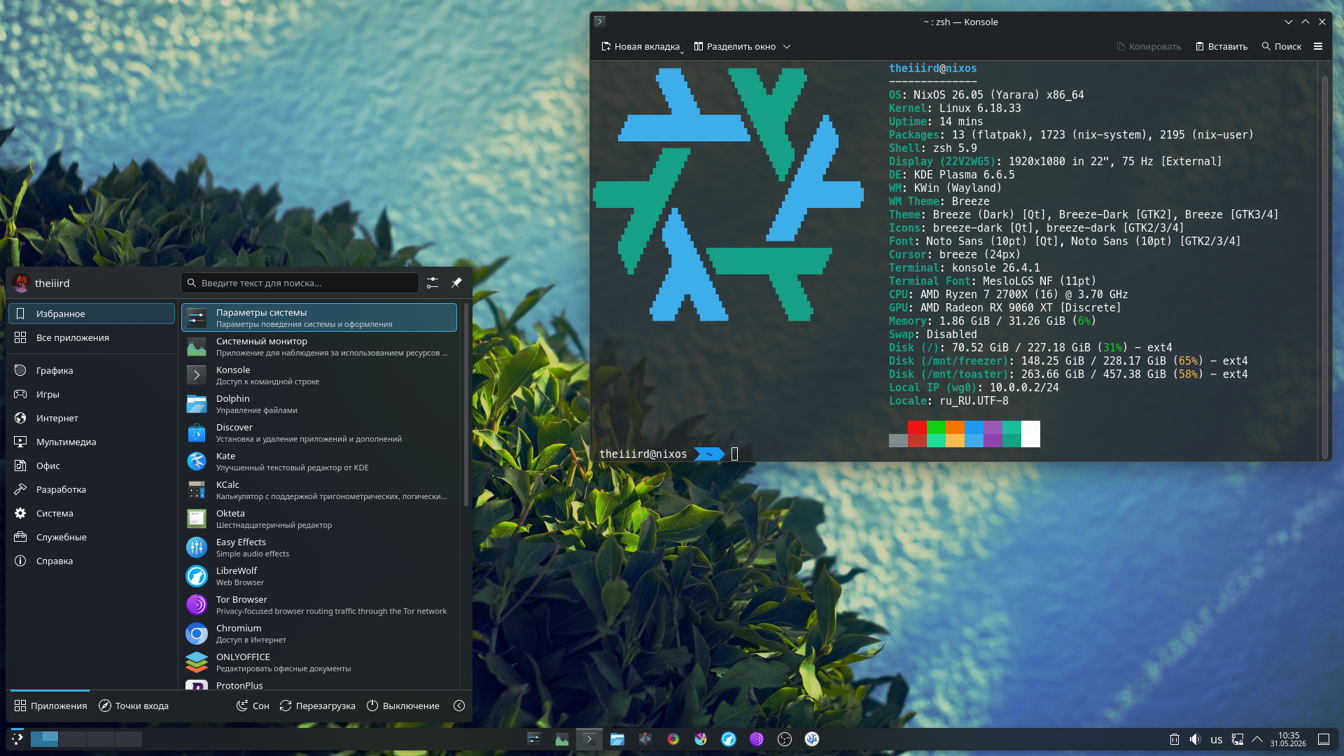
- 🖥️ Multi-Host Support - Configure multiple machines from one codebase
- 🏠 Home Manager Integration - Unified user environment management
- ⌨️ Terminal Productivity - Optimized Zsh with pre-installed plugins
- 🌟 Visual Consistency - Pre-configured themes and desktop environments
- NixOS installed (official guide)
bash <(curl -s https://raw.githubusercontent.com/TheIIIrd/nixos-workstation/refs/heads/main/install.sh)# After reboot:
bash <(curl -s https://raw.githubusercontent.com/TheIIIrd/nixos-workstation/refs/heads/main/postinstall.sh)-
Clone repository:
git clone https://github.com/TheIIIrd/nixos-workstation.git ~/.nix
cd ~/.nix
-
Create host configuration:
cd hosts
cp -r nixos YOUR_HOSTNAME
cd YOUR_HOSTNAME
cp /etc/nixos/hardware-configuration.nix .
-
Update configurations (edit these files):
~/.nix/hosts/YOUR_HOSTNAME/local-packages.nix~/.nix/home-manager/home-packages.nix~/.nix/nixos/modules/desktop/default.nix~/.nix/nixos/modules/graphics/default.nix
-
Configure zapret (if needed):
nix-shell -p zapret --command blockcheck
nano ../../nixos/modules/base/zapret.nix
-
Update flake.nix:
sed -i -e 's/theiiird/YOUR_USERNAME/g' \
   -e '/{ hostname = "nixos-blank"; stateVersion = "24.11"; }/d' \
   -e 's/hostname = "nixos"/hostname = "YOUR_HOSTNAME"/' \
   -e 's/stateVersion = "24.11"/stateVersion = "YOUR_NIXOS_VERSION"/' \
   -e 's/homeStateVersion = "24.11";/homeStateVersion = "YOUR_HM_VERSION";/' \
   ~/.nix/flake.nix
... outputs = { self, nixpkgs, home-manager, ... }@inputs: let system = "x86_64-linux"; -- homeStateVersion = "24.11"; ++ homeStateVersion = "YOUR_HM_VERSION"; -- user = "theiiird"; ++ user = "YOUR_USERNAME"; hosts = [ -- { hostname = "nixos"; stateVersion = "24.11"; } -- { hostname = "nixos-blank"; stateVersion = "24.11"; } ++ { hostname = "YOUR_HOSTNAME"; stateVersion = "YOUR_NIXOS_VERSION"; } ]; ... -
Build system:
sudo nixos-rebuild boot --flake ./#YOUR_HOSTNAME
reboot
# Flatpak setup
flatpak remote-add --if-not-exists flathub https://dl.flathub.org/repo/flathub.flatpakrepo
flatpak install org.gtk.Gtk3theme.adw-gtk3 org.gtk.Gtk3theme.adw-gtk3-dark

# GNOME keyboard fix
gsettings set org.gnome.desktop.wm.keybindings switch-input-source-backward "['<Alt>Shift_L']"

# Font setup
mkdir -p ~/.local/share/fonts
cp /nix/store/*-corefonts-1/share/fonts/truetype/* ~/.local/share/fontsSee screenshots directory for additional previews.
Contributions welcome! Please:
- Fork the repository
- Create feature branches (
git checkout -b feature/amazing-feature) - Commit changes (
git commit -m 'Add amazing feature') - Push to branch (
git push origin feature/amazing-feature) - Open a Pull Request