




Free, open source voice typing for macOS and Windows.
Hold a key, speak, and your words appear at your cursor, in any app.
Runs on your computer · Works offline · No account · Up to 99 languages


Intel Mac: .dmg · Windows on ARM: .exe · All releases
Local speech models need macOS 15 or later.
Homebrew (macOS):
brew install --cask amical
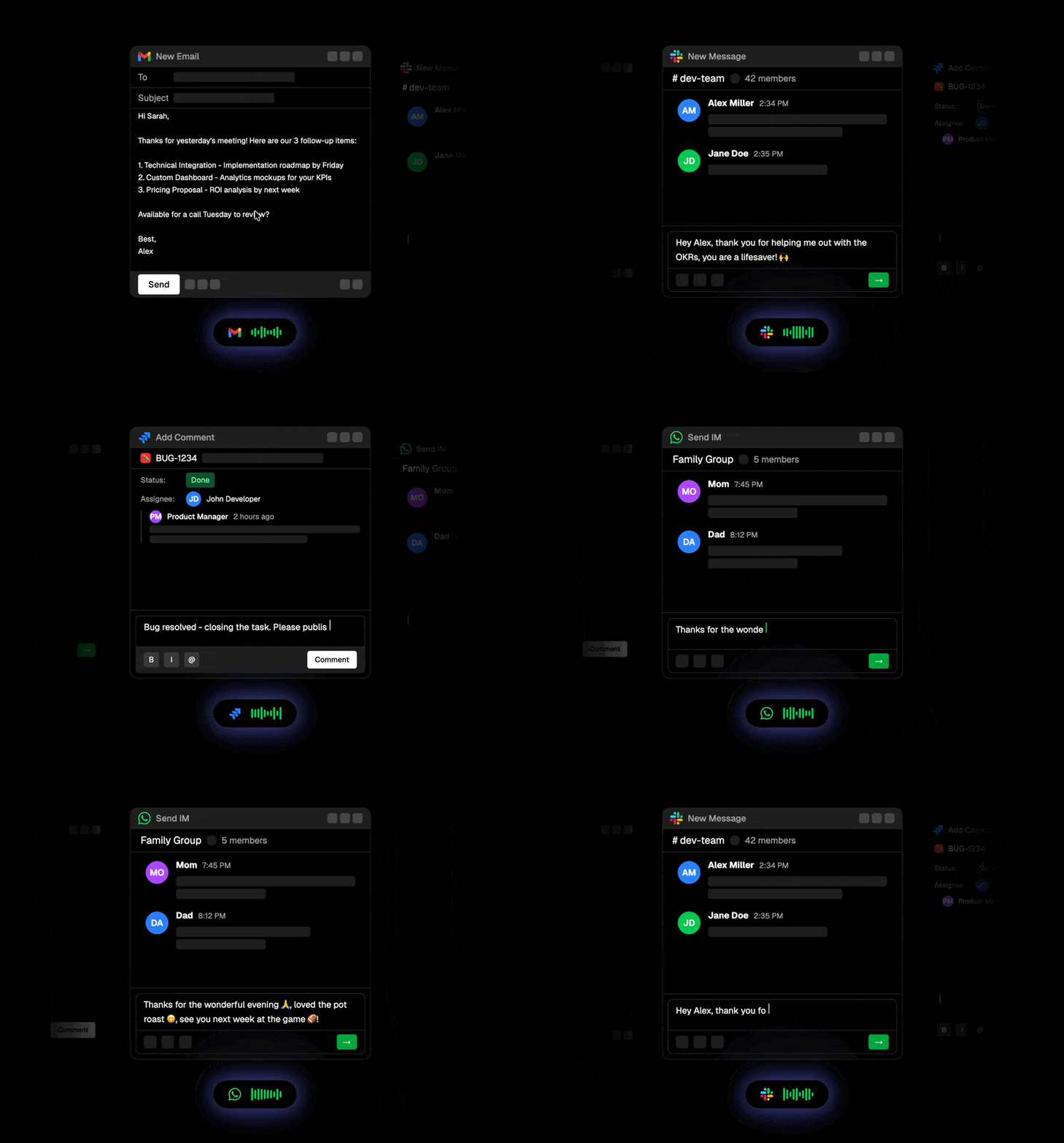
🎙️ Dictate into any app. Hold a key to talk (push-to-talk), press once for hands-free, or click the floating widget.
🧠 Fit the app you are in. Connect your own language model, and Amical formats for the active app: paragraphs and a sign-off in email, short replies in chat, lists in notes.
📖 Teach it your words. Add names, terms, and spellings to your vocabulary, and set replacements.
⚡ Snippets. Say a short trigger to insert longer text, such as a meeting link or an address.
📒 Notes. Dictate into a built-in notes window with Markdown formatting.
🕘 History. Replay, copy, or retry any transcription. One shortcut pastes your last transcript.
🎚️ Microphone priority. Set the order of microphones that Amical uses.
🌐 Six interface languages. English, German, Spanish, Japanese, Korean, and Traditional Chinese.
⭐ Like Amical? Star the repo. It helps other people find it.
Amical downloads a speech model once, then transcribes on your computer, also when you are offline. Choose a model during setup, and change it at any time in Settings → AI Models.
Not sure which one? Start with Parakeet v3 for European languages, or Whisper Large v3 Turbo for all other languages.
| Model | Best for | Languages | Download |
|---|---|---|---|
| Parakeet v3 | Very fast and accurate, with punctuation | 25 European languages, detected automatically | ~640 MB |
| Whisper Large v3 Turbo | Fast, with high accuracy | 99 languages | ~1.5 GB |
| Whisper Large v3 | Highest accuracy, difficult audio | 99 languages | ~3.1 GB |
| Whisper Small | High accuracy at moderate speed | 99 languages | ~488 MB |
More Whisper models: Medium, Base, Tiny
| Model | Best for | Languages | Download |
|---|---|---|---|
| Whisper Medium | Very high accuracy | 99 languages | ~1.5 GB |
| Whisper Base | Balanced speed and accuracy | 99 languages | ~148 MB |
| Whisper Tiny | Fastest and smallest | 99 languages | ~78 MB |
Amical runs these models with whisper.cpp, with GPU acceleration through Metal on macOS and Vulkan on Windows. Speed and accuracy depend on your hardware.
Add AI formatting with your own model. Connect Ollama or an OpenAI-compatible server, such as LM Studio, in Settings → AI Models. Then turn on formatting in Settings → Dictation. You can also use a hosted provider, such as OpenRouter, with your own API key.
- 🎤 whisper.cpp: local Whisper and Parakeet inference
- 🖥️ Electron and TypeScript
- ⚛️ React, TailwindCSS, and shadcn/ui
- 🧩 Effect, tRPC, and Zod
- 🗄️ Drizzle ORM with SQLite
- 🍎 Swift native helper for macOS, 🪟 C# (.NET) native helper for Windows
- 🐞 Vitest and 🌀 Turborepo
These steps run the desktop app, which currently supports macOS and Windows. Linux is not supported because the app does not yet have a Linux native helper.
- Node.js 24.x
- pnpm 11 (the exact version is pinned in
package.json) - CMake 3.20 or later
- macOS: Xcode or the Xcode Command Line Tools with Swift 5.9 or later
(
xcode-select --install). Local Whisper transcription requires macOS 15 or later. - Windows: Visual Studio 2022 Build Tools with the Desktop development with C++ workload, plus the .NET 8 SDK. Git Bash is recommended because some development scripts use POSIX utilities.
Clone with submodules so the Whisper sources are available:
git clone --recurse-submodules https://github.com/amicalhq/amical.git
cd amical
If you already cloned without --recurse-submodules, initialize them now:
git submodule update --init --recursiveEnable Corepack so it uses the pinned pnpm version, install dependencies, and download the Node.js binary used by the local Whisper worker:
corepack enable
pnpm install --frozen-lockfile
pnpm --filter @amical/desktop download-node
pnpm install compiles the native Whisper addon, so it can take a few minutes.
It also applies the repository's patches inside the whisper.cpp submodule.
Seeing that submodule marked as modified in git status afterward is expected.
Quit any installed copy of Amical first; Electron allows only one Amical instance at a time. Then run:
pnpm turbo run dev --filter=@amical/desktopWhen finished, quit the development app from its tray menu and then press Ctrl+C. Stopping the terminal command alone may leave the Electron app running.
No .env file is required for local transcription. The first-run onboarding
downloads a local model and requests the required microphone and OS
permissions. Only configure apps/desktop/.env from
apps/desktop/.env.example when working on optional cloud, authentication, or
telemetry integrations, and replace its placeholder values before use.
Workspace builds and typechecks use TypeScript 7.0.2. The @typescript/native
dependency is an alias for the native compiler and provides tsc. The
typescript dependency is an alias for Microsoft's TypeScript 6 compatibility
package, which provides the compiler API used by ESLint and other tools. This
follows Microsoft's side-by-side setup.
Run pnpm exec tsc --version to check the build compiler version.
For VS Code, install the recommended TypeScript 7 extension. The workspace settings point it at the same native compiler.
Before opening a pull request, run:
pnpm type:check
pnpm testContributions are welcome! Reach out to the team in our Discord server to learn more.
- 🐛 Report an Issue: Found a bug? Let us know!
- 💬 Chat on Discord: Have ideas or suggestions? We'd love to hear from you.
- ⭐ Star Amical on GitHub: A star helps other people find Amical.
- OpenAI Whisper: multilingual speech recognition models
- NVIDIA Parakeet: fast speech recognition model
- whisper.cpp: local inference for Whisper and Parakeet
- Silero VAD: voice activity detection
- Ollama: local language models for formatting
Released under MIT.