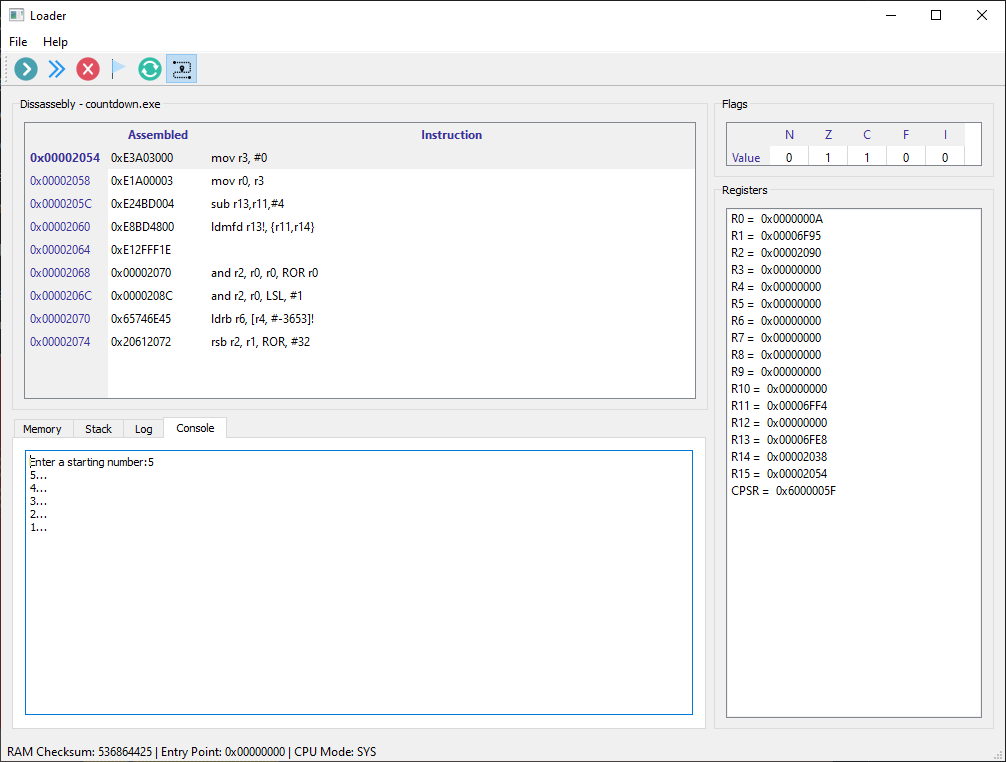
This is a ARMv5 Instruction set simulator programmed in C++ and the Qt framework. The simulator is able to load executables in ELF format build on ARMv5 and execute them.
To compile the project, open the *.pro file with Qt Designer. Then go to Projects -> choose MinGW compiler, then under Run, specify the command line arguments (ex --load test2.exe --mem 32768). To perform the unit tests, append to the argument lists either "--test" or "-t" flag.
To turn the logging on/off, include the flag "--log" to the command line arguments list. To specify the memory size, include the flag "--mem <size>" - where <size> is the size in bytes fo the memory. To specify the ELF file name, include the flag "--load <filename>" - where <filename> is the name of the elf file. (has to be in the same directory as the executable) To redirect the output to a file, append the flag "-r" To enable tracing of all instructrions (including OS routines), append the flag "--traceall". If the flag is omitted, the simulator logs only instructions while the processor is in SYS mode.
- Launch armsim.exe from the /install folder.
- Go to File->Open and select /tests/countdown.exe
Countdown.exe reads a number from input then counts down to 1 from that number. - Press the green button (Run)
- Switch over to the Console tab and input a number
- The execution should count down to 1 from that number and print them to the Console.