
A terminal dashboard for Homebrew. See what's installed, what's outdated and
what's running. Upgrade, uninstall, pin, reinstall and link packages, start
and stop services, keep Homebrew tidy, and find new formulae, apps and fonts
to install. brew's own output streams live in a drawer, and any brew command
is a : away.
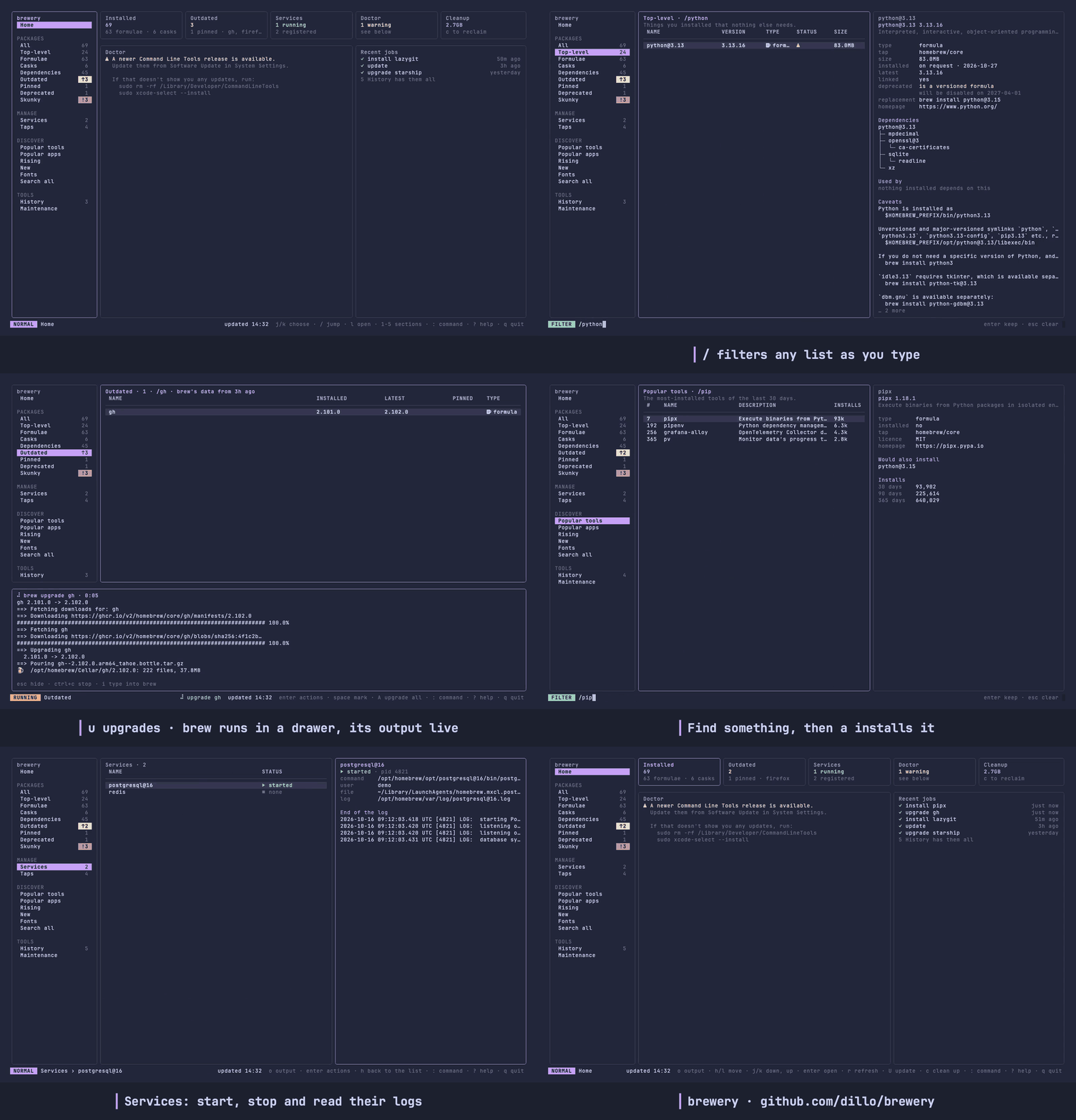
There's also an MP4 of the demo.
brewery is a cask in the dillo/tap tap. Homebrew 7 only loads formulae and
casks from third-party taps that you have trusted, so there are three steps:
add the tap, trust brewery, then install it.
brew tap dillo/tap
brew trust --cask dillo/tap/brewery
brew install --cask dillo/tap/brewery
Then run brewery.
A few notes:
- What gets trusted. The second command trusts only the brewery cask,
which is the narrowest choice. To trust everything in the tap instead, run
brew trust dillo/tap. Without either, brew skips the tap and says it isn't trusted. - Gatekeeper. brewery isn't signed by Apple. The cask clears the quarantine flag that macOS puts on downloads, so it runs without a warning.
- Updating. brewery shows up on its own Outdated list like any other
package, so you can upgrade it from inside brewery, or run
brew upgrade --cask brewery. - Removing it. Run
brew uninstall --cask brewery, thenbrew untap dillo/tapif you no longer want the tap.
- macOS on Apple Silicon. Intel Macs aren't supported.
- Homebrew 7.0 or newer. brewery checks when it starts, and asks you to
run
brew updateif yours is older. - A Nerd Font for icons, which is optional.
Without one, run
brewery --no-icons, or setBREWERY_NO_ICONSto any value.
Packages
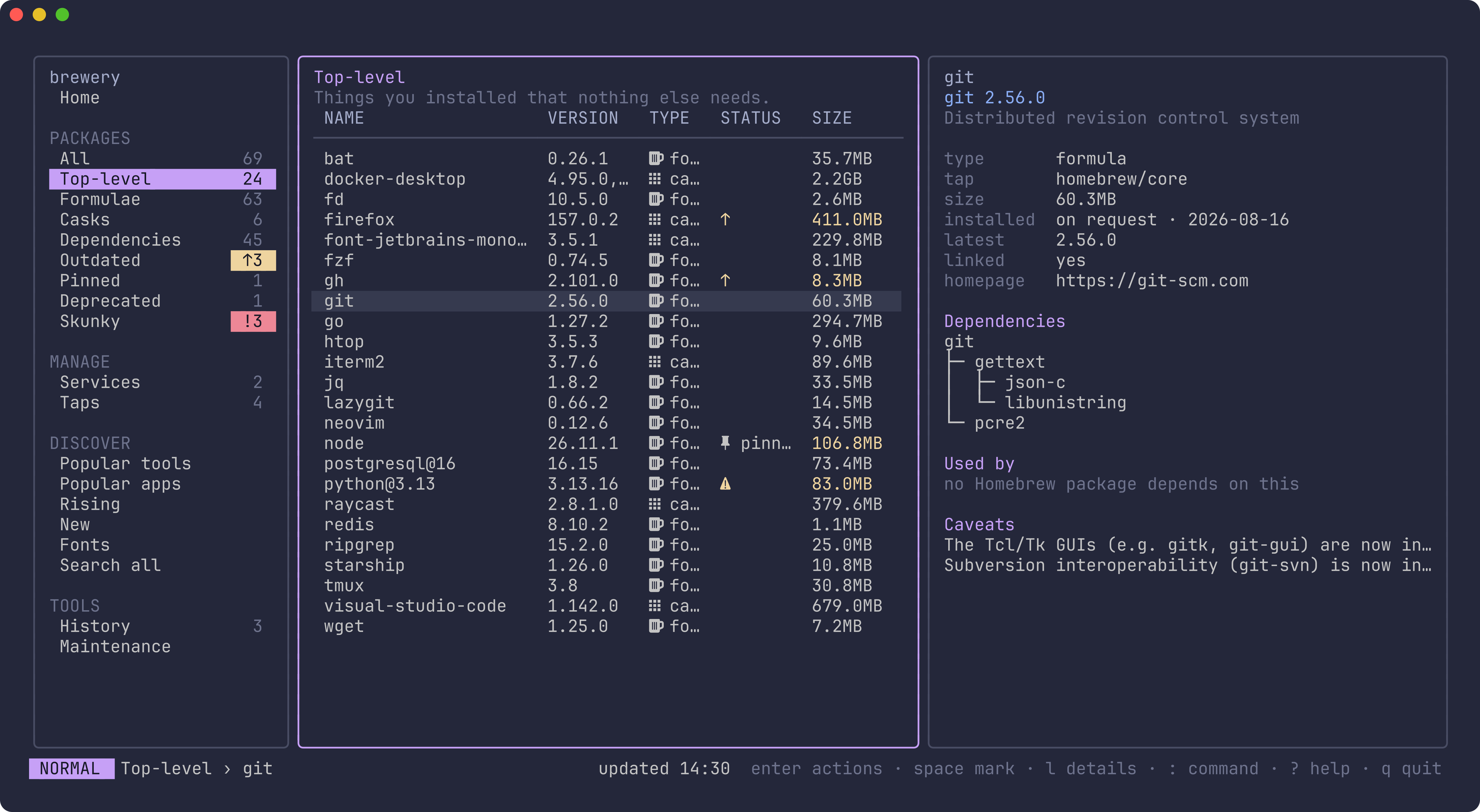
- Everything installed, in views: All, Top-level, Formulae, Casks, Dependencies, Outdated, Pinned, Deprecated and Skunky, each with a count in the sidebar.
- A details pane for the selected package: version, size on disk, how and when it was installed, whether it's pinned or linked, its homepage and caveats, and a tree of what it needs and what needs it.
- Upgrade one package, several marked ones, or everything. brewery warns before brew would refuse, for example when a package is pinned or a dependency is pinned behind it.
- Uninstall, with an offer to remove the dependencies nothing else needs.
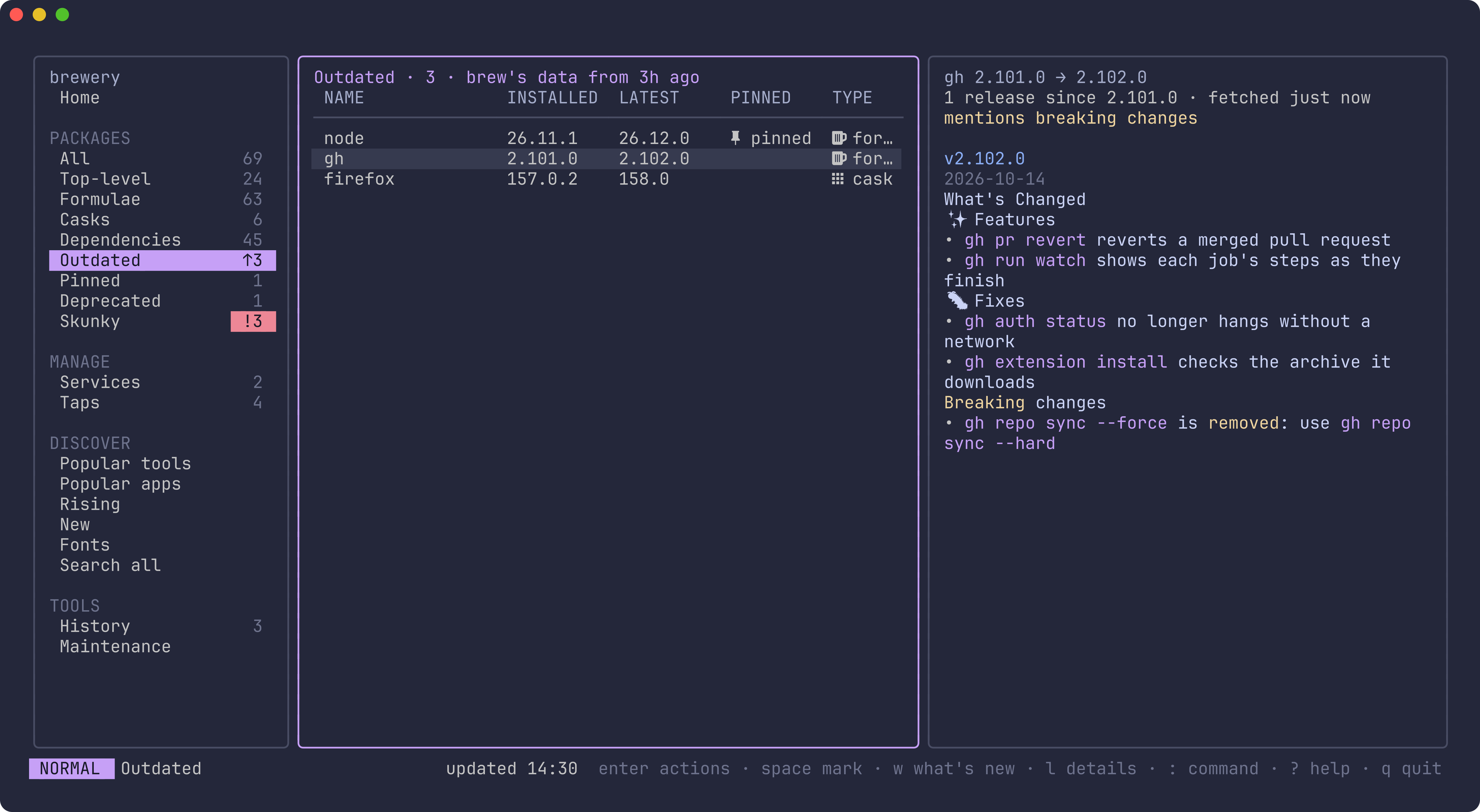
- What's new: press
won an outdated package to read the release notes from GitHub for every version you'd be skipping over, newest first, beside the Outdated list. Words like breaking and removed are highlighted, and Upgrade all warns when notes you've read mention them. brewery asks GitHub only when you presswor pick What's new, sends it only the repository's name, and keeps what it fetched until there's a newer version. Packages that aren't on GitHub point to their homepage instead. - Pin and unpin, reinstall, link and unlink (including keg-only formulae), and fetch a newer version ahead of upgrading.
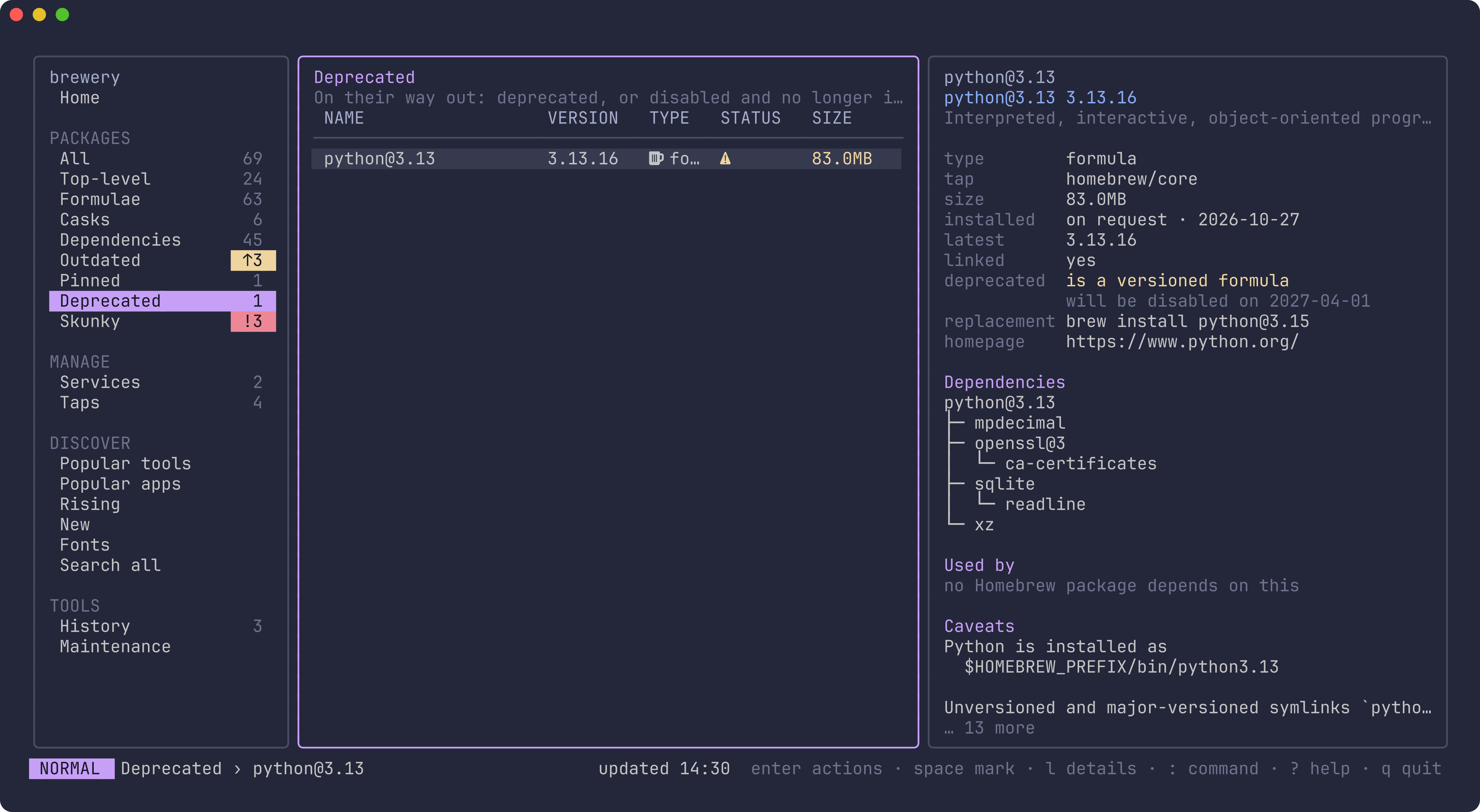
- Deprecated and disabled packages are marked in the list, and their details explain why in brew's own words, when they will be disabled, and what to install instead.
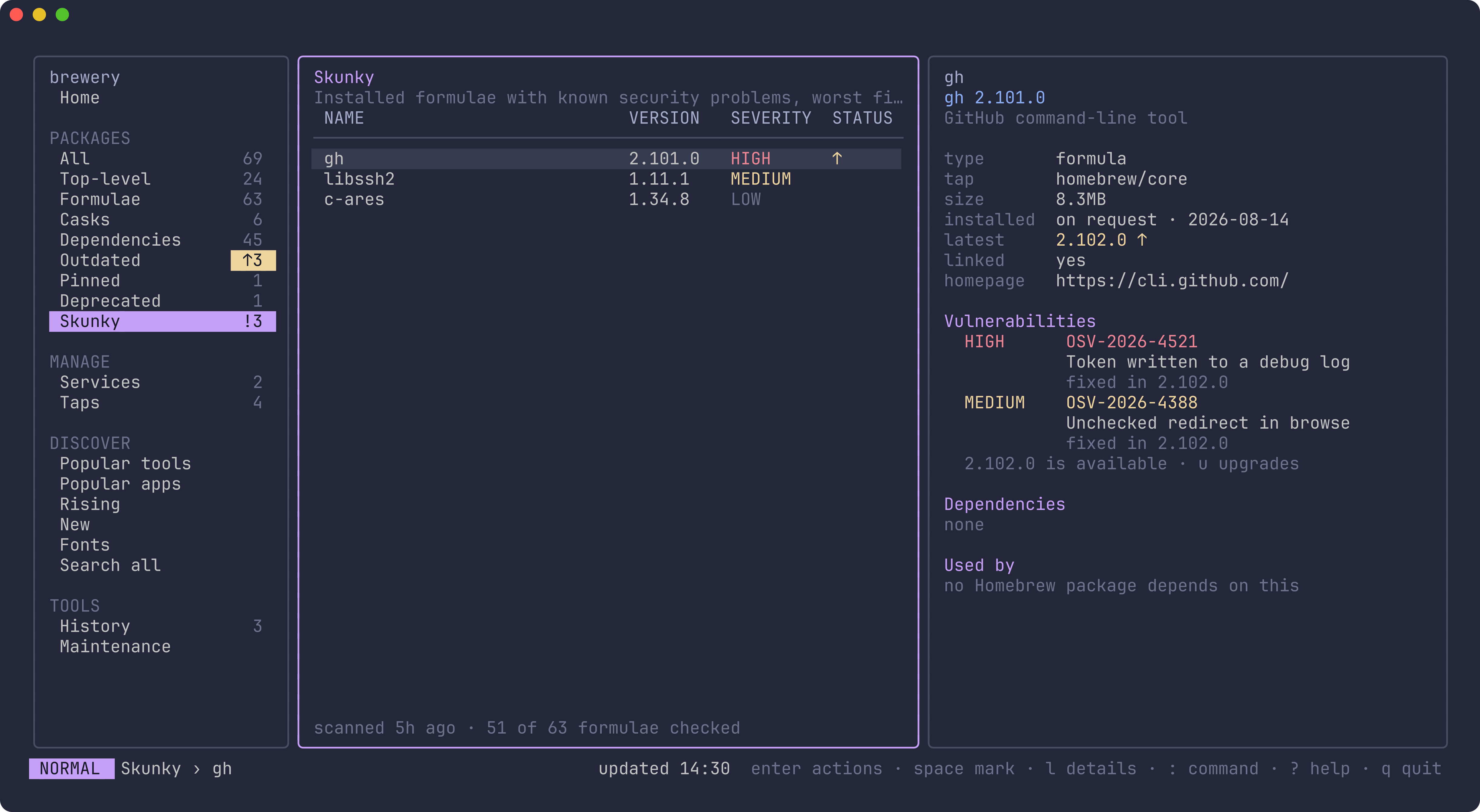
- Skunky lists installed formulae with known vulnerabilities, worst first,
from
brew vulns(OSV.dev). To scan, brewery sends the names and versions of your installed formulae to OSV.dev, at most once a day in the background, or when you pressron the view. The details list each finding and what fixes it. Casks, and formulae brew can't match to an upstream source, aren't scanned, so an empty list means nothing known was found, not that all is safe.
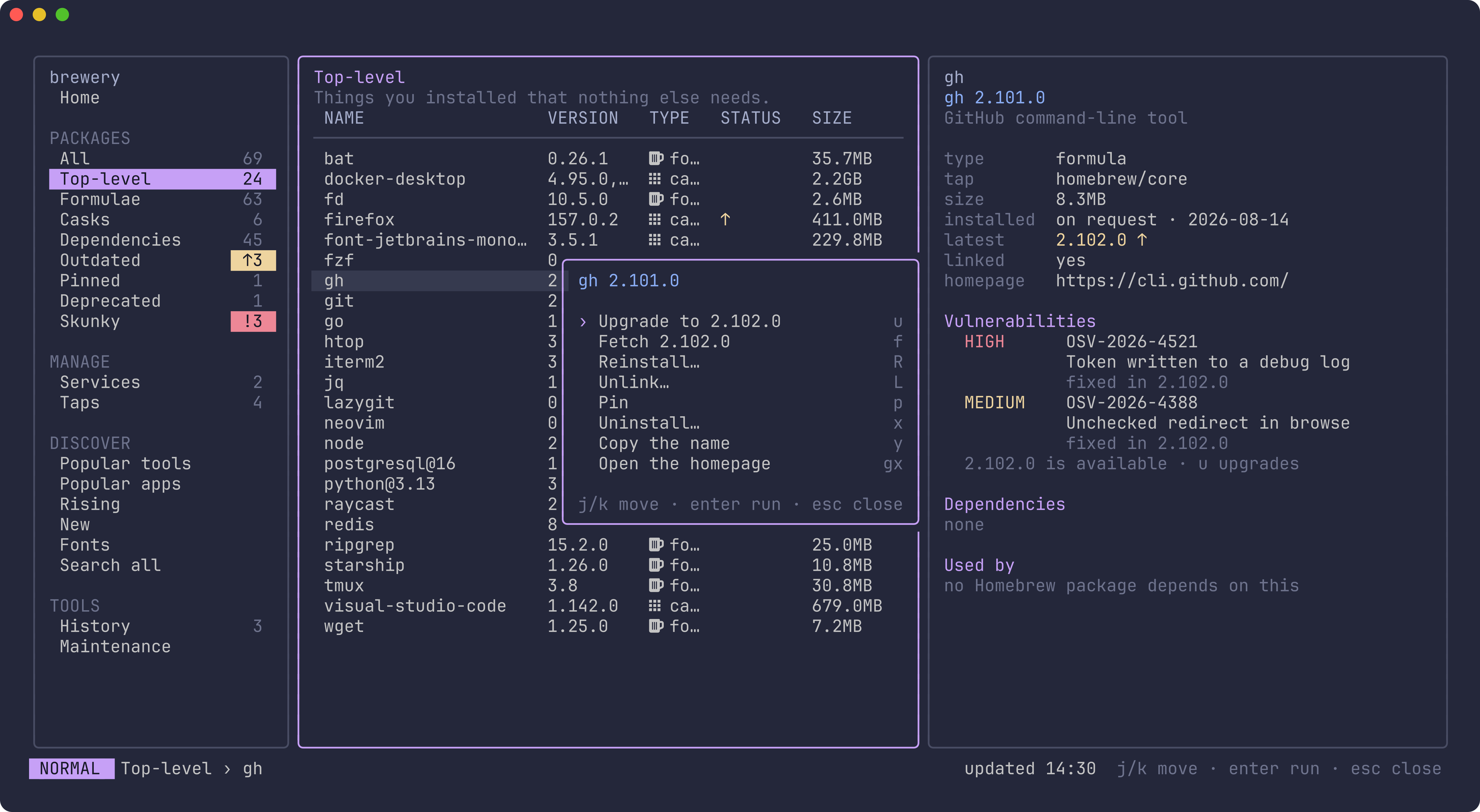
An action menu
- Press
enteron any row to see what you can do with it, each action with its shortcut beside it. There's nothing to memorise: pick from the menu, and learn the keys as you go.
Services
- Every
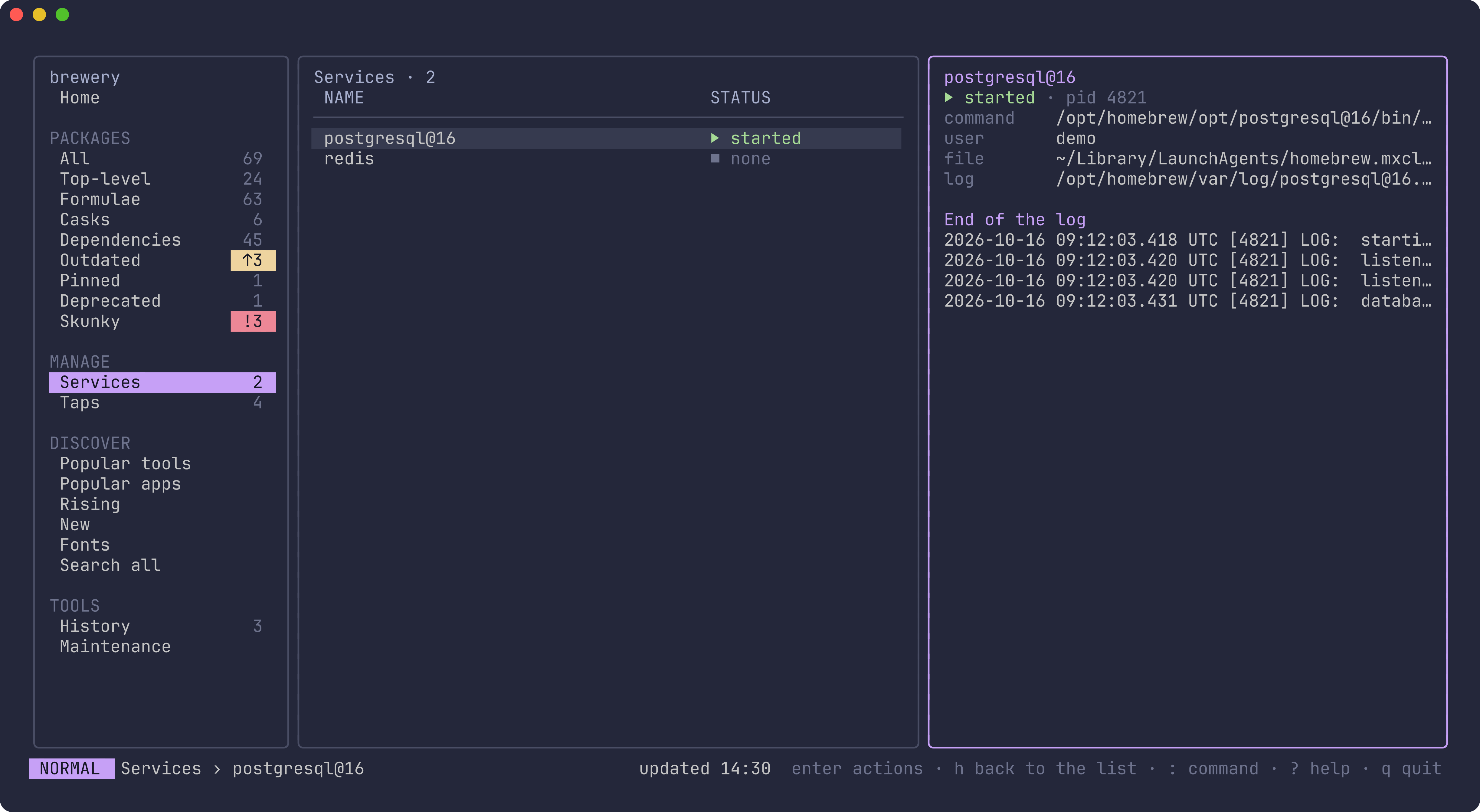
brew servicesservice with its status, and its log in the details. Start, stop and restart them, or follow the log full screen.
Discover
- Homebrew's most installed tools and apps, what's rising, what's new, and fonts, from Homebrew's public install counts.
- Search the whole catalogue by name or description. Before you install, see what the package would add.
Maintenance
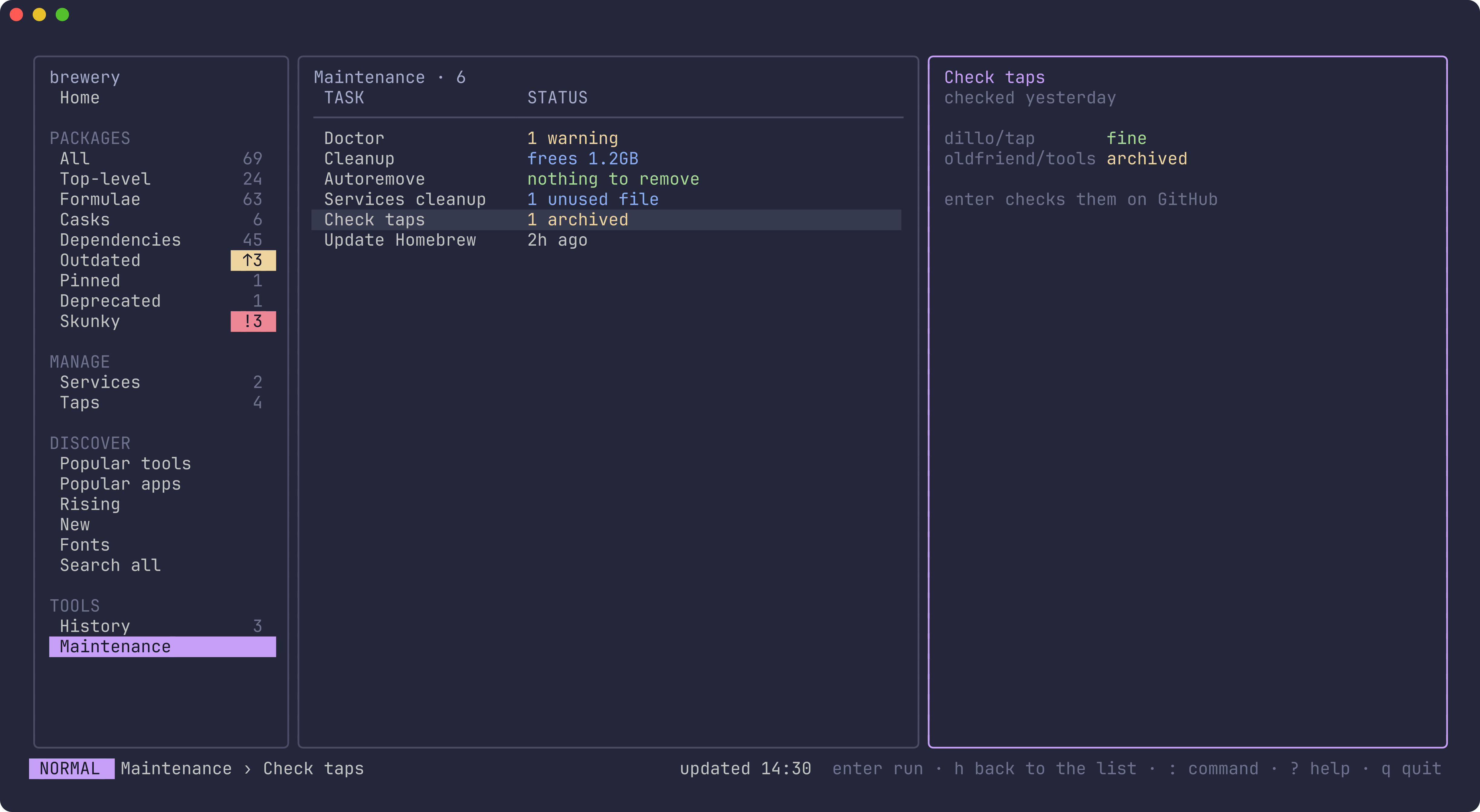
- Doctor's warnings, and how much a cleanup would free.
- Autoremove and services cleanup, each with a preview of what it would do.
- Check taps: asks GitHub whether each third-party tap's repository is archived, moved or gone. It only runs when you start it.
brew update, with when it last ran.
Running brew
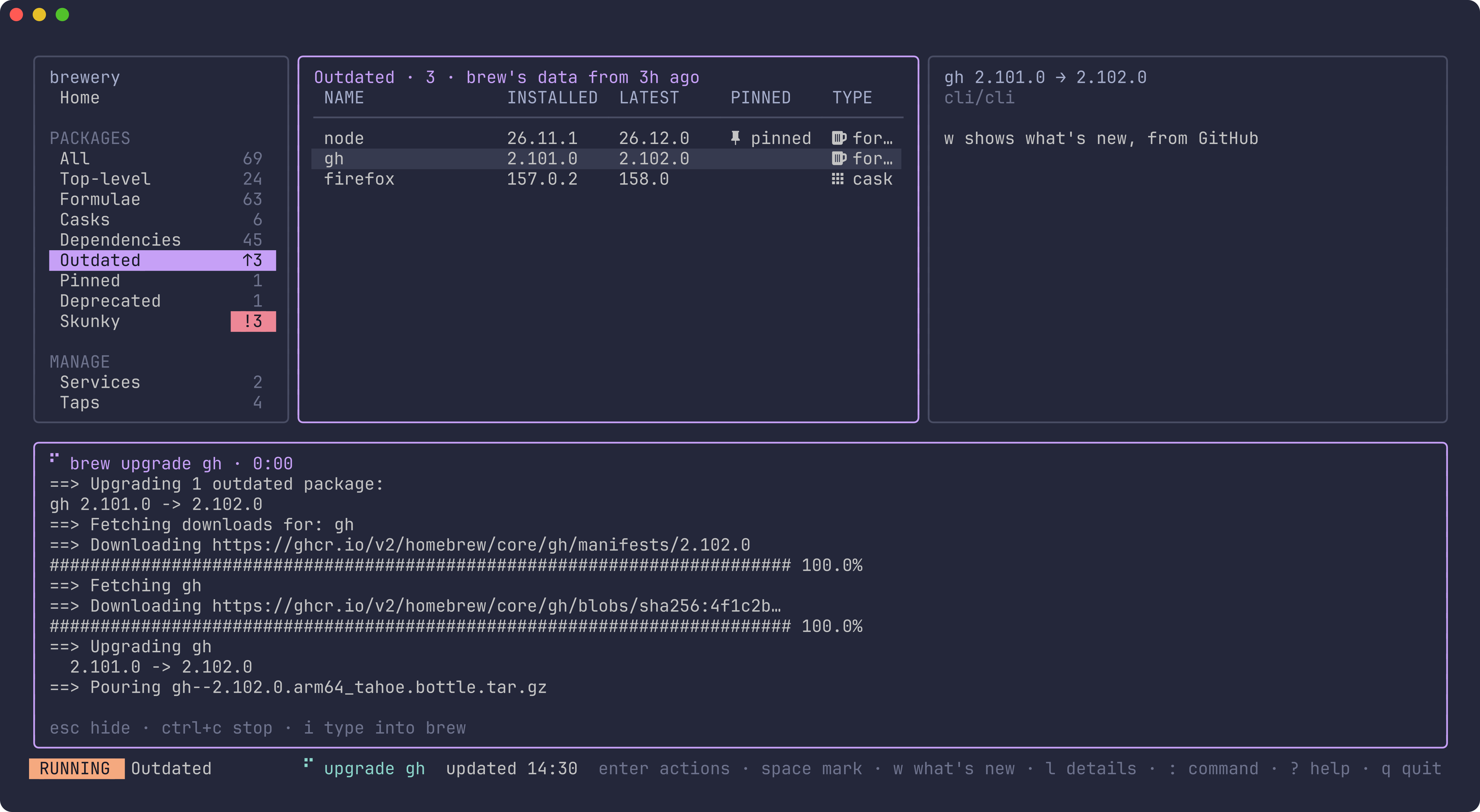
- brew's output streams live in a drawer. When brew asks a question or wants a password, you can answer it there.
- Jobs queue one after another, and wait when another brew holds its lock.
- History keeps every job brewery ran, with its full output. Run any of them again.
- Run any brew command with
:, with completion for commands, flags and package names.
Getting around
- Vim-style keys throughout,
?for the keys that work where you are, and/to filter any list or jump to a sidebar entry. - Twelve dark themes, from Catppuccin to Gruvbox, Nord and Dracula.
tpreviews them live; brewery remembers the one you keep. - Opens instantly from a cached snapshot, then refreshes in the background.
- From 122 columns the sidebar, list and details sit side by side. In a narrower window the columns slide with the focus.
Everything installed, with what it needs and what needs it.
Press enter on a row for everything you can do with it.
What's new in an upgrade, from the project's release notes on GitHub.
Packages on their way out, with brew's reason and what to install instead.
Formulae with known vulnerabilities, worst first, with each finding and what fixes it.
Services, with the end of each one's log.
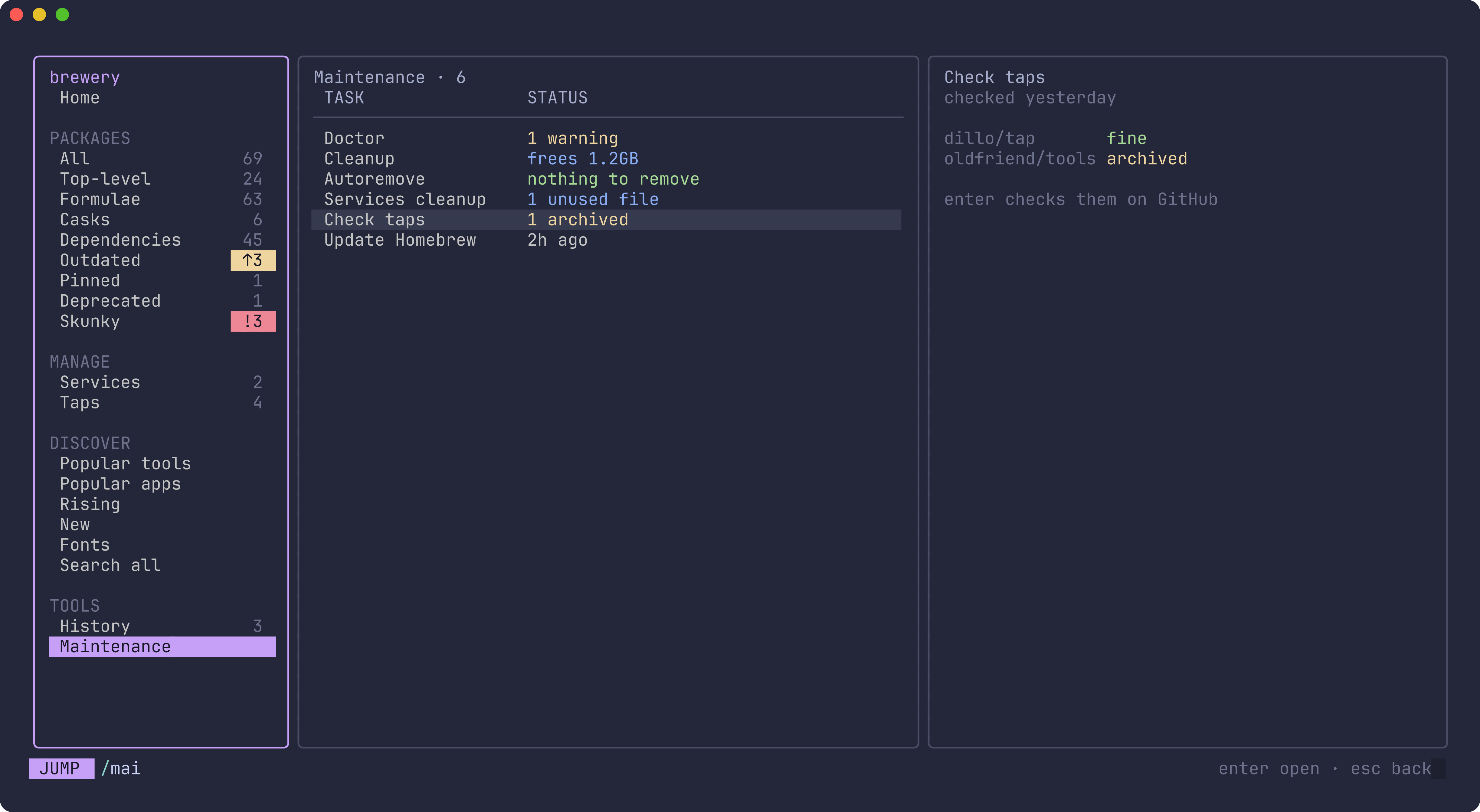
Maintenance in one place, including a check of your taps on GitHub.
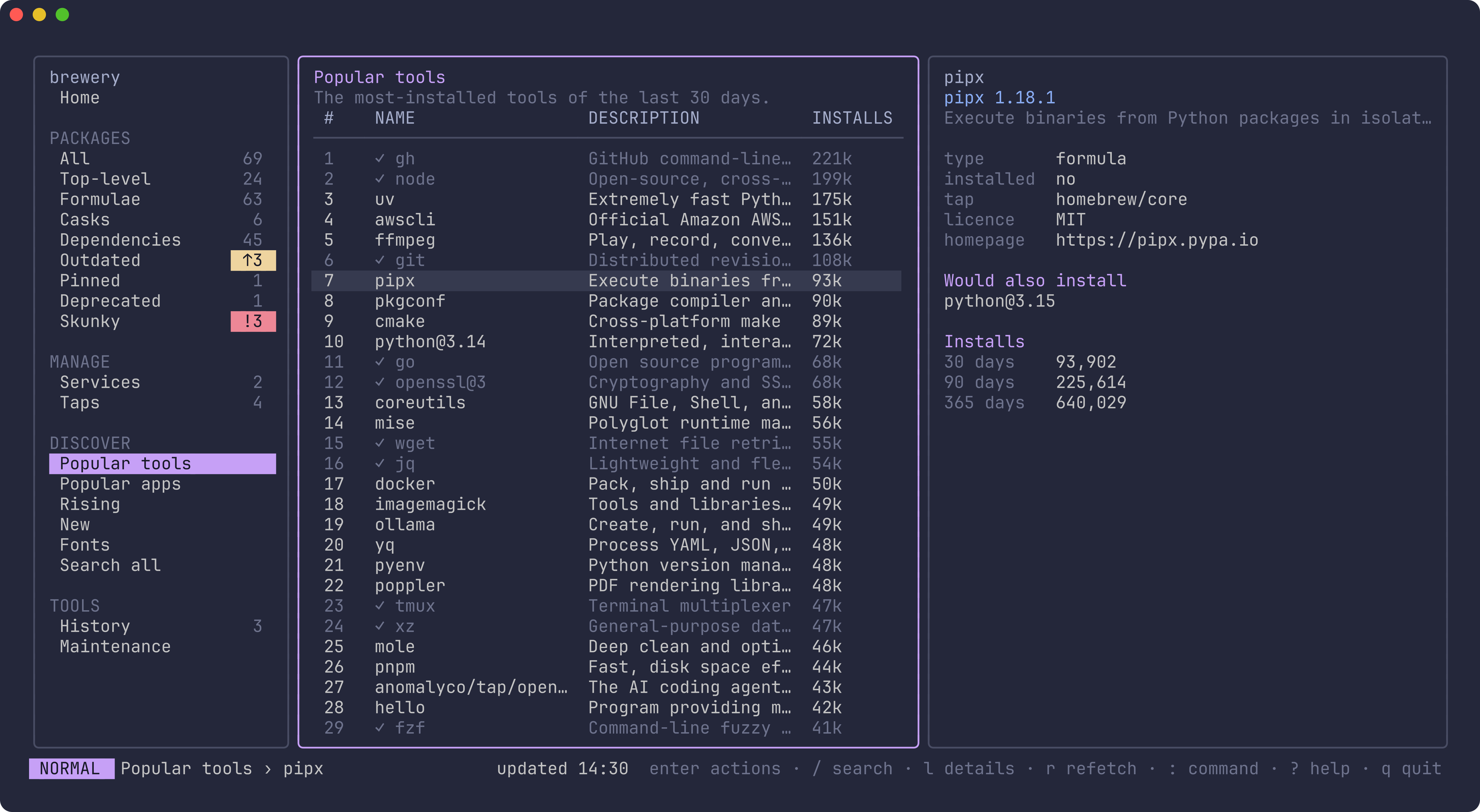
Find popular and rising packages, and install them.
brew's own output, live. Answer its questions right in the drawer.
Type / in the sidebar to jump to an entry.
- Home: counts, doctor's warnings and recent jobs
- Packages: All, Top-level, Formulae, Casks, Dependencies, Outdated, Pinned, Deprecated and Skunky
- Manage: Services, with each service's log, and Taps, with what Check taps found
- Discover: Popular tools, Popular apps, Rising, New, Fonts, and Search all for the whole catalogue
- Tools: History, the jobs brewery has run, and Maintenance
Press ? anywhere for the keys that work there, and enter on a row for
its actions.
Everywhere
| Key | What it does |
|---|---|
h l |
move between the sidebar, the list and the details |
1–5 |
Home, Packages, Manage, Discover, Tools |
[ ] |
previous or next sidebar entry |
: |
run any brew command; :jobs opens History |
t |
change the theme; :theme <name> switches straight to one |
r |
refresh; on Skunky, also scan for vulnerabilities now |
U |
brew update |
c |
clean up |
o |
show or hide brew's output |
i |
type into the running job (passwords, questions) |
ctrl+c |
stop the running job |
? |
the keys that work here |
q |
quit |
Sidebar
| Key | What it does |
|---|---|
j k, gg G |
choose an entry |
/ |
jump to an entry by name |
l enter |
go to its list |
Lists
| Key | What it does |
|---|---|
j k, gg G, ctrl+d ctrl+u |
move |
enter |
the action menu for the row |
l tab |
the details, then j k scroll them |
/ |
filter the list; esc clears it |
y |
copy the name (on History, the command) |
gx |
open the homepage; on Outdated, the GitHub page for an upgrade with no release notes |
space |
mark several (Installed and Outdated) |
Shortcuts for actions, all also in the action menu:
| Where | Key | What it does |
|---|---|---|
| Installed | u |
upgrade |
x |
uninstall | |
p |
pin or unpin | |
R |
reinstall | |
L |
link or unlink | |
f |
fetch the newer version | |
| Outdated | u |
upgrade |
f |
fetch the newer version | |
w |
what's new, from GitHub | |
A |
upgrade all | |
| Services | s S R |
start, stop, restart |
L |
follow the log full screen | |
| Taps | x |
untap |
| Discover | a |
install |
r |
fetch the install counts again | |
| History | R |
run the job again |
| Maintenance | enter |
run the selected task |
Home
| Key | What it does |
|---|---|
h l |
along the tiles, and from Doctor to Recent jobs; h from the first tile goes back to the sidebar |
j k |
down from the tiles to Doctor (then scroll it), and back up |
enter |
open a tile, or History from Recent jobs |
$XDG_CACHE_HOME/brewery(default~/.cache/brewery): the last snapshot of your packages, so brewery opens instantly, Homebrew's install counts, what Check taps last found, and the release notes What's new fetched.$XDG_STATE_HOME/brewery(default~/.local/state/brewery): the history of jobs brewery ran, the theme you chose, and crash logs.
make build   # ./brewery
make test
make screenshots regenerates the images above from a made-up machine
(internal/ui/testdata/demo). It needs Charm's
freeze
(go install github.com/charmbracelet/freeze@v0.2.2), librsvg
(brew install librsvg; without its rsvg-convert, freeze draws the
screenshots with no text in this font) and the JetBrains Mono Nerd Font
(brew install --cask font-jetbrains-mono-nerd-font). Run it with
FREEZE=<path> when freeze isn't on your PATH.
make demo records the demo video the same way: a script drives brewery on
the made-up machine, VHS records it,
and the captions are drawn with Swift and laid under it with ffmpeg, giving
docs/demo.mp4 and docs/demo.gif. It needs VHS and ffmpeg
(brew install vhs ffmpeg), Xcode's command line tools and the same font.
MIT. See LICENSE.