A small, local code review tool for turning feedback into a prompt for a coding agent, using @pierre/diffs and @pierre/trees.
There are many tools like this, but this one is customized to my preferences.
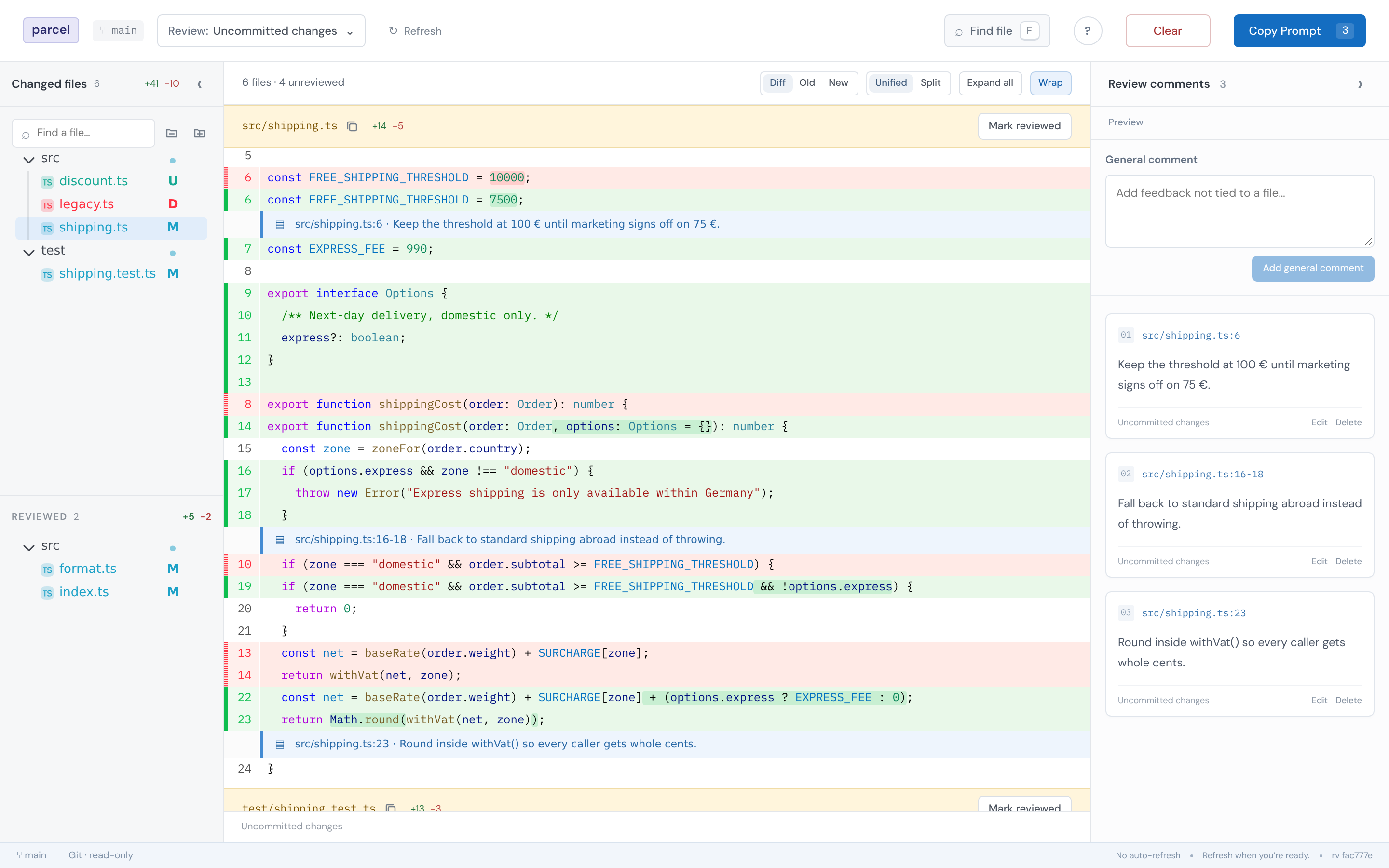
- Reviews repository files, uncommitted changes, a single commit, or a commit range.
- Attaches comments to lines or ranges, plus general comments, and gathers them in one place.
- Shows every changed file in one scroll and tracks which ones you have reviewed.
- Copies every comment as a concise prompt with exact file and line references.
- Is fast and keyboard-driven: file finder, search across files, and a command launcher for everything else.
- Runs entirely on your machine: no account, database, telemetry, or source-code upload.
The Review menu switches between the File Browser (the repository at HEAD), uncommitted changes, recent commits, and a range of commits. Type a branch, tag, or hash to review any other revision. Ranges diff from the merge base, like a GitHub pull request, and a commit's message shows up as a file you can comment on. While reviewing a single commit, N selects the next newer commit and P the previous older commit in the Review menu's recent history (up to 60 commits). Navigation stops at either end without wrapping; these shortcuts leave other review scopes and revisions outside that list alone.
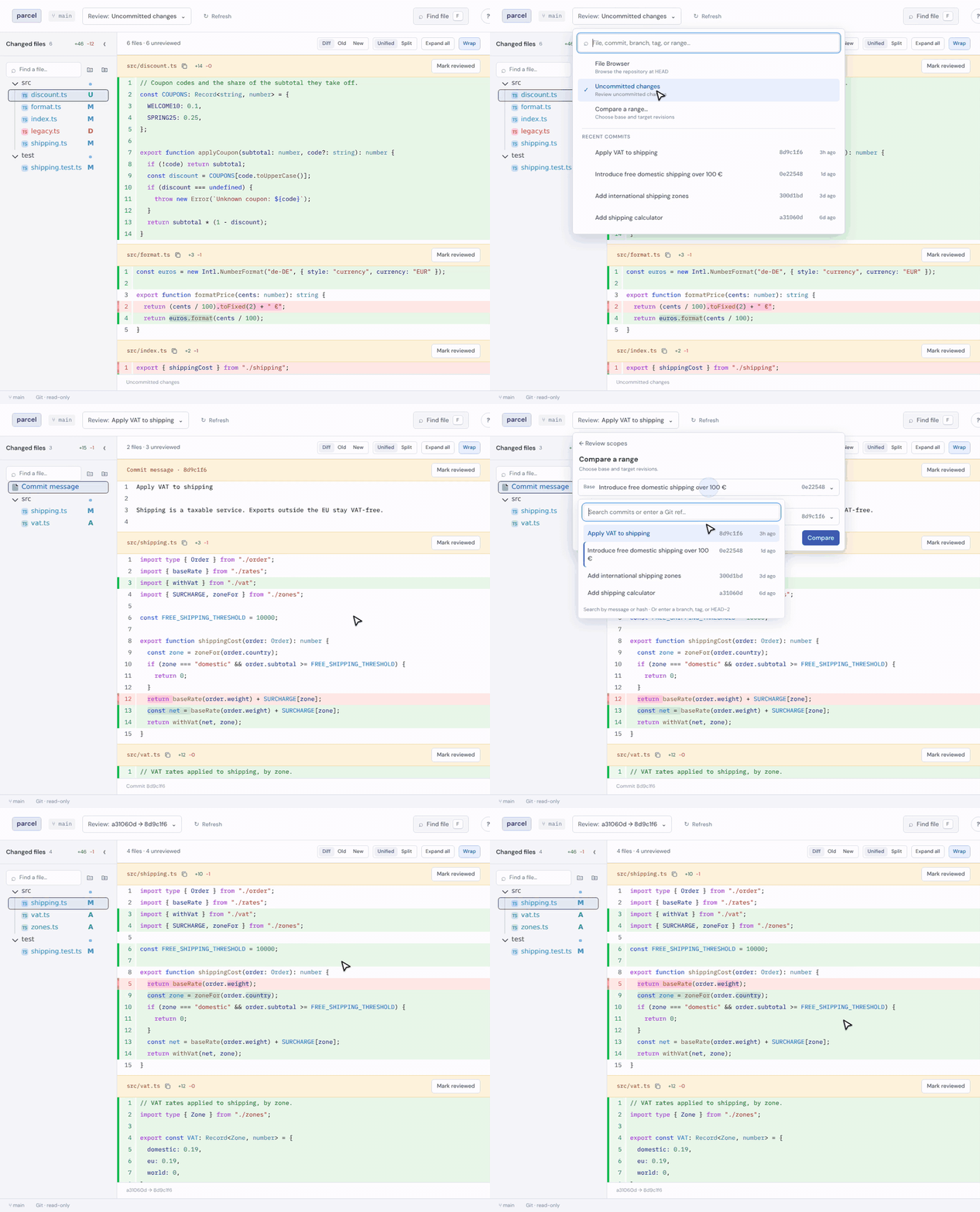
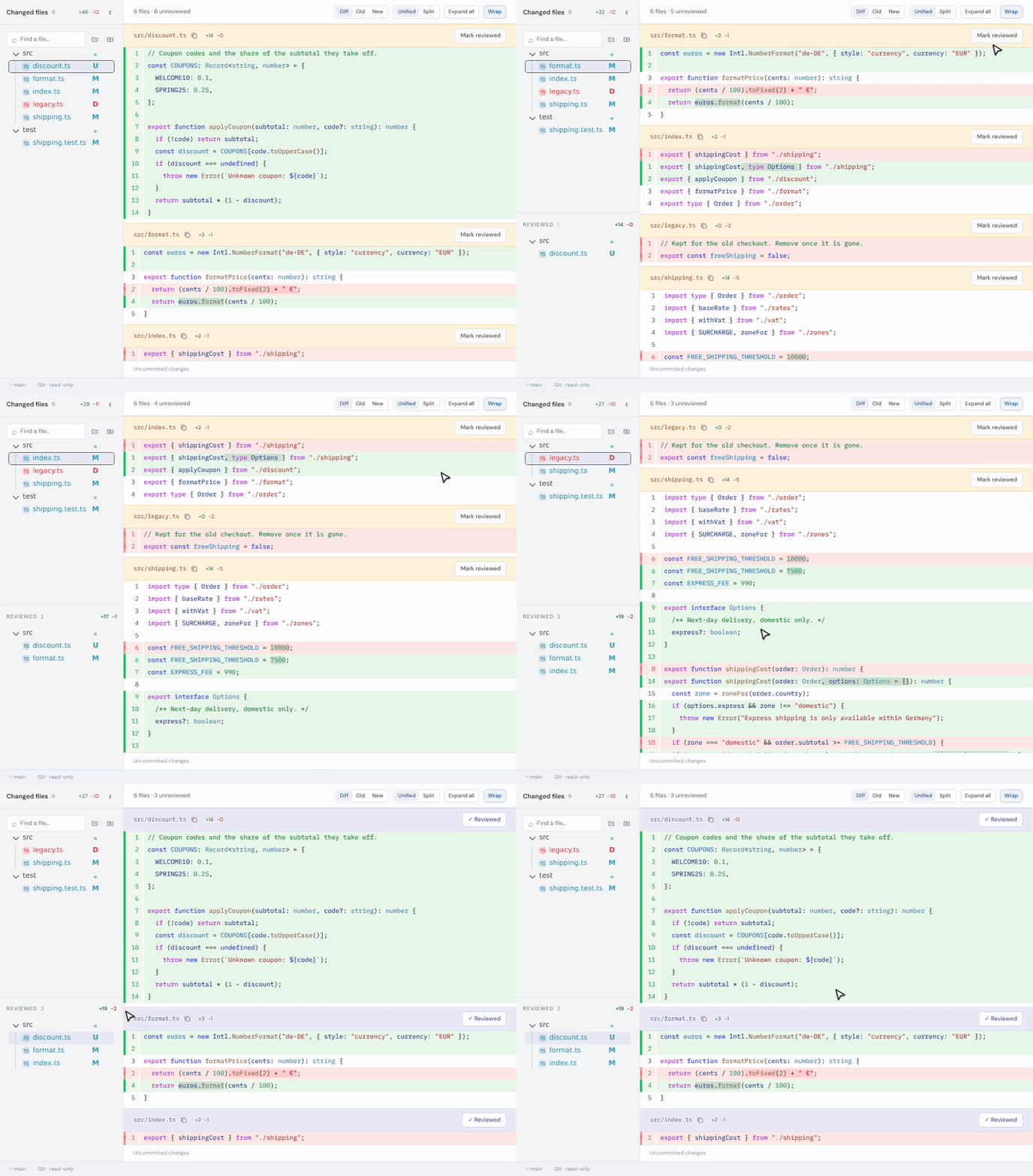
Diff shows every changed file in one scroll: unreviewed files first, under amber headers, then reviewed files, under lavender headers. The file tree follows the file at the top as you scroll; selecting a file scrolls to it. Mark files reviewed from their header, the file tree (also whole directories), or with R; U undoes it.
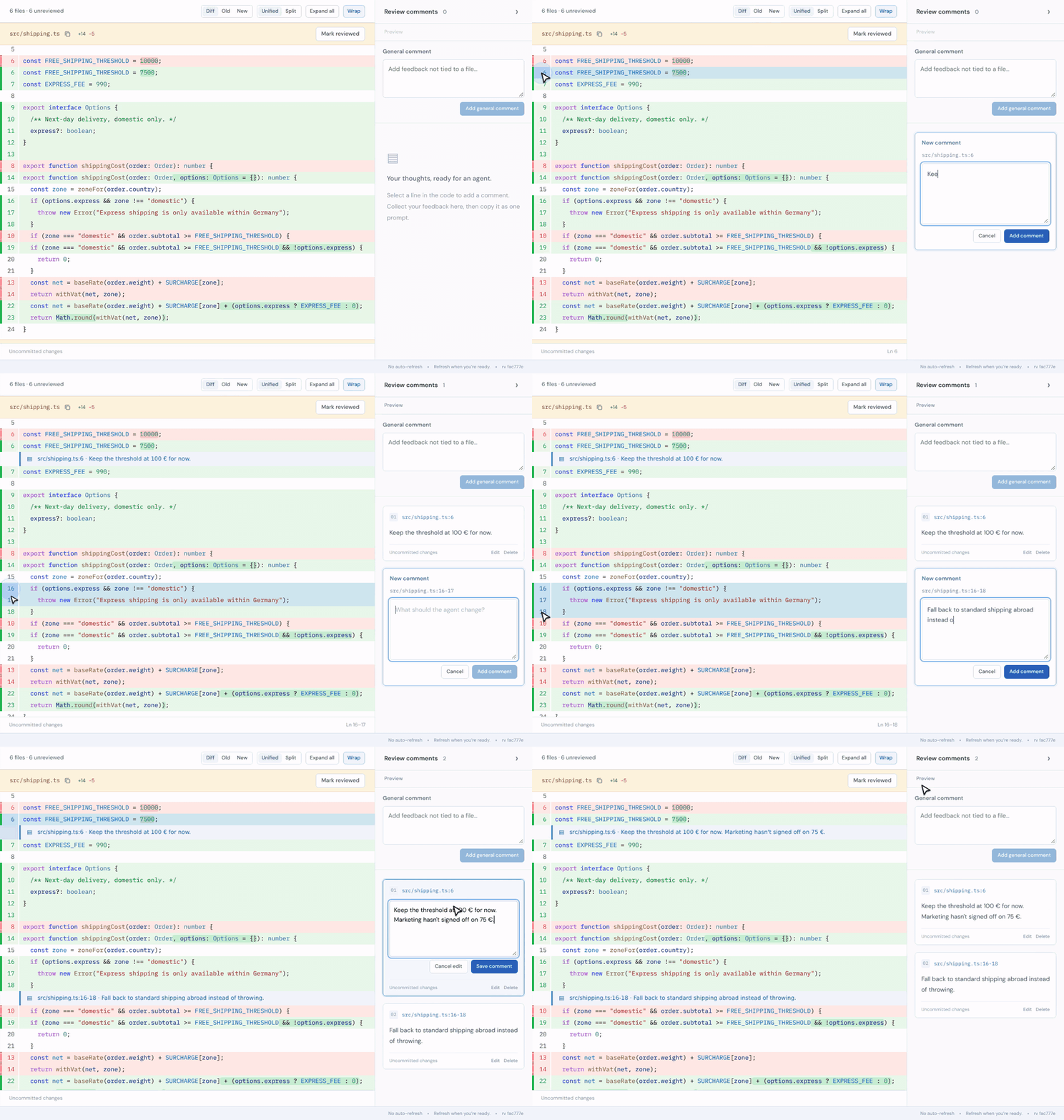
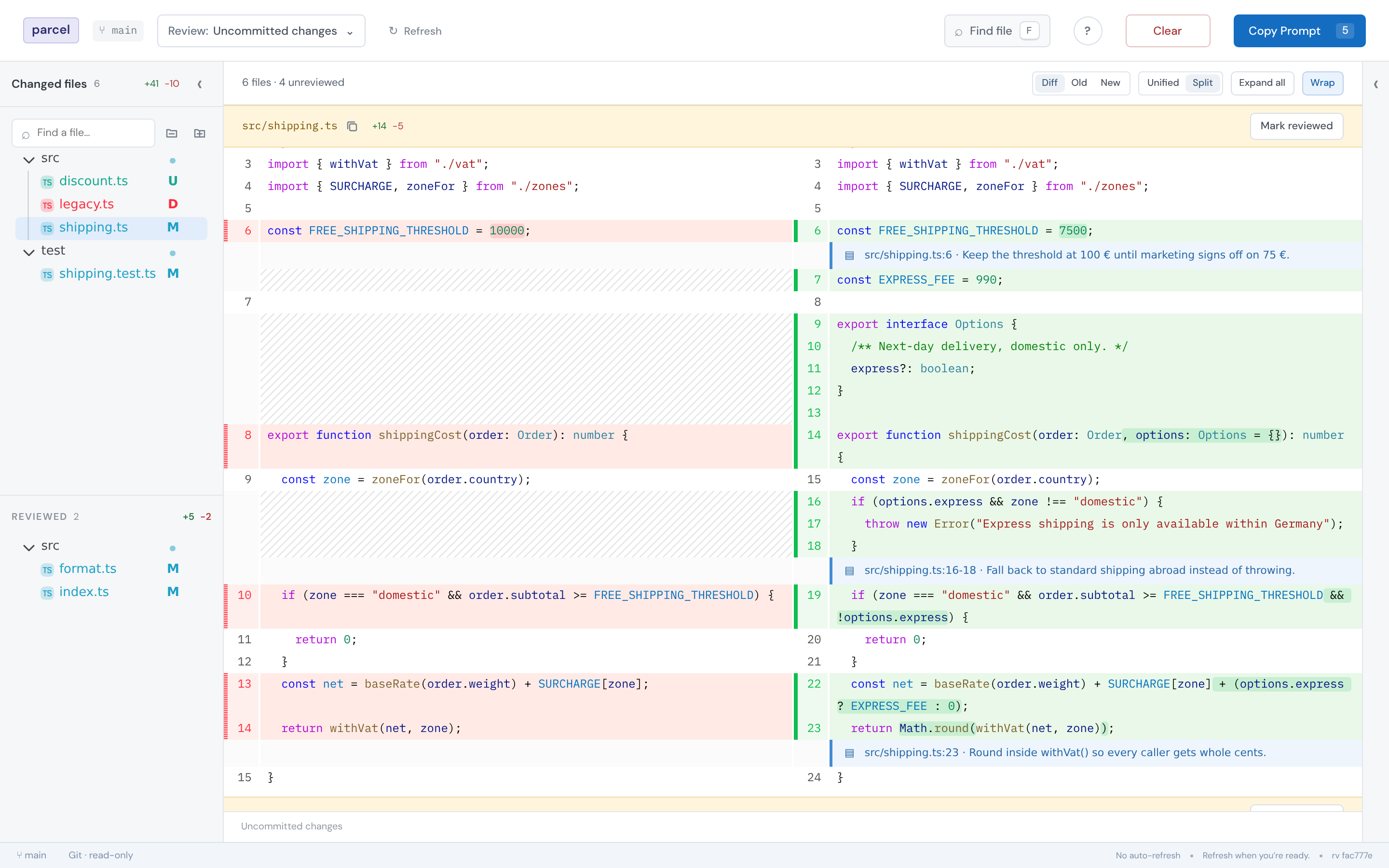
Click Comment in a file header for feedback on the whole file. Hover a line and click + for a line comment, or drag + to select a range. Line-number clicks, Shift-click and L work too. Line comments work on either side of a diff and appear inline and in the comments panel. Click a comment's text to edit it. General comments cover feedback that isn't tied to a file.
Copy Prompt (Y) copies every comment as one prompt with exact file and line references, then shows the full copied text. rv offers to clear the review or keep the comments for later.
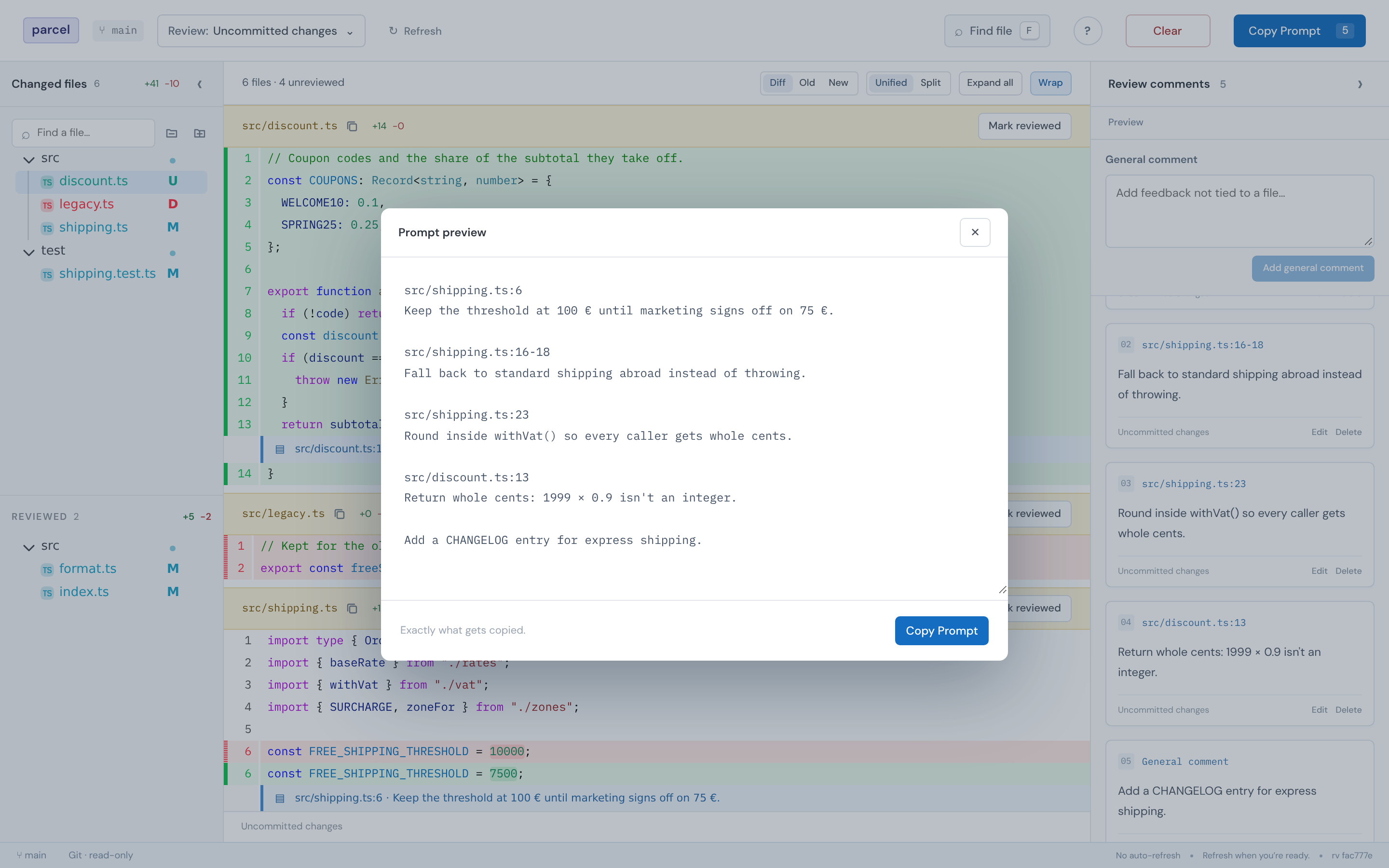
Choose Diff, Old, or New to see the comparison or the complete file before or after the change. Comments on Old and New use that revision's line numbers. Diffs can be unified or split (V), long lines wrap by default (W), and Expand all shows the unchanged lines between hunks.
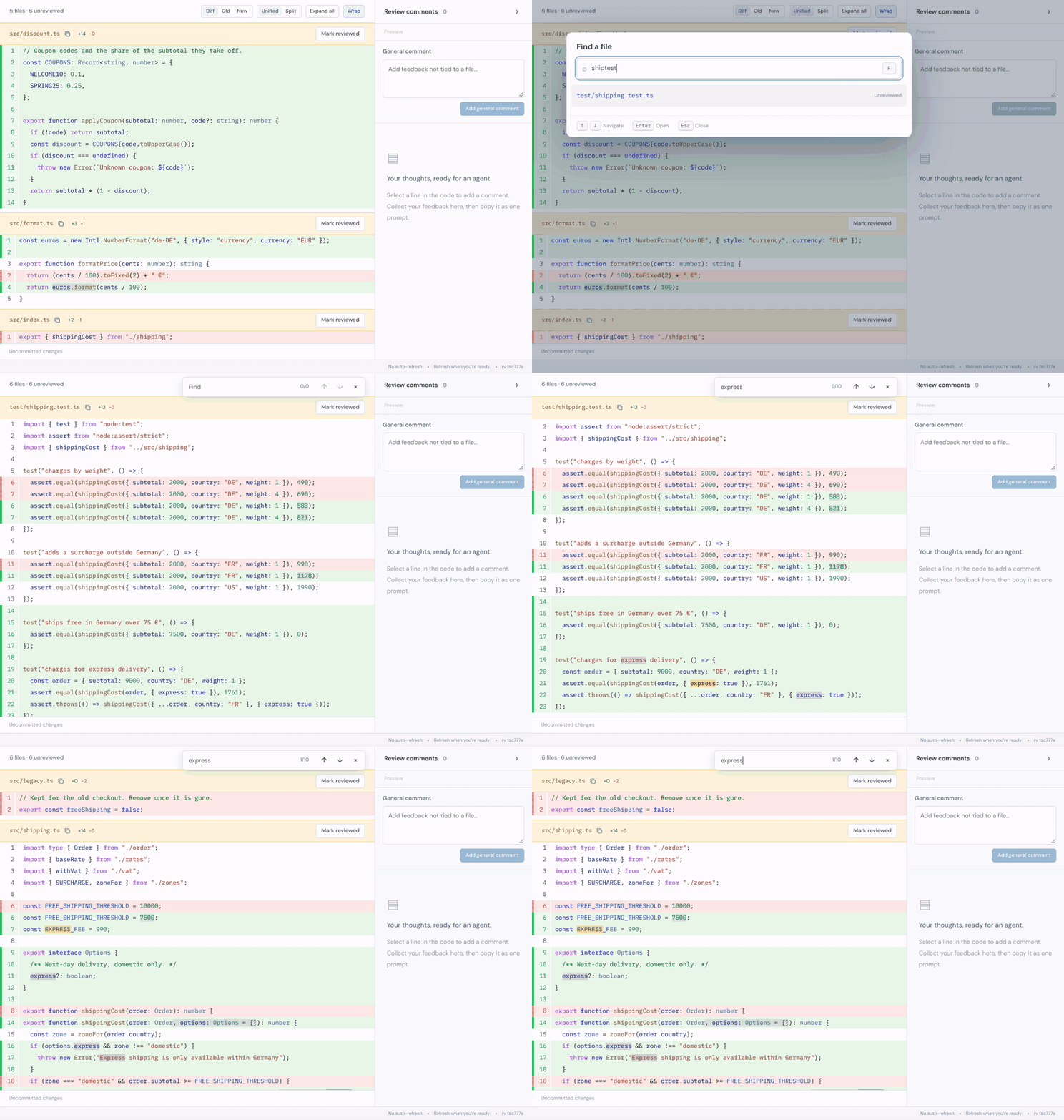
F opens a fuzzy file finder. / or ⌘/Ctrl+F searches the viewed file, or every file in the diff, and highlights each match; ⌘/Ctrl+G jumps to the next one. J and K move between files.
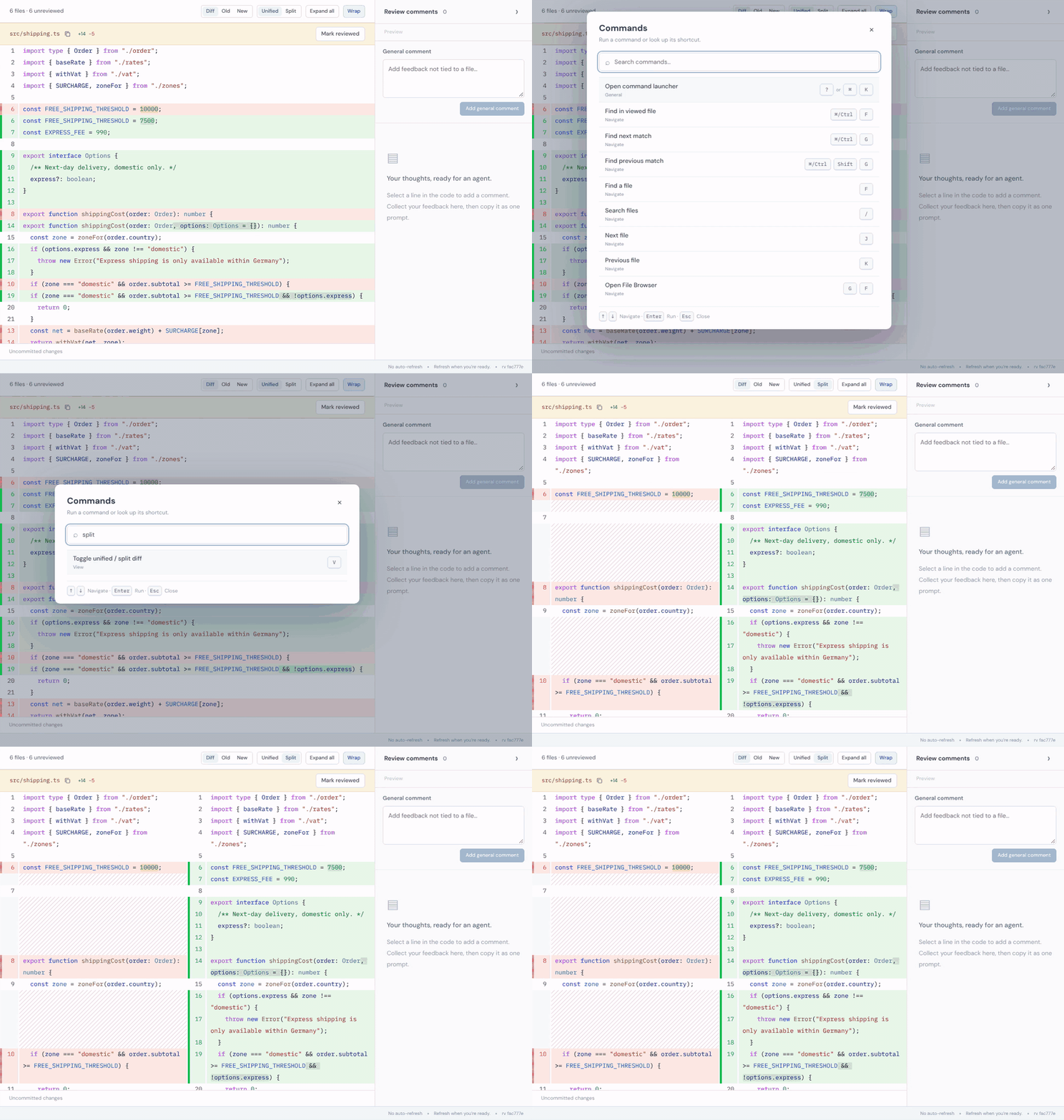
Press ? or ⌘+K to search and run any command and look up its shortcut.
Cmd-click (Ctrl-click on Windows/Linux) or middle-click a filename to open it
in a new tab. The URL records the selected file and review scope, including
the revisions for a commit or range, the Diff/Old/New choice (view=diff,
view=old, or view=new), split diffs, and expanded unchanged lines. Copy or
bookmark it to return to that view; browser Back/Forward also works. Each tab
navigates independently. Opening the bare URL starts on uncommitted changes,
or on the most recent commit when there are none (the File Browser only when
neither exists); unsubmitted range choices are temporary and do not survive reload.
Your review state (comments, reviewed marks, layout preferences) is cached on
local disk, outside the repository, in one readable directory per opened path —
~/.cache/rv/--home-you-repo--/state.json on Linux,
~/Library/Caches/rv/--Users-you-repo--/state.json on macOS. It survives
server restarts, page reloads and browser changes. Use Clear to remove
comments and reviewed marks while keeping your view settings.
Requires Node.js 22+ and Git.
npm ci
npm run build
npm link
Then run rv inside any repository:
rvrv opens a browser on your uncommitted changes, or on the most recent commit when the working tree is clean, and serves a read-only review UI on localhost. Refresh the page (or press Shift+R) when you want to load new repository changes; nothing is written back to the repository.
Open directly on uncommitted changes, a single commit, or a commit range:
rv --working              # uncommitted changes
rv --commit HEAD          # a single commit
rv --range main..HEAD     # a commit range
--commit and --range accept anything Git understands (branch, tag, short or
full hash). The three options are mutually exclusive.
Use rv --help for directory, port, host, and browser options.
For agents and scripts, ensure starts a detached localhost server, prints
its URL, and exits without opening a browser:
rv ensure [directory]      # restart and print the review URL
rv ensure --commit HEAD    # review committed changes
rv list                    # PID, URL, and opened directory
rv stop /path/to/repo       # stop this directory's servers
rv stop                    # stop all registered local servers
Every ensure gracefully restarts the directory's servers, including foreground
instances, using the current rv installation. It preserves the port unless
--port overrides it, and keeps comments and reviewed marks. The server
survives the calling shell or agent; refresh existing tabs after a restart.
The directory defaults to the current directory and resolves to its Git
working-tree root. Subdirectories and symlinked paths share a server; separate
worktrees and submodules get their own. Concurrent restarts are serialized.
list and stop manage registered local servers, not remote ones.
Runtime metadata and logs live outside the repository in rv's platform cache
directory (RV_CACHE_DIR overrides it). Stale metadata and abandoned locks are
recovered automatically; stopping a server does not clear review state.
From this repository's checkout, run:
npm run updateThis pulls the latest code, installs dependencies, and rebuilds rv. The linked
rv command uses the updated build automatically. Running server processes
keep their loaded code until restarted, but the next ensure replaces the
repository's servers using the current installation, preserving the port and
review state:
rv ensure /path/to/repo # restart this repository with the installed versionThere is no version comparison or background upgrade mechanism. Repositories
you do not ensure remain on their running code. Use rv stop after an update
if you want to shut down all old instances immediately; start them again with
ensure as needed.
npm run build
npm test
npm run test:browser