Wine but a bit stronger
Active community fork. The original whisky-app/whisky was archived on April 9, 2025 with a final maintenance notice. This fork, maintained by @frankea, continues development — addressing the backlog of upstream issues and adding new functionality. Not affiliated with the original project or getwhisky.app.






English · 简体中文 · 日本語 · 한국어 · Русский · Español · Français · Deutsch
Whisky provides a clean and easy-to-use graphical wrapper for Wine built in native SwiftUI. You can make and manage bottles, install and run Windows apps and games, and unlock the full potential of your Mac with no technical knowledge required.
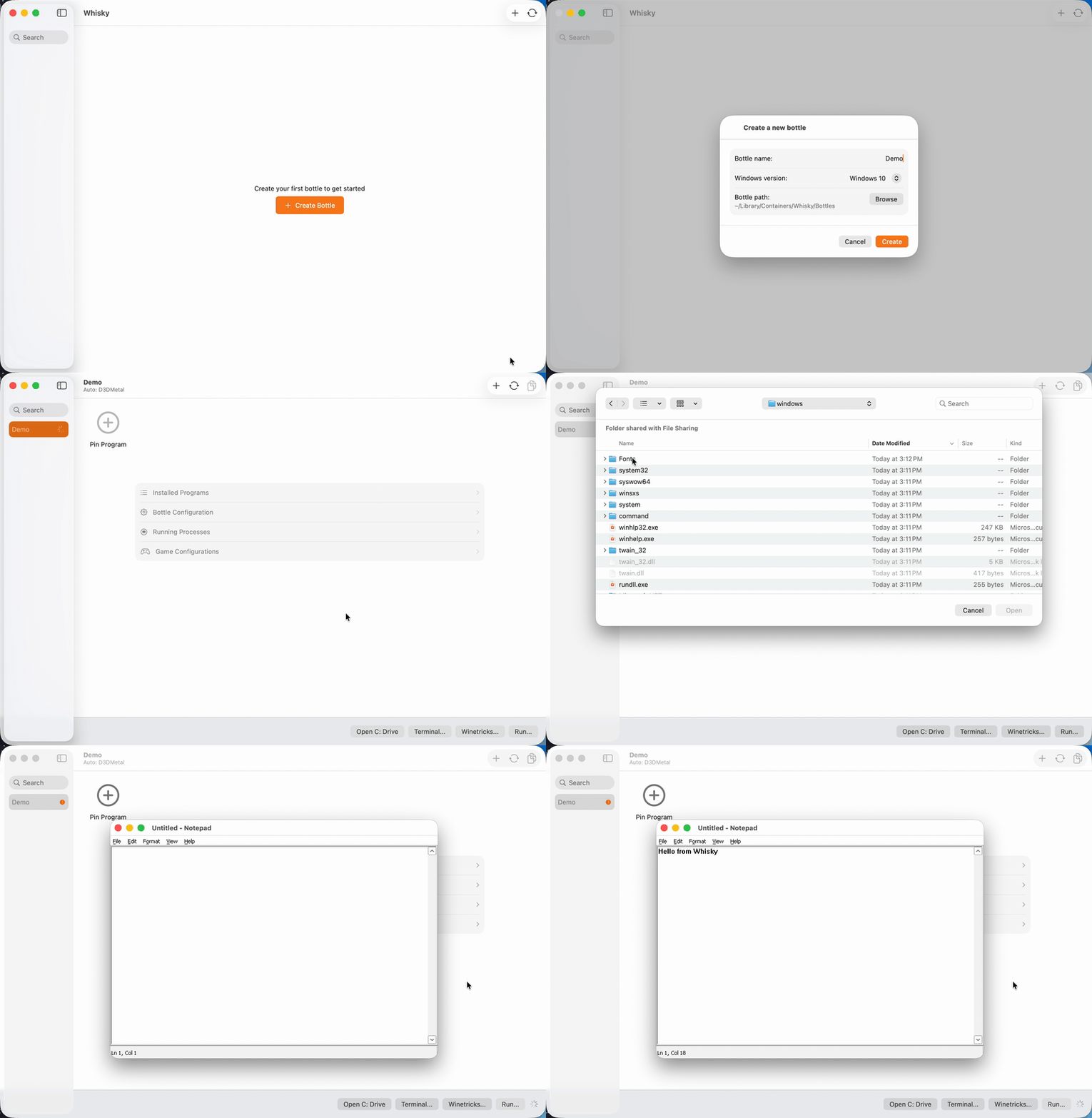
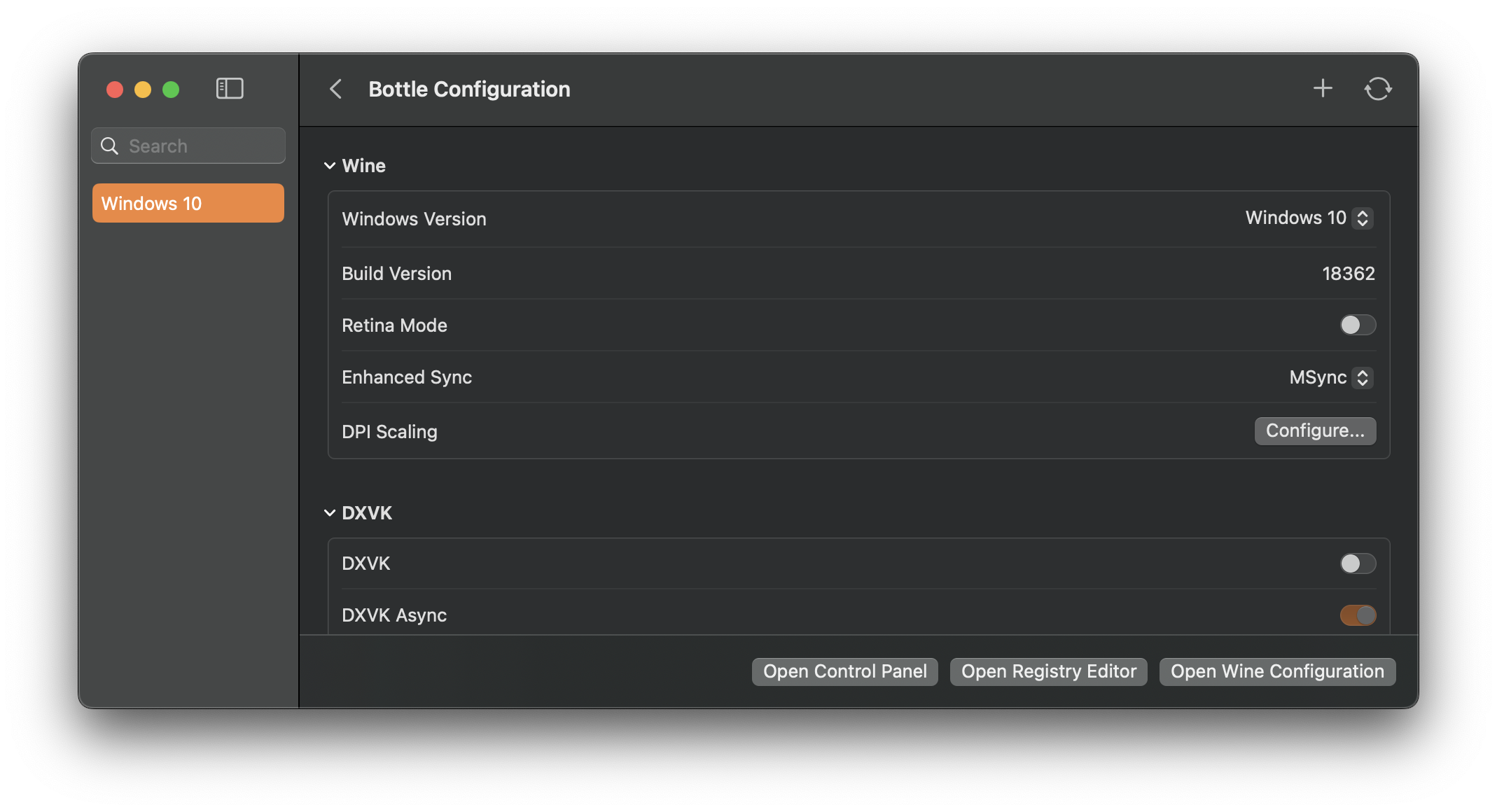
Familiar UI that integrates seamlessly with macOS
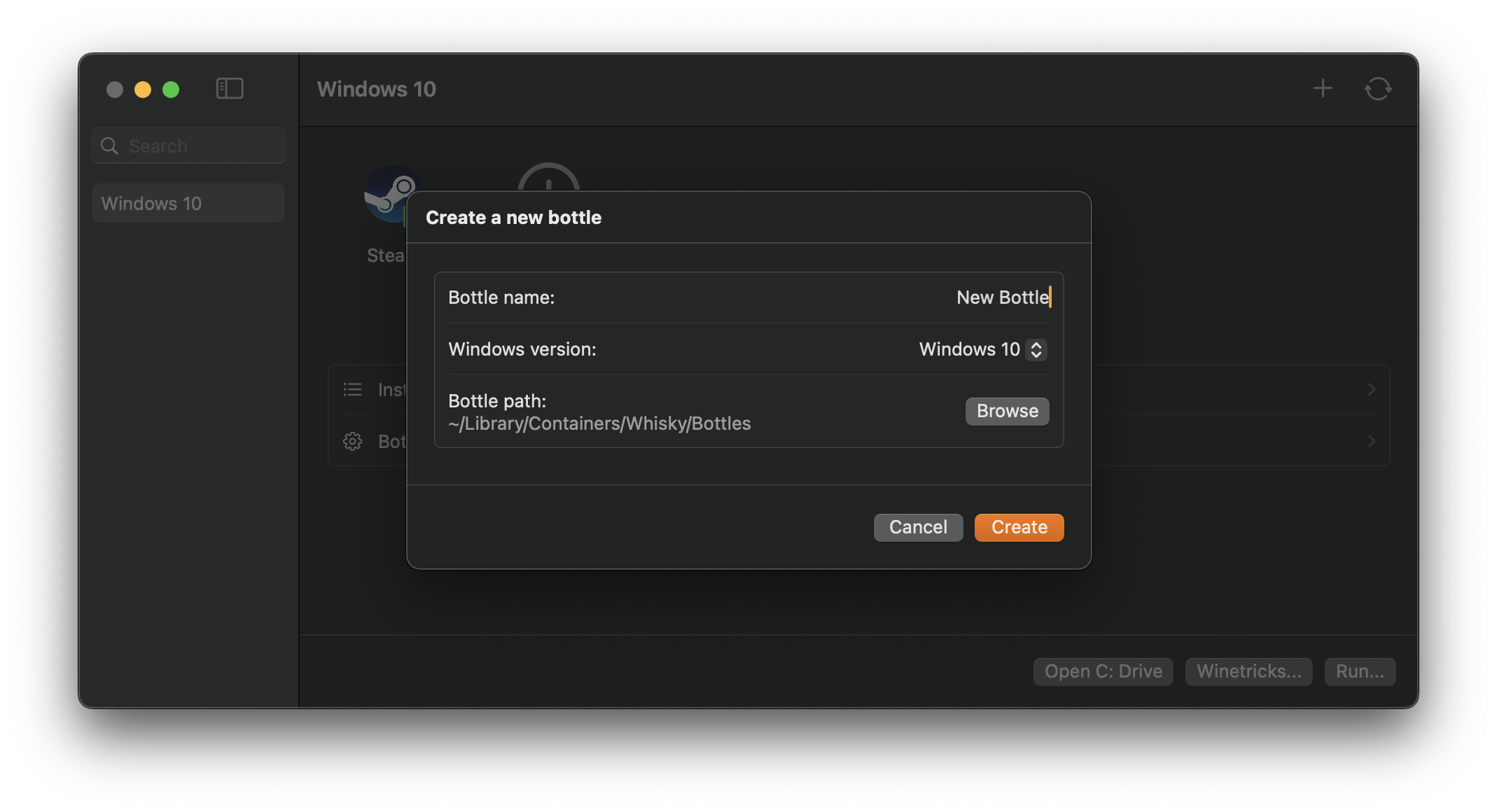
One-click bottle creation and management
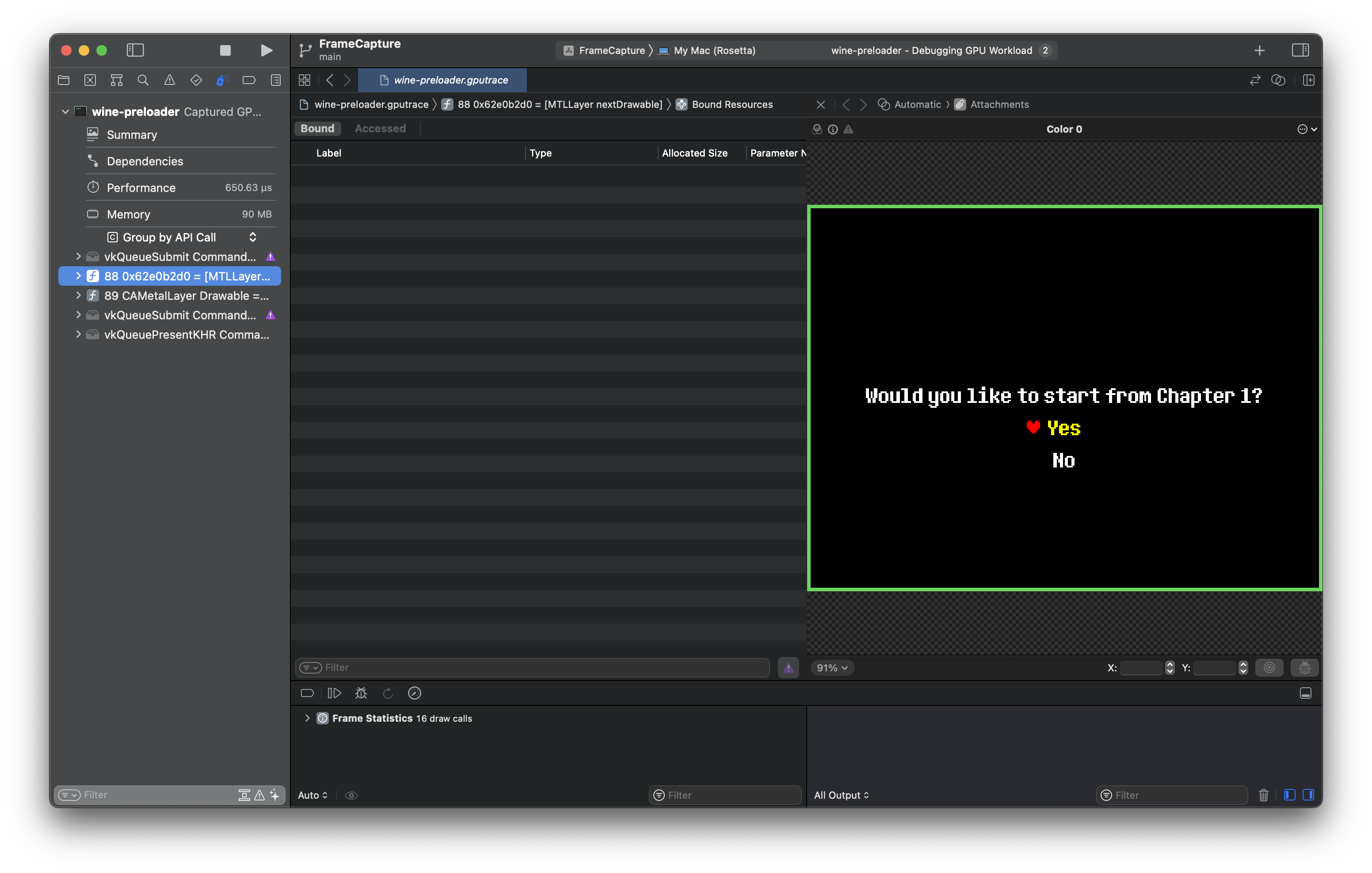
Debug and profile with ease
- Wine 11.19 engine - Built from CrossOver's sources. Download Apple's Game Porting Toolkit disk image, choose that .dmg in Settings → Game Porting Toolkit → Import from Game Porting Toolkit…, and Whisky deploys D3DMetal for DirectX 12 games
- Game library - Your Steam games and pinned programs on one page, with launch links (
whisky://launch?steam=<appid>) and Dock menu shortcuts - Command line tool - Install
whiskyfrom the Whisky menu (Install Whisky CLI...) to create bottles, run programs and launch Steam games from Terminal - DXMT & DXVK Graphics - DirectX 11 through native Metal translation (DXMT) out of the box, with DXVK over MoltenVK as the universal fallback
- Launcher Compatibility - Built-in support for Steam, Epic, EA App, Rockstar, Battle.net, and more
- Controller Support - SDL environment variable controls for gamepad detection and mapping issues
- Stability Diagnostics - One-click diagnostic reports for troubleshooting crashes and freezes
- Native SwiftUI - Beautiful, familiar macOS interface
- CPU: Apple Silicon (any M-series chip, or the A18 Pro in MacBook Neo)
- OS: macOS Sequoia 15.0 or later
- Rosetta 2: installed automatically during first-run setup
- Disk: about 1.5 GB for the Wine engine (a ~480 MB download), plus your bottles
brew install --cask frankea/whisky/whiskyThis taps frankea/homebrew-whisky and installs the latest signed/notarized DMG. brew upgrade --cask picks up new releases.
The default
brew install --cask whiskystill installs the archived original (last release April 2025) and always will until that cask is updated. Use the qualifiedfrankea/whisky/whiskyform to get this fork.
- Download the latest Whisky-X.Y.Z.dmg (signed and notarized — Gatekeeper-approved).
- Open the DMG and drag Whisky.app to /Applications.
- Launch Whisky. On first run it installs Rosetta 2 if needed and downloads the Wine runtime (~480 MB). Then click Create Bottle to make your first bottle.
In-app updates are delivered through Sparkle from https://frankea.github.io/Whisky/appcast.xml.
The original whisky-app/whisky was archived on April 9, 2025 with a final maintenance notice. If you're running it today, you're on a stale build with no path forward for new fixes. This fork picks up where the upstream left off — version 3.0.1 shipped 54 requirements covering the 10 categories of upstream issue tracking (#40–#50).
To switch:
- Install this fork:
brew install --cask frankea/whisky/whiskyor follow the manual steps above. - Open it. The first time Whisky finds bottles in
~/Library/Containers/com.isaacmarovitz.Whisky/that it hasn't imported yet, it offers to import them, and you can do it any time with File → Migrate from the Original Whisky…. Pick the bottles you want. Bottles are referenced in place (nothing is moved or copied), so the original app keeps working if you'd like to keep it around. - (Optional) Once you're happy, remove the original app: drag /Applications/Whisky.app to the Trash, or
brew uninstall --cask whiskyif you installed it via Homebrew. Your bottles stay put.
The original app uses a different bundle identifier (com.franke.Whisky here vs. com.isaacmarovitz.Whisky), which is why bottles aren't shared automatically. You can also move bottles by hand or onto another Mac: right-click a bottle in the sidebar and choose Export as Archive..., unpack the archive on the other Mac, then add the folder with File → Import Bottle. If you have no bottles worth keeping, you can skip migration entirely and create a new bottle in this app.
Dragging Whisky.app to the Trash (or brew uninstall --cask frankea/whisky/whisky) removes the app but leaves the Wine runtime, your bottles, and app data behind, by design, so reinstalling doesn't re-download the ~480 MB runtime or lose your bottles.
⚠️ Back up your bottles first if you want to keep them. Removing the container below deletes every bottle stored in its default location. Bottles you created in a custom folder live wherever you put them: right-click each bottle in the sidebar and choose Show in Finder before deleting anything.
To remove Whisky completely, delete the app and then these paths (all under ~/Library):
# 1. The app itself
rm -rf "/Applications/Whisky.app"          # or: brew uninstall --cask frankea/whisky/whisky

# 2. Bottles + bottle list (default bottle location is inside this container)
rm -rf ~/Library/Containers/com.franke.Whisky
rm -rf ~/Library/Containers/com.franke.Whisky.WhiskyThumbnail

# 3. The Wine runtime (about 1.5 GB), an imported Game Porting Toolkit, and other app support
rm -rf ~/Library/Application\ Support/com.franke.Whisky

# 4. Caches, logs, preferences, and saved state
rm -rf ~/Library/Caches/com.franke.Whisky
rm -rf ~/Library/Logs/com.franke.Whisky
rm -rf ~/Library/HTTPStorages/com.franke.Whisky
rm -f  ~/Library/Preferences/com.franke.Whisky.plist

# 5. The command line tool, if you installed it from the Whisky menu
sudo rm -f /usr/local/bin/whisky
If you installed with Homebrew, brew uninstall --zap --cask frankea/whisky/whisky removes the app and most of these folders, including the default bottle location, so back up bottles first.
If you also installed bottles in a custom location, delete those folders too. Migrated bottles that still belong to the original app live under ~/Library/Containers/com.isaacmarovitz.Whisky and are left untouched by the steps above.
Whisky sends no data by default. During first-run setup you can opt in to anonymous usage telemetry — a checkbox that is off unless you tick it, and a toggle you can change anytime in Settings → Privacy.
When (and only when) enabled, Whisky sends five events covering the first-run funnel, so the maintainer can see where new installs fail:
| Event | Properties |
|---|---|
runtime_install_started |
— |
runtime_install_succeeded |
— |
runtime_install_failed |
reason: one of download_failed, verify_failed, tarball_missing, extract_failed, runtime_incomplete, network_blocked |
first_bottle_created |
— |
first_program_launch_attempted |
— |
runtime_install_started is sent once per setup attempt; the _succeeded /
_failed events are sent per install attempt (so retries are counted). The two
first_… events are sent at most once per install.
No personal data, file names, paths, raw error text, or identifiers tied to you
are ever sent. Events carry a random per-install anonymous ID (reset if you opt
out). Every event Whisky can send is the list above, and all of it is declared in
one file, Whisky/Utils/Telemetry.swift, with
every automatic-capture feature of the analytics SDK disabled and no person
profile ever created (identify() is never called). Each event also carries the
SDK's standard context — app and macOS version, hardware model, locale, and more;
see SECURITY.md for the full list. Like any HTTPS request,
PostHog's ingestion sees the connecting IP (GeoIP enrichment is disabled); none
of this is tied to your identity.
Whisky is translated into 22 languages, and translations are managed on Crowdin. To help translate, or to fix a translation you've spotted, join the Whisky Crowdin project. If Crowdin asks you to join, use the access request prompt on the project page. New and updated translations sync into the app automatically, so please contribute there rather than by opening a pull request; see CONTRIBUTING.md for how strings get from the code to Crowdin and back.
- Support - Where to file bugs and what to expect from a single-maintainer fork
- Governance & continuity - Who maintains this and the honest bus-factor situation
- Runtime dependencies - The bundled Wine/DXVK/D3DMetal/DXMT versions and their upstream sources
WhiskyKit, the core framework powering Whisky, has comprehensive API documentation:
- WhiskyKit API Documentation - Full API reference with usage examples
- Getting Started Guide - Learn how to integrate WhiskyKit
- Architecture Overview - Understand how WhiskyKit components work together
- Launcher Troubleshooting - Fix issues with Steam, Epic, Battle.net, etc.
- Steam Compatibility Guide - Detailed guide for Steam on Whisky
- Stability Troubleshooting - Diagnose crashes, freezes, reboots, and kernel panics
- Controller Issues - Enable "Controller Compatibility Mode" in Bottle Config → Controller & Input
- Game Configurations - 80+ curated per-game compatibility configs, also browsable in-app under Game Configurations
Per-issue accounting of how this fork addresses the open issues from the
archived upstream repo. Read docs/AUDIT.md for the
methodology — including how to read the addressed-direct vs
addressed-categorical distinction and what unverified GameDB entries
actually mean.
The Coverage badge above is scoped to the whiskykit flag — line
coverage of the framework that holds the bottle, Wine, GameDB, and
PE-parser logic, measured by swift test --enable-code-coverage per
.github/workflows/CI.yml. The blended
project-wide number on the Codecov dashboard
reads much lower because it averages in the SwiftUI app target, which
only receives best-effort UI-test coverage. Read the badge as
"WhiskyKit unit-test coverage," not full-app coverage.
WhiskyUITests gives behavioural coverage of the SwiftUI surface (toolbar,
create-bottle sheet, fixture-dependent flows). CI now runs them with
-enableCodeCoverage YES and uploads the resulting app-target coverage to
Codecov under a separate whiskyapp flag (best-effort — the upload never gates
CI). Because UI tests exercise far less of the app than the unit tests do of
WhiskyKit, expect the app-target number to read lower than the WhiskyKit badge
above.
Whisky is possible thanks to the magic of several projects:
- winecx-gptk by dappermint (the Wine 11.19 engine, including its msync)
- msync by marzent (the original msync for macOS Wine)
- DXVK-macOS by Gcenx and doitsujin
- DXMT by 3Shain
- MoltenVK by KhronosGroup
- Sparkle by sparkle-project
- SemanticVersion by SwiftPackageIndex
- swift-argument-parser by Apple
- CrossOver by CodeWeavers and WineHQ
- D3DMetal by Apple
Special thanks to Gcenx, ohaiibuzzle, Nat Brown, and Isaac Marovitz (original author) for their support and contributions!

|
Whisky doesn't exist without CrossOver. If you want a fully-supported commercial Wine experience on macOS, check out CrossOver from CodeWeavers. (This fork has no affiliate arrangement and receives nothing from CrossOver sales.) |