A lightweight, always-on-top floating widget for monitoring your Mac's system resources in real time. Each widget is collapsible and reorderable — keep only what you need, exactly where you want it.
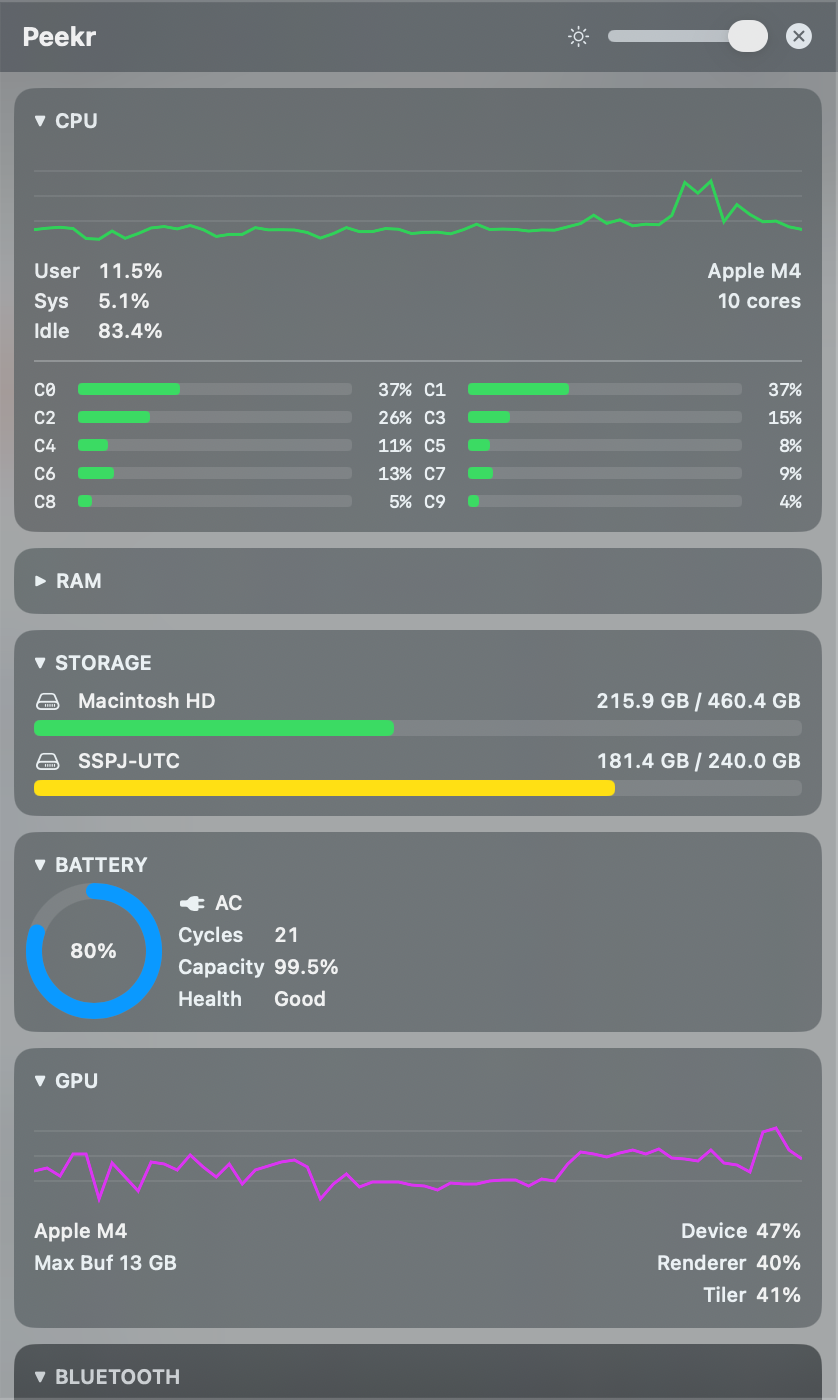
- CPU — Usage, per-core load
- Memory — Used, compressed, swap
- Storage — Free space, usage ratio
- Battery — Charge, charging state, cycle count
- GPU — Utilization
- Network — Upload/download speeds
- Wi-Fi — SSID, signal strength, channel
- Audio — Mic waveform, speaker waveform, device names
- Bluetooth — Paired devices, connect/disconnect
- USB — Connected devices, VID:PID
- Display — Resolution, refresh rate, brightness
- Thermal — Thermal state (4 levels)
- Always-on-top floating window
- Opacity slider (20–100%)
- Collapsible widgets with inline summary (state persists across restarts)
- Drag & drop widget reordering (persists)
- Menu bar icon to show/hide window
- macOS 15.0 or later
- Apple Silicon (M1 or later)
brew tap kazuhitogo/tap
brew install --cask peekrbrew update && brew upgrade --cask peekr- Download
Peekr.zipfrom Releases - Unzip and move
Peekr.appto/Applications - First launch: right-click → Open → Open (Gatekeeper bypass)
Or via Terminal:
xattr -cr /Applications/Peekr.appRequested on first launch:
- Microphone — mic waveform display
- Screen Recording — speaker waveform via ScreenCaptureKit
git clone https://github.com/kazuhitogo/mac-peekr.git
cd mac-peekr
xcodebuild -project MacSystemMonitor.xcodeproj \
           -scheme MacSystemMonitor \
           -configuration Release \
           -derivedDataPath build build