FMSViewer is an interactive web-based force structure visualization tool designed for reading, parsing, and exploring FMSWeb exports and structure models.
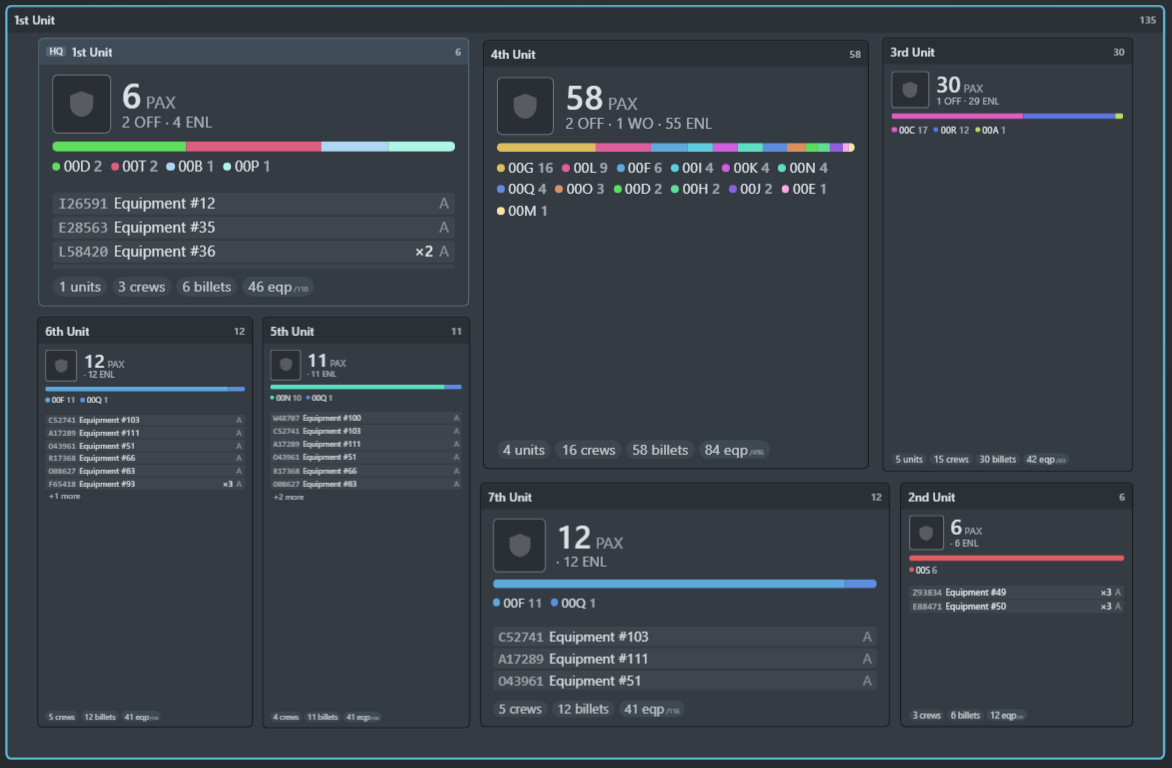
- Interactive Map Canvas: Smooth pan, zoom, and dynamic level-of-detail rendering for organizational structures.
- Unit Breakdown: Vertical accordion outline, on the Data window's Units tab, to inspect unit hierarchies and personnel totals.
- File Parsing: Supports direct import of FMSWeb spreadsheet exports (.xlsx, .xls, .csv) and pre-parsed model files (.json).
- Search and Filtering: Real-time search across unit names, UICs, MOS codes, and paragraph numbers.
- Statistics and MOS Analytics: Detailed personnel strength rollups and MOS distribution summaries.
- Data Privacy and Information Censoring: Option to obscure unit titles, personnel names, LINs, and MOS codes.
- Model Exporting: Export parsed force structures into compact JSON format for offline viewing and sharing.
- Node.js version 18 or higher
- npm package manager
-
Clone the repository:
git clone https://github.com/kdeary/FMS_Viewer.git
-
Navigate into the project directory:
cd FMS_Viewer -
Install dependencies:
npm install
Start the local development server with hot module replacement:
npm run devOpen your browser and navigate to http://localhost:5173.
Build the static site for production deployment:
npm run buildThe compiled production bundle will be generated in the dist directory.
The build also writes dist/FMSViewer.html: the whole app in a single HTML
file, with scripts, styles, fonts, images, MOS data and the spreadsheet parser
all inlined. It runs straight from disk (double-click it, or open it from a USB
stick or a shared drive) with no server and no network connection. The hosted
app offers it on the home page as Download offline version.
To build only the portable file, into dist-portable/:
npm run build:portableDeploy to GitHub Pages:
npm run deploy- Open the application in your browser.
- Drag and drop an FMSWeb spreadsheet file or click to select a file.
- Use the mouse wheel to zoom, or click and drag to pan across the interactive canvas.
- Click the Search button to locate specific units, MOS codes, or paragraph numbers.
- Click the Data button for the unit outline (Units tab), personnel strength rollups and MOS breakdowns.
- React 18
- Vite
- Bootstrap 5 and Bootswatch Slate
- SheetJS (xlsx) for spreadsheet parsing
Developed by 2LT Korbin Deary.