An autocomplete popup for zsh on macOS: subcommands, options, files and git branches,
with descriptions, right under your cursor in Terminal, iTerm2, Ghostty, VS Code and Cursor.
A free, open-source alternative to the Fig, Amazon Q and Kiro CLI autocomplete.


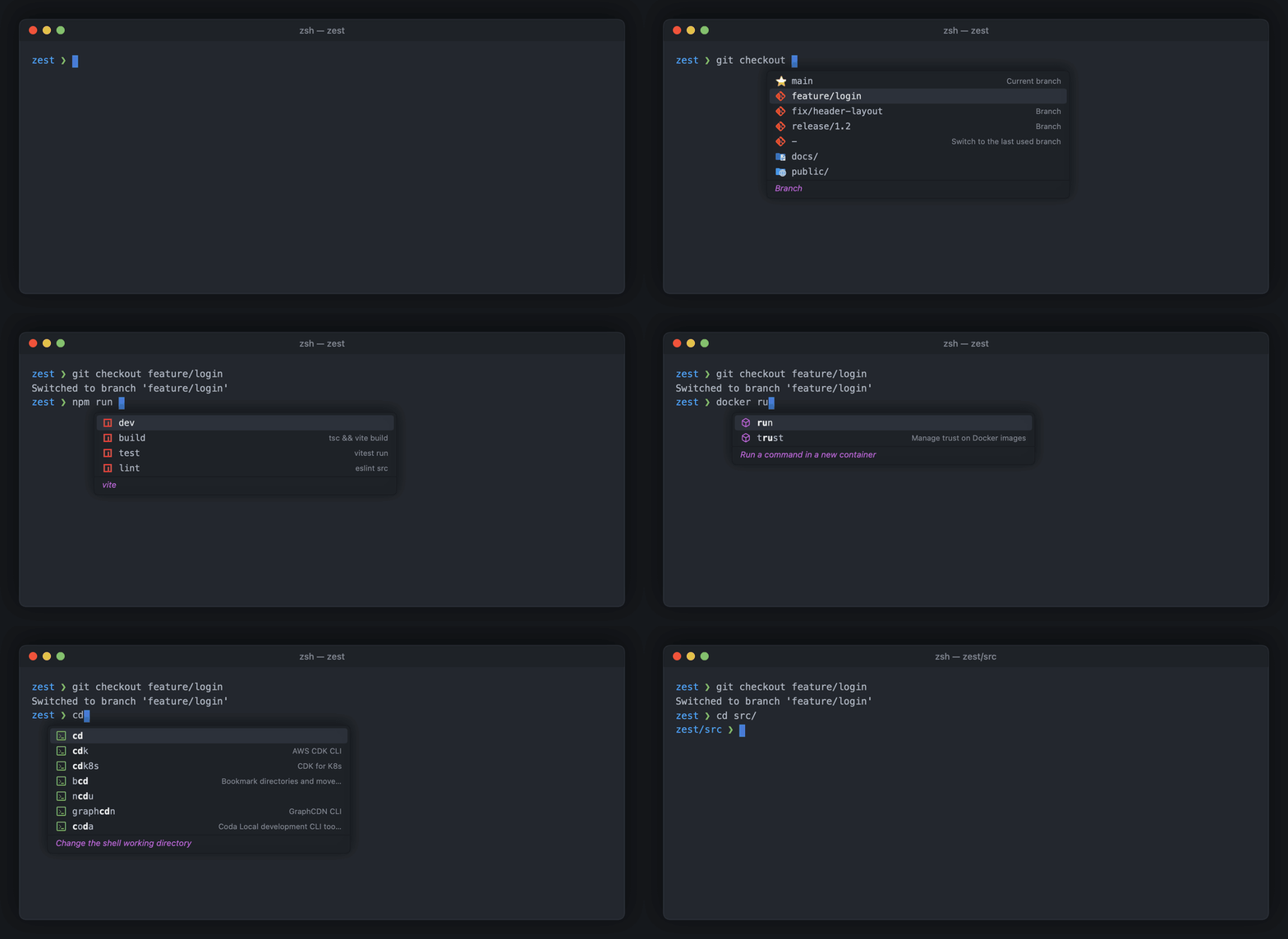
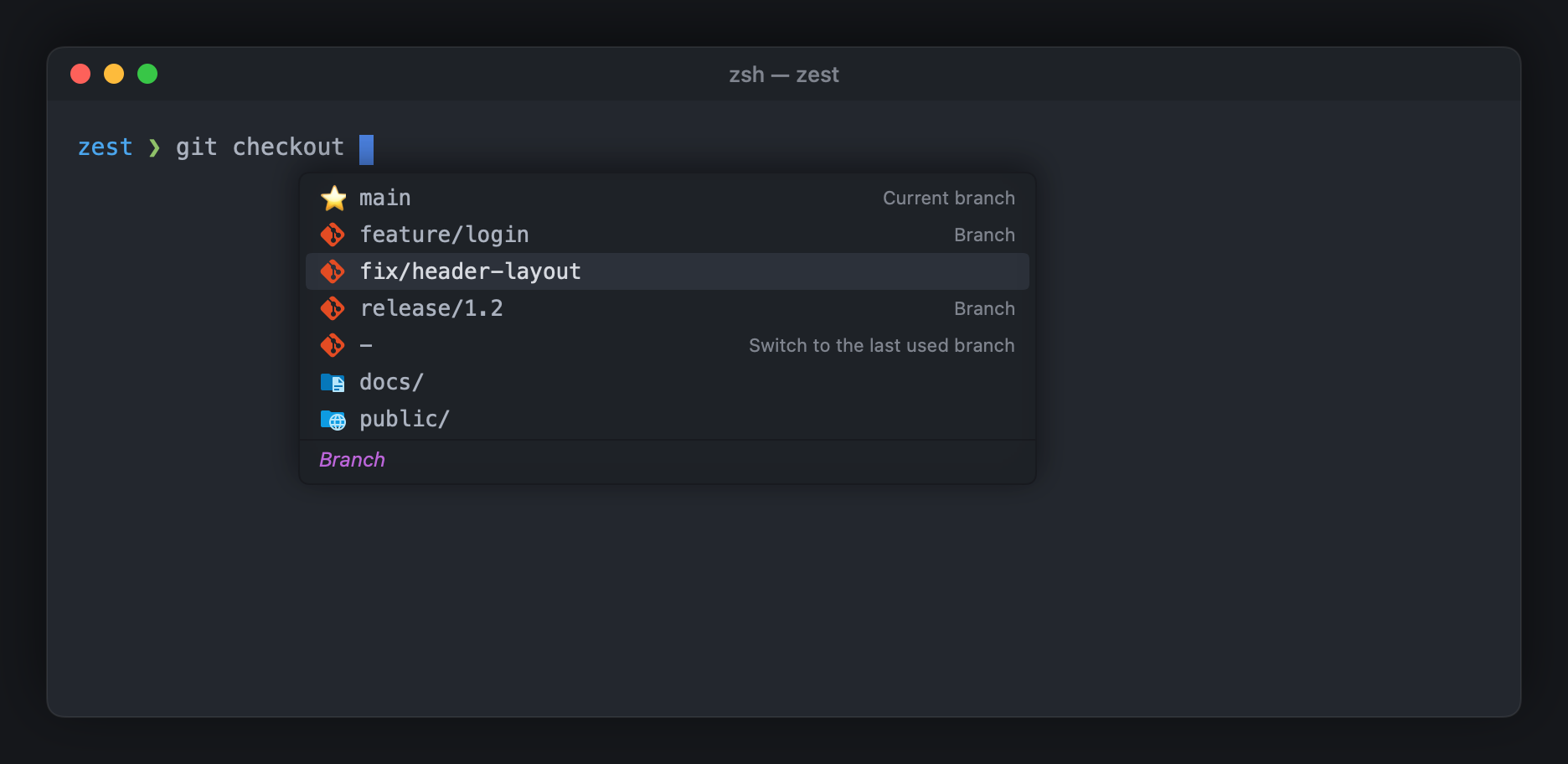
zest does the one thing Fig, and later Amazon Q and Kiro CLI, did best: the completion popup. It is a small native app instead of a web view with a terminal proxy in front of every shell:
- Native and light. Written in Swift. About 20–30 MB of memory, a ~3 MB app binary, no Electron and no web view. zsh talks to it over a local socket; nothing sits between your terminal and your shell.
- 1,500 commands out of the box. git, docker, kubectl, npm, brew, aws, gcloud, … from the open-source Fig spec collection, kept up to date, plus AI coding agents (Claude Code, Codex, Gemini CLI, Cursor, aider, opencode, Amp, goose), files, folders and command history.
- Adding a command is one YAML file. Run
zest gen mytoolto draft it from--help. - Looks like your editor. 74 themes from VS Code (One Dark Pro, Dracula, Catppuccin, Tokyo Night, GitHub, …), or the theme your VS Code or Cursor uses right now. Material Icon Theme file icons and Codicons, as in the editor.
- Private. Everything runs on your Mac. zest makes no network requests except checking GitHub for updates, which you can turn off.
- macOS 14 Sonoma or later, on Apple silicon (M1 or newer)
- zsh, the default macOS shell. bash and fish are not supported.
- Terminal.app, iTerm2, Ghostty, VS Code or Cursor. Other terminals work if they report the text cursor through macOS Accessibility.
curl -fsSL https://raw.githubusercontent.com/rostik32/zest/main/install.sh | shThe script downloads the latest release, checks its checksum, puts Zest.app in
/Applications and the zest command in ~/.local/bin, then starts the app. On first launch zest
asks for three things:
- Accessibility access, to find the text cursor so the popup opens right under it.
- Three lines in
~/.zshrc, so new shells connect to zest. A backup is saved as~/.zshrc.zest-backup. - Whether to start at login.
Then open a new terminal window and start typing.
Install with Homebrew
brew tap rostik32/tap
brew trust rostik32/tap      # recent Homebrew versions ask you to trust third-party taps
brew install --cask zest
Then open zest from Applications. The cask always installs the latest release; zest updates itself.
Install by hand, or build from source
Download Zest.zip from the latest release,
unzip it and move Zest.app to /Applications. zest is free and not signed by Apple, so the first
time macOS may say it cannot check the app: open System Settings → Privacy & Security and
click Open Anyway. The install script avoids this step.
To build it yourself you need the Xcode Command Line Tools (xcode-select --install):
git clone https://github.com/rostik32/zest.git
cd zest
make install    # builds dist/Zest.app, copies it to /Applications, links the zest command
Uninstall
curl -fsSL https://raw.githubusercontent.com/rostik32/zest/main/install.sh | sh -s -- --uninstallThis removes the app, the lines in ~/.zshrc and zest's data. Your own specs in
~/.config/zest stay.
Type a command. The popup appears while you type and disappears when there is nothing to suggest.
| Key | What it does |
|---|---|
| Tab | Insert the selected suggestion |
| ↑ ↓ | Choose a suggestion |
| Enter | Insert while you are typing a word; after a space it runs the command. You can change this in Settings. |
| Esc | Close the popup for this line |
| → | Accept the grey ghost text from your history |
| Mouse | Scroll the list; click a suggestion to insert it |
When the popup is closed, every key does exactly what it did before, including your own key bindings and zsh's own completion.
The menu bar icon lets you turn suggestions on and off (⌘P), open Settings, check for updates, reload specs or quit. In Settings you can change the Enter key behavior, fuzzy matching, history suggestions, the theme, the font, the popup width and the number of visible rows.
Make the popup look like the rest of your setup. In Settings → Appearance you pick one of 74 themes from VS Code (search the list; the preview changes as you click), the font, its size, how many rows to show and whether to show descriptions.
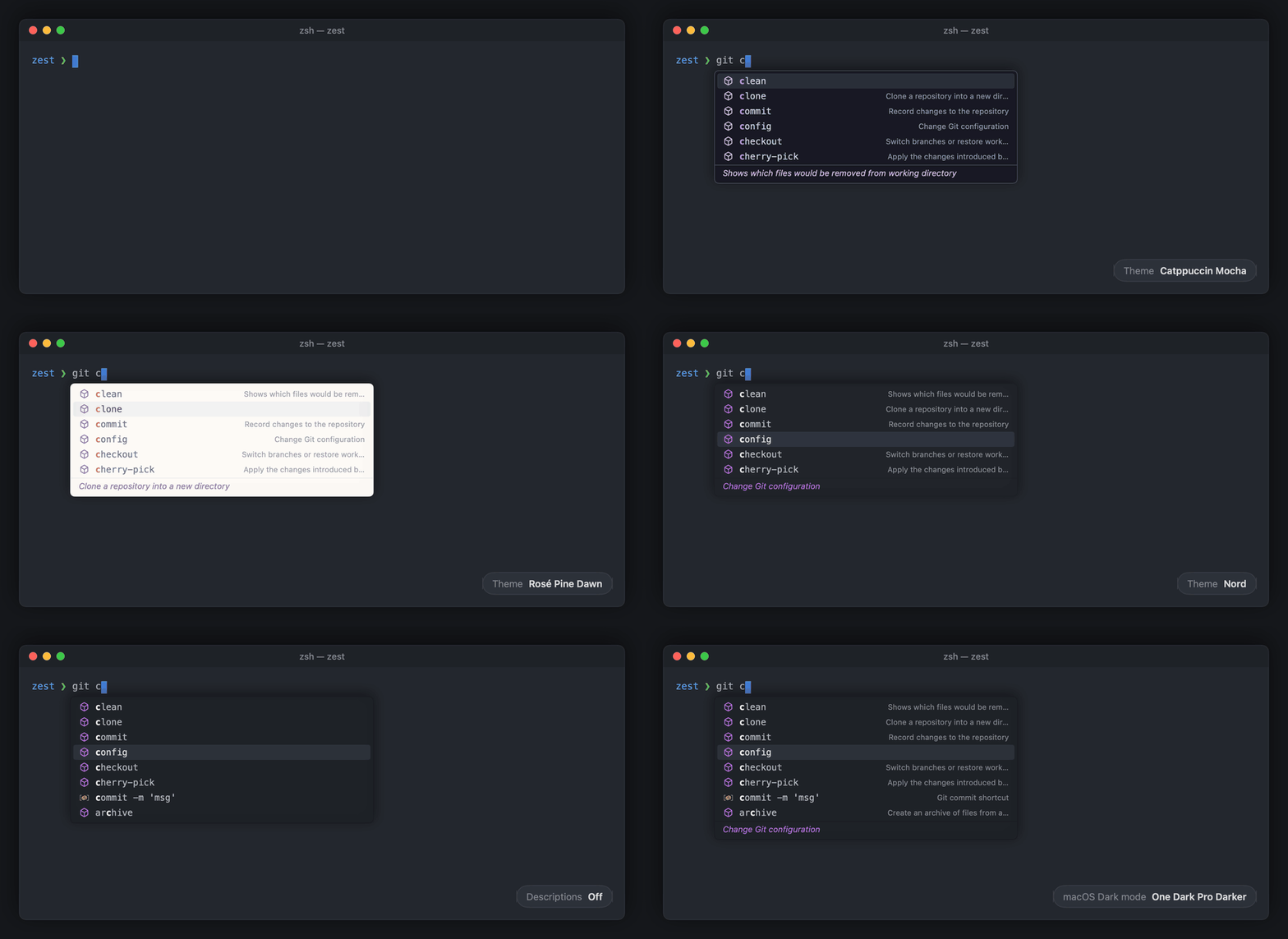
- 74 themes: One Dark Pro, Dracula, Catppuccin, Tokyo Night, GitHub, Nord, Gruvbox, Solarized, Rosé Pine, Ayu, Night Owl, the VS Code defaults and more.
- Light and dark: pick one of each and the popup follows the macOS appearance.
- Your editor's theme: in VS Code and Cursor the popup uses the editor's current theme.
- Any VS Code theme: import it from Settings or with
zest theme import. A theme is a small YAML file of colors; see Themes.
zest looks for specs in ~/.config/zest/specs first, then in the ones that ship with it. A spec is
a YAML file named after the command:
# ~/.config/zest/specs/deploy.yaml
name: deploy
description: Deploy the app
subcommands:
  - name: staging
    description: Deploy to staging
  - name: production
    description: Deploy to production
    options:
      - name: [-f, --force]
        description: Skip the confirmation
options:
  - name: --branch
    description: Branch to deploy
    args:
      name: branch
      generators:
        script: git branch --format='%(refname:short)'
Changes are picked up right away. You can also start from the command's help text:
zest gen deploy        # writes ~/.config/zest/specs/deploy.yaml from `deploy --help`
zest validate          # checks your specs for mistakes
zest complete 'deploy production -'   # shows what the popup would suggest
To share a spec with everyone, add it to specs/ and open a pull request.
Adding a command walks through it, and the
spec format reference lists every field.
The shell sends each change of the command line to the app and moves on without waiting. It only
waits for an answer when you press Tab, ↑, ↓, Enter or Esc while the popup is open. Measured with
zsh scripts/bench.zsh on an Apple M1 with macOS 27:
| What | Cost |
|---|---|
| Shell startup | +10 ms on a bare zsh -f. With oh-my-zsh it's lost in run-to-run noise, since oh-my-zsh already loads the modules zest uses. |
| Each key press, in the shell | 0.06 ms (median): it sends the line and returns. |
| Tab, ↑, ↓ while the popup is open | 0.8 ms median, 1.9 ms p95, until the shell has the app's answer. |
| App memory | 20 MB after launch, 30 MB after typing a few commands, about 50 MB with specs for hundreds of commands loaded. |
| App CPU | 0% when idle. About 1.5% of one core while the popup is open, because it follows the terminal window. |
| Over time | Memory stays flat over 1,200 shell sessions, 150 window moves and resizes, and 25 windows opened and closed. The only leaks leaks reports are three objects macOS's App Intents framework creates at launch. |
Run zsh scripts/bench.zsh while Zest.app is running to measure your Mac.
 Terminal / iTerm2 / Ghostty / VS Code / Cursor
 └─ zsh ── shell/zest.zsh ──── Unix socket ────► Zest.app (menu bar)
            sends the line on every key           ├─ parses the line, loads the spec
            asks what Tab, ↑, ↓, Enter, Esc do     ├─ fuzzy-ranks suggestions
            while the popup is open               ├─ runs generators (git branches…)
                                                  └─ draws the popup under the cursor
                                                     (found with the Accessibility API)
See architecture for the details and the socket protocol.
For the autocomplete popup, yes. zest uses the same open-source command specs Fig used, so the suggestions will look familiar. It does only completion: there is no AI chat, no account and no cloud service, and it does not wrap your terminal in a proxy.
Terminal.app, iTerm2, Ghostty, VS Code and Cursor are tested. Other terminals work if they report
the position of the text cursor through macOS Accessibility. For one that doesn't, add
export ZEST_ASK_POSITION=1 before the zest lines in ~/.zshrc: the shell then asks the terminal
where the cursor is, as it does in Ghostty.
Reports for other terminals are welcome in issues.
Not yet. zest needs zsh (the default shell on macOS), macOS 14 or later and an Apple silicon Mac.
Those are zsh plugins that draw inside the terminal: zsh-autosuggestions shows grey text from your history, zsh-autocomplete lists zsh's own completions under the prompt. zest is a separate app that shows a floating popup with a description and an icon for every suggestion, from specs for 1,500 commands, and it also has its own grey history suggestion.
No. Everything runs on your Mac. The only network request is the update check on GitHub, which you can turn off in Settings.
Yes, under the MIT license. Because it is free, it is not notarized by Apple; the install script and the Homebrew cask take care of the warning macOS shows for such apps.
Ideas, not promises. Help is welcome with any of them; for something big, say hi in Discussions first.
- Suggestions for commands without a spec. zsh already ships completions for thousands of commands. When zest has no spec for a command, it can show what zsh's own completion offers, in the same popup.
- More terminals. Terminals that don't tell macOS where their cursor is could be asked by the shell automatically, as Ghostty is now, so WezTerm, kitty and Alacritty work without setup (#18). The terminal in JetBrains IDEs needs a look of its own. Warp can't be supported: it edits the command line itself instead of zsh.
- Works with your zsh setup. Check and document zest with oh-my-zsh, powerlevel10k, zsh-autosuggestions, zsh-syntax-highlighting, fzf and fzf-tab, and zsh-vi-mode, and fix what conflicts.
- More commands. Popular tools that still have no spec are listed as good first issues.
- bash and fish. The app doesn't depend on zsh: each shell needs its own small script like
shell/zest.zshthat sends the command line and asks about keys.
Specs, bug fixes and ideas are welcome. CONTRIBUTING.md explains how to set up the project, run the tests and send a pull request. Most contributions are a single YAML file; the good first issues are a good place to start. Questions go to Discussions.
- Command specs: withfig/autocomplete, MIT license.
- File and folder icons: Material Icon Theme, MIT license.
- Symbol icons: Codicons, CC BY 4.0.
- Themes: converted from VS Code themes by their authors, each under its own license (all MIT); see themes/SOURCES.md.
- Yams and Swift Argument Parser.
zest is not affiliated with Fig, Amazon or Kiro.